Delphi

Everything You Need To Use AWS SES Natively In Your Apps

Email seems so old now when considering all the messaging options available. It is old, 50+ years old! It’s been the lifeblood of many business processes and is still as important today as it ever was. AWS has a plethora of great services, but they can be a little challenging for Windows app development. With that in mind, the next release of Appercept AWS SDK for Delphi 11.0 includes support for Amazon Simple Email Service (SES). Amazon SES is a reliable, scalable, and cost-effective email service and can be used for marketing campaigns, notifying users, or transactional emails. Let’s see how we can send a simple email… program SendEmail; {$APPTYPE CONSOLE} implementation uses AWS.SESV2; var Client: ISESV2Client; Destination: ISESV2Destination; EmailMessage: ISESV2Message; Request: ISESV2SendEmailRequest; Response: ISESV2SendEmailResponse; begin Destination := TSESV2Destination.Create; Destination.AddToAddress(‘world@example.com’); EmailMessage := TSESV2Message.Create(‘Announcing…’); EmailMessage.Body.Text := ‘Hello, World!’; Request := TSESV2SendEmailRequest.Create; Request.FromEmailAddress := ‘sender@example.com’; Request.Destination := Destination; Request.Content.Simple := EmailMessage; Client := TSESV2Client.Create; Client.SendEmail(Request); end. 1 2 3 4 5 6 7 8 9 10 11 12 13 14 15 16 17 18 19 20 21 22 23 24 25 26 27 28 29 30 31 program SendEmail;   {$APPTYPE CONSOLE}   implementation   uses   AWS.SESV2;   var   Client: ISESV2Client;   Destination: ISESV2Destination;   EmailMessage: ISESV2Message;   Request: ISESV2SendEmailRequest;   Response: ISESV2SendEmailResponse;   begin   Destination := TSESV2Destination.Create;     EmailMessage := TSESV2Message.Create(‘Announcing…’);   EmailMessage.Body.Text := ‘Hello, World!’;     Request := TSESV2SendEmailRequest.Create;   Request.Destination := Destination;   Request.Content.Simple := EmailMessage;     Client := TSESV2Client.Create;   Client.SendEmail(Request); end. This is just the start. Why not start your next email marketing campaign with Amazon SES with tools written in Delphi? Or, seamlessly integrate email into your existing business applications built in Delphi? Appercept AWS SDK for Delphi is available exclusively with active Enterprise or Architect subscriptions for Embarcadero Delphi or RAD Studio. You can install the SDK through the GetIt Package Manager within Delphi or RAD Studio if you have an active subscription.


Read More

View From The Tap – Bulgarian Firm Supports Country’s Market Leaders With Delphi And InterBase (Case Study)

Using InterBase and Delphi, Bulgarian software company Bonev Soft (BSoft) has made financial management and tax payments painless for the country’s industry leaders for over 20 years. BSoft’s flagship software, AJUR®, is an integrated management system for Windows very popular with government and non-government organizations in Bulgaria and around the world, across a number of vertical industries – from manufacturing and financial services through to power generation. More than 5,000 BSoft customers use AJUR to provide financial reports to tax authorities and various other stakeholders, and closely manage their supply chains. Among them are many of Bulgaria’s industry leaders. The View From The Tap Case Study explores how BSoft solved its scaling and efficiency challenges using a highly effective combination of Delphi and InterBase. Read The Case Study

Read More

Are You Getting The Most Out Of Your Windows App Development?

Windows 11 marks a visual evolution of the Windows operating system. As Windows moves forward, customers set a higher bar for desktop applications and massive demand for Windows app development. These customer expectations can be: Good performance on the low-cost app Native app user experience Complete matching with the latest design principles Support for modern window features like window snaps Support for shell integration or other native features support Easy to distribute on Microsoft Store Easy access to Windows App SDK or any other native libraries Great applications always meet these requirements.  Embarcadero Delphi Are you taking the right steps to build visually appealing modern Windows 11 Apps? While there are dozens of different technologies to build Windows applications, only a few of them offers all these capabilities built-in. For instance, Microsoft offers tools to make modern Windows apps with all the recent updates and features. But there is one more leading technology that has been thriving in Windows desktop development for more than 27 years now by providing the latest and freshest features and a unique graphical user interface development platform. It is Embarcadero Delphi! Since the beginning of Delphi with its Visual Component Library, it has been thriving in the Windows desktop app development industry. It offers hundreds of visual and non-visual components to build apps 5x or 10x faster than other GUI development tools. Delphi Cross-Platform Native App Development Are you using the latest Common Controls for Windows app development? Windows 11 brings beautiful UI innovations. By using new standard controls, you get the benefits of compatibility and accessibility for free. With Delphi and Visual Component Library, you can efficiently utilize modern controls. There are dozens of styles to quickly turn your futuristic UI to Windows 11 UI or even something unique. 2D & 3D Game Development with Delphi Why should you select Delphi for Windows app development? Delphi and its RAD Studio IDE profoundly improve developer productivity and product time-to-market. Not only that, developing one codebase to reach every desktop and mobile platform streamlines successive escapes and product maintenance. Delphi with Visual Component Library and FireMonkey framework gives you the best environment to quickly build any application, not only for Windows app development but also for cross-platform to Macs, iPhones, iPads, Linux computers and more.  WPF with the .NET framework offers small teams native entry to Windows applications and solid IDE but struggles to match Delphi’s productivity, IP security, and performance. Also, when you compare Electron, it gives a free alternative to Delphi and WPF and cross-platform capability like Delphi. Still, when it comes to productivity and security, it misses Delphi. Find out which is the best technology for Desktop Platform Moreover, according to that research paper, Delphi’s build time is better than Electron and WPF .NET for database connectivity. Besides, there is a clear indication that Delphi’s FireDAC database engine and network tools abstract layers of operations better than NodeJS, reducing developer effort and opportunities for error. Figure 2 – Delphi, WPF, and Electron comparison Are you using the best UI framework for Windows 11 Development? Compared to Microsoft’s technology stack, like C# WPF, or UWP, going with Delphi FireMonkey is one of the most reliable ones. It is not that they are unreliable, but they have a different approach to building the blocks and […]

Read More

Interbase ADO.NET Driver Update Enhances Visual Studio Support

Embarcadero has released an update to the new InterBase ADO.NET driver for Visual Studio published in May of 2021 that introduces support for InterBase’s award-winning ChangeViews™ feature.  The ADO.NET driver has both 32 and 64 bit support for InterBase and integration with DDEX and Entity Framework 6, giving you full customization and control over your development with InterBase and Visual Studio. The updated driver, made available as a Nuget package and listed in the Visual Studio marketplace, will offer Visual Studio 2022 IDE integration and full support for ADO.NET and the Entity Framework. What is ChangeViews™? Change Views™ is an IoTA-award winning data synchronization feature of InterBase. Change Views™ improves data security and eases data management workload by answering the question “what data has changed since I last viewed it?“ Change Views™ uses the multigenerational architecture of Interbase to capture changes to data. With Change Views™ there is no performance overhead on existing transactions because it maintains a consistent view of changed data observable by other transactions. The NuGet packages and the driver include: Core ADO.NET framework support and integration, including both InterBase server and the local, embedded IBLite/IBToGo (see image below)               Entity Framework support, offering the ability to use the popular .NET Object-Relational mapping layer with InterBase (this support requires adding a specific InterBase UDF extension library to your database installation) Visual Studio DDEX integration, with the ability to navigate the database connection and the actual data within the Visual Studio IDE (see image below)               The InterBase NuGet Package The NuGet package for Visual Studio includes the updated ADO.NET driver for InterBase, and additional features for seamless integration with the Visual Studio IDE and the .NET platform overall. The features are available in two separate NuGet packages here: The ADO.NET driver and all support code is available also as open source on GitHub at https://github.com/Embarcadero/IB.NETDataProvider. For more information on the InterBase ADO.NET driver and its capabilities, please visit the InterBase docwiki at http://docwiki.embarcadero.com/InterBase/2020/en/ADO.NET_Driver. We are also providing documentation and demos with the NuGet package itself. The replay of the webinar around the launch of the original new ADO.NET driver in May 2021 is available here:Introducing InterBase’s New ADO NET driver For a deeper look at InterBase’s ChangeViews feature, read Fernando Rizzatto’s related blog post: “.NET Apps And Interbase Change Views – How to Track Data Changes Automatically” Other InterBase Connectivity Options Besides the new ADO.NET driver for Visual Studio, InterBase also offers great connectivity and integrated drivers for Embarcadero RAD Studio (via FireDAC and IBX). InterBase has expanded its role in relation with RAD Studio to include cross platform support for a single database file format working across Windows, macOS, Linux, iOS and Android. Additionally, InterBase includes a JDBC driver for Java applications and an ODBC driver for most other development environments and programming languages. Learn More About InterBase InterBase is an ultrafast, scalable, embeddable SQL database with commercial-grade data security, disaster recovery, and change synchronization. With a long history as a powerful and reliable database system, InterBase has a very small footprint and can be deployed in a server but even embedded in a mobile application. For more information please visit https://www.interbase.com

Read More

10 Tell-Tale Signs You Need To Get A New Python Development Tool

Python is a general-purpose, high-level programming language which was first launched 31 years ago. It is known for its simplicity, readability, and excellent libraries. It consistently appears in lists of the top programming languages, so many part-time developers consider giving it more airtime. However, to do more in Python, you need a better Python development tool and learn new ways. Change is always easy for newbies as they have less to unlearn. Thus, if you are a seasoned Python developer, updating might be difficult. But as change is inevitable, embracing better tools and ways will keep you ahead of the competition as a senior Python developer. So here is our list of the best Python development tools and ten reasons you should add them to your development environment. 1. Do you want to Quadruple your Python development? Productivity in software development is all about getting results fast. You can quadruple your Python development to produce outstanding Python solutions by following these methods: Re-use available quality code quickly and easily by getting hands-on experience with more libraries and leveraging already available quality code. It will improve your coding skills and productivity. You can read about two great libraries, Python4Delphi and Delphi4Python, below. Joining an excellent Python community will help you out when you are stuck and learn from fellow programmers’ posts. Contributing to Open Source Python projects like PyScripter will increase the Python Pie available to all of us, and it will also make you a master of Python programming. Use a better Python development tool and Improve your problem-solving skills by Pair programming and code review sessions. 2. Do you know about VCL and FireMonkey frameworks? Delphi VCL is a mature Windows native GUI framework by Embarcadero Technologies. It comprises hundreds of easy-to-use components and third-party tools. DelphiVCL for Python brings all these native GUI-building capabilities to Python with minor efforts and learning. This framework will give you the ultimate edge for designing windows GUI-based apps in Python. FireMonkey by Embarcadero Technologies is a cross-platform GUI framework available for Windows, macOS, iOS, and Android. Also, with a third-party library of FMX Linux, you can extend it to Linux. DelphiFMX for Python brings massive FMX powers to Python developers. See this video for a quick start of the best Python GUI design capabilities. > 3. Do you know about Python4Delphi? With Python4Delphi, you can create Python extension modules through Delphi classes and routines. You can also use Delphi objects in Python scripts. This capability means you have a world of the tested and optimized codebase at your disposal for immediate use in Python. It can significantly improve your Python coding performance, and any time you spend learning this module is an investment. Also, this open-source project comes with an MIT license. It has an extensive range of demo applications that makes it trivial to master this module and supercharge your Python development. 4. Is Windows your primary development system? If Windows is your primary development system, like most developers, there is no need for cross-platform IDEs. Instead, you need an IDE that performs well on windows. Only native windows applications can perform well on windows, and everything else is compromised. PyScripter is the most performance-oriented Python IDEs available for the Windows platform. 5. Do you know why Java-based IDEs are poor […]

Read More

5 Common Misconceptions About Blockchain And Cryptocurrency

In our previous articles about Blockchain, we have explored and learned a lot about the whole Blockchain infrastructure, cryptocurrencies, how to integrate Blockchain APIs into Delphi applications, non-fungible tokens, and more. Is Blockchain’s only application cryptocurrency? Blockchain and cryptocurrency are outstanding together. But they also work brilliantly on their own. Every industry can use the underlying distributed ledgers to build reliable systems. Is everything public in Blockchain? Bitcoin is a public ledger that tracks how much was sent from one address to the next. On a public Blockchain, transactions are visible. However, identity is decoupled from the trades. Here you can learn about the expectations and reality of Blockchain. Are Blockchains inefficient? To some point, it is valid depending on the structure of the Blockchain. For instance, Permissioned Blockchain is more cost-effective and energy-efficient. But Blockchains leverage a proof-of-work mechanism, usually permissionless networks mining cryptocurrency. Does Blockchain have very limited areas of application? Blockchain has many applications beyond cryptocurrency or token. For instance, Ethereum is a decentralized blockchain platform with more functionalities than you think. Ethereum offers a highly adaptable platform to construct decentralized applications using the native Solidity scripting language and Ethereum VM. It gives a rich ecosystem of developer tooling and extends in several ways. Furthermore, Ethereum is the primary home for decentralized applications like financial applications – DeFi and NFTs.  Is Blockchain the universal problem solver? Some consider Blockchain technology the best solution for most problems in our systems. But it is only applicable for its specific domain. It can give: Transparency Security & Decentralization Immutability Improved efficiency And these are the things why it attracts many people. When you come closer to this technology, you start to comprehend the accurate perception of Blockchain and its features along with its drawbacks. Over the last decade, Blockchain technology has gained a high level of triumph. If you are willing to be in this world, you should understand the essential concepts of Blockchain and other projects around it. Be sure to check out our articles to learn more about Blockchain. The more you know, the more you understand what is happening. Blockchains and cryptocurrencies can be very computationally demanding. Why not try the raw native processing power of Delphi and download a free trial today?

Read More

The Anatomy of a Great Windows UI Toolkit

The broad popularity of Agile Software Development, DevOps, and continuous delivery pipelines puts more pressure on developers to build and deploy high-quality applications faster. With technology now underlying almost every aspect of daily commerce, as well as our business and private lives, fast and efficient software development is critical to maintaining developer competitiveness and success. Moreover, user experience continues to be a very dynamic and still evolving area which grows alongside, and in-step with, the technological advances in hardware. This evolution sets up users and product owners alike with the expectation that to keep ahead of the game your product’s look and feel need to keep pace with the market dynamics of functionality and visual design, all of which translates into meeting customer expectations becoming increasingly complex and demanding. This raises the question of how to scale developer productivity to become more agile and flexible. For this reason, developers are constantly incorporating tools that’ll boost productivity and efficiency. One such tool is choosing a great Windows UI toolkit which combines the best in user interface and experience design with robustness and longevity without compromising the development process or speed to market deployment.  Why is a Windows UI toolkit an important element of an app’s success? Building a user interface with modern functionalities, good usability, and the ability to present a consistent brand identity is crucial for successful professional application development. However, it can get very tedious and time-consuming without the right tools. Fortunately, with some time taken to select a great Windows UI toolkit, you can build high-quality user interfaces which deliver an outstanding user experience while also ensuring brand consistency in your mobile, desktop native, and web applications. A UI toolkit is a collection of assets containing a set of controls or components that display content or enable interaction. Whether you’re building an entirely new application or installing a new user interface, knowing what a great Windows UI toolkit is made of is an excellent foundation on which to build out your great ideas into a product that users will find not only useful but pleasant and easy to use – both of which translate into setting yourself up for commercial success. Build it quickly, build it efficiently, make it look good, make it do what the user needs, don’t be quirky, don’t be weird (adhere to familiar user interface paradigms) – this is the formula for going from a good idea to a great product. What Makes Up a Great Windows UI Toolkit? To answer this question, let’s look at a model UI toolkit – The Delphi VCL and FMX frameworks. These frameworks have dozens of powerful built-in controls included for free, ranging from various simple buttons to powerful data components like the list view grid view – all of them ready to use in your apps with a simple drag and drop. The form designer and the LiveBindings designer in RAD Studio provide a great environment to create a bold, scalable UI that looks great on all devices and screen sizes. I can’t emphasize enough how easy these are to use – just a few clicks and everything just works with little or no code. RAD Studio Delphi can fairly claim to be one of the original low code platforms where the system does most of the […]

Read More

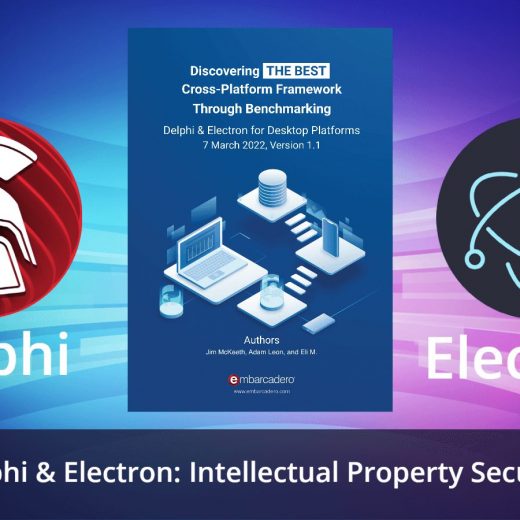
Benchmark Study Weighs Electron And Delphi on IP Security

Intellectual property security is a pillar of business sustainability. The money, time and resources invested in a project can be wiped out if the revenue-producing mechanism is not properly protected. How do Delphi and Electron protect intellectual property? The “Discovering The Best Cross-Platform Framework Through Benchmarking” whitepaper evaluates two frameworks supporting multi-platform desktop application development: Delphi and Electron. Delphi Delphi, encapsulated in the Rapid Application Development (RAD) Studio IDE, is Embarcadero Technologies’ flagship product. A proprietary version of the Object Pascal language, Delphi features graphical application development with “drag and drop” components, a WYSIWYG viewer for most mobile platforms, and robust style options including platform-standard and unique palettes that provide a fully customized look and feel. Among other features, included libraries provide GUI controls, database access managers, and direct access target platform hardware and platform operating systems. The Delphi FireMonkey (FMX) framework will compile projects to native code for 32-bit and 64-bit Windows, macOS, Android, iOS, and Linux, allowing users to develop and maintain one codebase reaching most of the market. Delphi has been available for over 25 years. Electron Electron is an open-source (MIT License), Chromium-based framework that utilizes web technologies to build desktop applications on Windows, macOS, and Linux. It is developed and maintained by GitHub, a subsidiary of Microsoft. Electron combines the Chromium-based rendering engine with a Node.js server environment. As such, the user interface for an Electron application is available via HTML5 and CSS. Generally, Electron works with most Javascript frameworks such as Angular, Vue.js, and React. The HTML5, CSS, and Javascript-based technologies found in Chromium provide a rich ecosystem of user customization familiar to any web developer. Despite its relatively young age of five years, its community boasts open source packages for database access, operating system interactions, and other common tasks. Benchmark Metrics This post is part of a series of blog posts that look more closely at each of the individual metrics used in the study, and how Delphi and Electron each fared on these metrics. The first can be found here. Download the complete whitepaper here Benchmark Category: Functionality Functionality Framework functionality was examined qualitatively through research on the business aspects of each framework ranging from initial investment through long-term maintenance of the products created. Business functionality refers to a framework’s business suitability and impact on long-term plans. Excellent functionality allows companies to easily build custom tools or extensions, develop on a platform of their choosing, protect their source code from exploitation, and have confidence that their applications will be maintainable for decades. Benchmark Metric: Intellectual Property Security Intellectual Property Security: How secure is the intellectual property of the source code in a deployable project? After businesses invest resources into their projects, they face the challenge of putting their product into the hands of the public while protecting the code and techniques that produce revenue. This qualitative metric evaluates the ability of a user to access source code via decompilation. Benchmarking Results Delphi Score: 5 (out of 5) Delphi compiles to native machine code, eliminating much of the source code structure and metadata necessary for accurate decompilation and interpretation. Decompilation using a tool like DeDe will provide some details about the UI but only assembly code for the logic/back-end. Electron Score: 1 (out of 5) Electron source code is packaged and deployed to […]

Read More

Top 10 How-To’s: C++

Delphi integrates with more than one language. InterBase is compatible with a dozen or more. Delphi’s recent introduction of Python libraries have enabled the two languages to work well together, but the one language that’s closest to Delphi is C++. That’s because C++Builder’s been part and parcel of the RAD Studio offering for the past 25 years. There’s a lot that can be done with C++Builder, as it opens the door to platforms and operating systems and many possibilities. Let’s look at the top 10 things you should know how to do when working with C++ and C++Builder. 1. Everything You Need For A Chat Bot C++ App, Breakpoints, Const_cast And More         In this blog post you will learn how to build a simple and modern chatbot C++ app. In another post, we will teach more details about using breakpoints. Still, if you don’t know the difference between the #include  and #include “”, we explain the difference in another great post. In C++, a cast operator is a Unary Operator which forces one data type to be converted into another data we explain how to use const_cast in C++. If you still don’t know how to download and use the C++ programming language, we explain how to download a modern C++ compiler for Windows 10 and Windows 11. Read More   2. 13 Things About C++ Software You May Not Know         C++ is an incredibly versatile, powerful, multi-purpose programming language. There is quite literally nothing that cannot be done with C++ whether it be a low-level, close to metal system application which pulls out the maximum amount of power from the computer to the most modern applications with the very latest innovations in user interface design and hardware integrations. A truly great C++ IDE includes features to allow the developer to develop even highly complex C++ software easily and with the maximum possible productivity. There is a huge treasure trove of tips, tricks, tutorials and example videos available to get you up and running with C++ too. Here’s a just a small sampling of just a few of them. Read More   3. This Is How To Develop C++ iOS Apps On Windows 11 Today         Do you know that you can develop C++ iOS Apps with Windows 11 application development tools? There is a great IDE and compiler running on Windows that supports multi-device applications for different platforms including iOS and you can develop native ARM applications like M1 CPUs too. So, your application’s program code can be recompiled so that it runs on everything from the latest Windows 11 version as well as on Apple ‘desktop’ devices such as the MacBook laptops, Mac Minis and iMacs using either Intel processors or the new M1 ‘Silicon’ CPUs. Yet that same program code can almost entirely be reused with little or no changes so it may be compiled for iOS where your apps can run on the very latest iPhone devices. Everywhere your users are, your C++ and Delphi apps can be. Read More   4. The Best C++ Compiler for Windows 10 And 11         If you are on the hunt for the best C/C++ compilers available today, this article lists the top C/C++ compilers for Windows with their features. It’s very hard […]

Read More

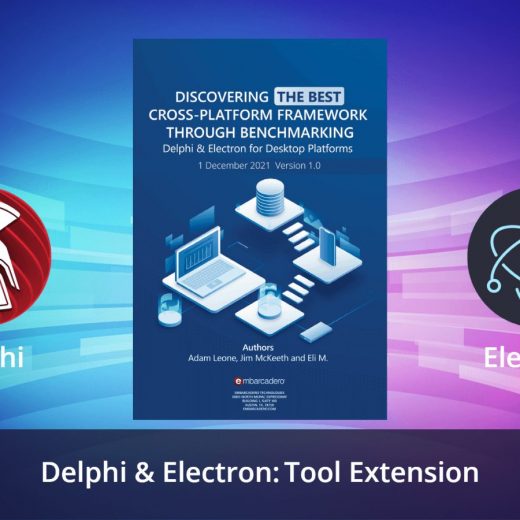
How Do Delphi And Electron Measure Up on Extendibility? Benchmarking Study Finds Out

Extendibility means a framework can be extended as required in its own language. If a framework needs plug-ins or extensions to be written in a different language. it will force additional costs on the businesses that use it. The “Discovering The Best Cross-Platform Framework Through Benchmarking” whitepaper evaluates two frameworks supporting multi-platform desktop application development: Delphi and Electron. Delphi Delphi, encapsulated in the Rapid Application Development (RAD) Studio IDE, is Embarcadero Technologies’ flagship product. A proprietary version of the Object Pascal language, Delphi features graphical application development with “drag and drop” components, a WYSIWYG viewer for most mobile platforms, and robust style options including platform-standard and unique palettes that provide a fully customized look and feel. Among other features, included libraries provide GUI controls, database access managers, and direct access target platform hardware and platform operating systems. The Delphi FireMonkey (FMX) framework will compile projects to native code for 32-bit and 64-bit Windows, macOS, Android, iOS, and Linux, allowing users to develop and maintain one codebase reaching most of the market. Delphi has been available for over 25 years. Electron Electron is an open-source (MIT License), Chromium-based framework that utilizes web technologies to build desktop applications on Windows, macOS, and Linux. It is developed and maintained by GitHub, a subsidiary of Microsoft. Electron combines the Chromium-based rendering engine with a Node.js server environment. As such, the user interface for an Electron application is available via HTML5 and CSS. Generally, Electron works with most Javascript frameworks such as Angular, Vue.js, and React. The HTML5, CSS, and Javascript-based technologies found in Chromium provide a rich ecosystem of user customization familiar to any web developer. Despite its relatively young age of five years, its community boasts open source packages for database access, operating system interactions, and other common tasks. 26 Benchmarking Metrics This post is part of a 26-part series of blog posts that look more closely at each of the individual metrics used in the study, and how Delphi and Electron each fared on these metrics. The first can be found here. Download the complete whitepaper here Benchmark Category: Functionality Functionality Framework functionality was examined qualitatively through research on the business aspects of each framework ranging from initial investment through long-term maintenance of the products created. Business functionality refers to a framework’s business suitability and impact on long-term plans. Excellent functionality allows companies to easily build custom tools or extensions, develop on a platform of their choosing, protect their source code from exploitation, and have confidence that their applications will be maintainable for decades. Benchmark Metric 11/26: Tool Extension Tool Extension: Can the framework be extended in its own language? Frameworks that require plug-ins, extensions, or modifications to be written in a different language impose costs on businesses that require altered functionality. Rather than creating the required tool from resident knowledge, businesses may have to invest time and resources to hire an external contractor or build in-house skills in that alternate language. Benchmarking Results Delphi Score: 5 (out of 5) The RAD Studio IDE for Delphi is written in Delphi. Users can build their own extensions and tools in Delphi, eliminating the need to learn a new language and handle language boundary problems. Additionally, extensions and tools can be built in C++ via the C++Builder side of RAD Studio. Electron Score: 3 […]

Read More