Delphi

Which Frameworks Can Be Used To Develop Cross Platform Applications?

As a methodology for software development, cross platform applications development has been rapidly gaining traction – and for good reasons too. Putting it simply, cross-platform development means developing software that will work across multiple platforms and types of devices. Unlike traditional frameworks that limit your application to a specific type of device or operating system, cross-platform applications can function almost anywhere, certainly on the most popular and recent equipment. However, we’ve only covered the tip of the iceberg regarding cross-platform app development. So, what are the options? When it comes to cross-platform development frameworks, there are a few options available – yet not all of them are created equal. Some are better suited for certain types of applications than others. In this article, we will take a look at some of the most popular cross-platform development frameworks and see which ones might be the best fit for your project. Single Platform vs. Cross platform applications development – how do they differ? In the world of applications and software development, there are two main types of development frameworks: those that allow you to develop native, vertical, single target applications and those that will enable you to create cross-platform apps which will target multiple devices and operating systems from the same code base. As mentioned above, native vertical single target applications are specific to a particular individual operating system. Namely, they are written in the language and framework “native” to that operating system. Cross-platform applications, on the other hand, are not tied to any one operating system. They can be run on multiple platforms with little or no modification. The code for cross-platform applications is usually written in a language that can be compiled into bytecode or interpreted by a virtual machine. As long as the code can be correctly interpreted and translated into bytecode, any device that has a processor can work with it. This additional layer of interpreter can add a significant overhead in terms of memory and processing speed. Also, the byte code runtime often doesn’t give full access to the device’s sensors and hardware since it is a ‘one size fits all’ approach which compromises on low level accessibility in exchange for ease of development and deployment. However, some cross-platform frameworks are available which do not use this additional interpretative layer but instead compile down into native binaries. One such system is RAD Studio Delphi which allows you to have all the benefits of writing a single set of source code yet produce fully native applications which embrace the full power and range of capabilities of the operating system and hardware of the device on which the apps are running. RAD Studio offers two main development frameworks – VCL, which is aimed at Windows, and FireMonkey FMX. So, which type of development frameworks should you use? Well, there is no 100% correct answer, as it really depends on your needs. If you need to develop an application with RAD Studio that will run on multiple platforms, then a cross-platform framework is definitely the way to go and FireMonkey FMX makes a lot of sense. However, if you definitely only need to build an application for a single platform the VCL Windows native framework might be a good choice as it brings with it some specific benefits for Windows […]

Read More

How To Build The Best Cross Platform Apps In 2022

In this fast-paced tech world, no business would like to miss the chance to have their own mobile app in the market of Google play store or App store. To make the most of it, it is essential to create an app that runs on as many operating systems as possible. Building a cross platform app can play a key role in this. In this article we’ll explain what we mean by that statement. Why choose to develop cross platform apps at all? If you choose to go down the route of developing separate apps for each of the platforms you want to target, for example Windows, macOS, iOS and Android, this separate app philosophy can attract a number of significant disadvantages which can outweigh any potential benefits. Apart from the version problems of having several different code bases and deployable packages, there are other intangible things like budgeting for potentially different development environments and suppliers. Using a single environment and IDE such as Embarcadero’s RAD Studio which can produce cross platform apps to target all your desired platforms in one place and yet create native apps focuses your development efforts, simplifies your resource requirements and budgeting into one quantifiable number. This is why cross platform app development has become the undisputed option for businesses seeking a presence on both Android and iOS platforms. Cross platform apps are popular because they reduce – in fact completely mitigates – the need to create a separate codebase to make an app for all the different platforms. A cross-platform app can run on a variety of devices and platforms. In this article, I’ll give you a run down on native vs cross platforms, the benefits of building a cross platform app, how to build a cross platform app and we’ll discuss the best cross platform app builder. Let’s start! What is the difference between single platform and cross platform apps for mobile? The debate on choosing between individual, vertical, single platform – where there is a different app for each target – and cross platform development – where there is one code base which can be compiled to produce apps and packages for all the desired targets – has been significant, often dividing opinion in the tech world. Some believe that creating separate apps for each individual platform is superior to a cross platform apps approach. Companies like Uber, on the other hand, are rewriting their driver app using a cross platform app framework. Cross platform development has become increasingly common in recent years. To be clear; cross platform app development is the process of designing mobile (and in some cases desktop) apps that can run on a variety of systems. Developers choose this type of development because it requires only one programming effort and the app can run on Android, iOS, or Windows. In the case of RAD Studio, cross platform apps written using its FireMonkey FMX framework can run Windows, macOS, Android, iOS and, with FMXLinux, Linux computers too. Compare this to single target vertical mobile apps. These kinds of apps are usually only able to operate on one vendor’s platform and, in the case of Apple, for example, also require you to use their own IDE which only works on their hardware. The work done for on such a vertical or narrow […]

Read More

Discover The Power And Capabilities Of The FireDAC Data Access Library

FireDAC is a powerful multi-device data access library with a unique set of Universal Data Access Components for developing multi-device database applications for Delphi and C++Builder. It is interesting to note that FireDAC is not just limited to windows application development as it offers complete cross-platform support for RAD Studio. This means that FireDAC can be used on all different platforms including 32 and 64bit Windows, macOS, iOS, Android, and Linux. In this video, Cary Jensen of Jensen Data Systems will walk us through the FireDAC library and why it quickly became the preferred data access mechanism in RAD Studio. What are the Benefits of Using FireDAC? The webinar will provide us with an overview of FireDAC and how it relates to other RAD Studio data access mechanisms. Cary will discuss all the notable basic and advanced features of FireDAC and will guide us through the process of migrating applications to FireDAC from an existing data access mechanism. RAD Studio includes a number of Data Access Mechanisms including dbGo which is used for ActiveX data components, IBExpress for Interbase, the Borland database engine or BDE, dbExpress, and even the myDB which is based on the client data set. Like all the aforementioned frameworks, FireDAC represents the TDataSet interface. Specifically, there is a large number of capabilities introduced into the Tdataset class and those capabilities are found in every one of the data access mechanisms in RAD studio. Interestingly, everything you can do with the BDE is supported by FireDAC. So if you are familiar with using both the BDE and the TdataSet, then you already know how to use this framework. What makes FireDAC so powerful? FireDAC, however, is not just simply similar to BDE. For instance, FireDAC is notably SQL-friendly. It is internally structured a lot like those you find in frameworks like the .NET data set. FireDAC goes beyond the dataset because it implements many other advanced features. It implements aggregates, group states, filtered navigation, and more. To top it all off, FireDAC has client-side indexes. The webinar will also discuss FireDAC’s power and practicality and why it became a top choice among other data access mechanisms. Aside from its complete cross-platform support, FireDAC also has exceptional support for databases. It supports most of the major commercial and open-source databases. Cary will also show a number of demonstrations including the process of migrating applications using ODBC and Side-by-Side Deployment. To learn more about this powerful data access mechanism, feel free to watch the webinar below. You can download a free trial of RAD Studio Delphi today and try the power of FireDAC for yourself.

Read More

How To Come Up With Software Ideas?

Coming up with the right software ideas is important. Without the right concept, you cannot effectively address the issues of your target consumers. As a result, your application will miserably fail on the market. How can you come up with effective and productive software ideas? How can you find the real problem and the need of users? Which IDE software can help you quickly turn your idea into reality? In this post, you will find all the details. How can I come up with successful software ideas? Coming up with the right software idea can be tricky. You might have a lot of concepts in your mind. But only a few of them will be successful. To find the best software idea, you need to ask yourself the following questions: 1. Am I focusing on a real problem or need? Successful software ideas begin with identifying the real problems and needs. What are the issues people are facing in the real world? Is there a need for a solution? These are some of the questions that you should ask yourselves. There are different sources for finding the real problems and needs. Here are a few of them: Personal problems and needs: Successful software ideas are often generated from personal issues. Are you tired of constantly facing a problem and finding nothing to solve it? It’s the right time to come up with a great software idea. External problems: These are the issues that the people around you face. Are they frustrated with the complexity of an existing solution? What features are they looking for? These are some of the things that you should keep a close eye on. Maslow’s hierarchy of needs: Maslow’s hierarchy of needs is a theory of motivation. It helps you define the urgency of needs based on their importance to survival and happiness. It focuses on five categories of human needs that dictate an individual’s behavior. They are physiological needs, safety needs, love, and belonging needs, esteem needs, and self-actualization needs. 2. How can I qualify each need for finding effective software ideas? The second step is to qualify your needs by applying Michael Skok’s 4Us approach [1]. It will help you identify whether the issue is unavoidable, urgent, unworkable, or underserved. Unavoidable problems are those that you cannot change. But you have to accept them. On the other hand, urgent needs require a timely solution, which might not be the best. However, it serves the needs because of the urgency. Unworkable issues are problems that you cannot fix with your best effort. For instance, you have spent a lot of time trying to find a solution. But it doesn’t work out. Underserved problems refer to the issues without an obvious solution. They can be a great source for finding your next software idea. Now, take each problem from your list. Ask yourself whether it is unavoidable, urgent, unworkable, or underserved. You should cross off problems that have 4 ‘NO’s. You are doing the right thing if you get a definite ‘YES’ for most questions. Otherwise, you have to revise your software ideas. 3. Do I need to narrow down possible solutions to determine the best software idea? Most problems around you have solutions. However, they haven’t been found yet. This is a great opportunity for […]

Read More

How Can You Develop Apple Apps On Windows

So, what do you need for Apple app development on Windows? What if you could use a single IDE instead of combining different IDE software or tools from different vendors that will take more space and resources from your workstation, potentially all working in different ways which will add massively to your learning curve? What you need is a cross-platform development like Delphi which can create applications for Windows, macOS, Android, iOS and Linux, all from the same single codebase and in the same IDE. Delphi offers a native development environment that works efficiently on the Windows OS and can deploy apps to Android, iOS, macOS, Linux, and of course, Windows. Including Delphi what you need is a macOS device—either you get a real one or rent it in the cloud. And if you are using a Windows device, you will have to go with the latter. Alternatively, you can use one of the VM solutions like Parallels to run Windows and Delphi on a macOS device. What is Delphi, really?  Delphi is one of the fastest ways to write, compile, package and deploy cross-platform native applications on Windows, macOS, iOS, Android, and Linux. In our case, we are working with Windows, so Delphi harnesses the power of its cross-platform FireMonkey framework to allow you to write Apple software on Windows hardware.  The commonplace argument on similar IDEs being inefficient or not as ‘smart’ as other Windows tools for developers may cross your mind. However, note that comparing Delphi with others is like calling a ‘c’ function in a java programming—Delphi is 5 times faster in building native apps with one codebase for Windows, Android, Linux and Apple Operating systems (iOS, macOS). And its latest version, Delphi 11.1 has newer, better features. What are the features of Delphi and what are the “7 steps to cross platform development success”? 1. Design an alluring desktop and mobile app user interface  Use Delphi’s award-winning VCL framework for Windows and the FireMonkey (FMX) visual framework for cross-platform responsive UIs. Enjoy the new high-DPI compatible IDE on 4k+ screens. Use VCL Styles at design time! Prototype stylish UIs even faster by seeing immediately at design time how your styled forms and controls will look when running. FireMonkey design-time guidelines: Prototype faster with visual lines and enhanced margin and padding support. Multi-monitor and multi-window improvements: design and edit code for the same form at the same time in multiple windows. Rapidly design your master responsive UI layout once, then easily customize it. platform-and-device-specific views without duplicating design effort. Use the visual design menu to easily drag and drop visual and non-visual components from the palette. Connect user interface elements to data sources using the LiveBindings Designer. 2. Code smarter and faster Utilize the powerful, versatile, and easy-to-learn Object Pascal language and customize the IDE to meet your coding style. Use Code Insight™ for code completion via a modern Language Server Protocol based on your code while libraries help you code quickly and accurately. Get hints and tips from inline documentation as you code. Keep development agile with the VCL designer, Agile refactoring, and Live Templates. Integrate with version control systems including Git, Subversion, and Mercurial. 3. Debugging is made easier and faster using the right IDE software Add conditional breakpoints to quickly pause program execution at […]

Read More

Check Out These Amazing Skia4Delphi Cross Platform Apps

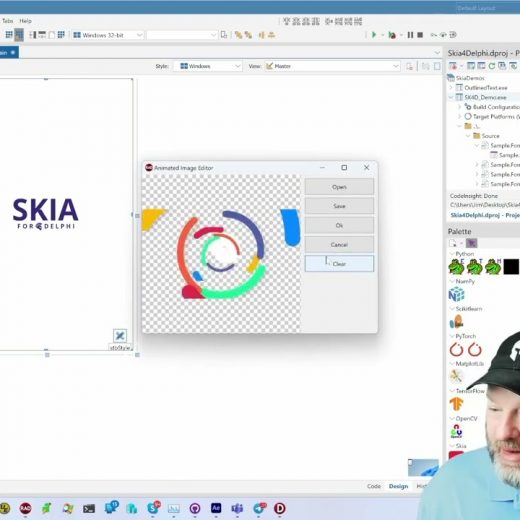
Skia4Delphi is indeed a revolutionary tool that offers tons of possibilities. This third-party library can be used effectively in Delphi to transform the GUI of your VCL apps into something more visually appealing. It comes with many useful components that can be applied beautifully for any Windows application development. Aside from desktop applications, Skia4Delphi can also be used to turbocharge your FireMonkey FMX cross platform apps that allow you to provide a comprehensive 2D API to all other platforms including Android and more. What else can Skia4Delphi do for mobile applications? Based on the recently concluded Skia4Delphi Webinar, we have learned the things that Ski4Delphi can do and all its potential to supercharge your apps’ user interfaces. This free-to-access library provides major components/controls like TSkLottieAnimation, TSkPaintBox, and TSkSvg that all work like a charm. The previous webinar showed us some cool demos showcasing Skia4Delphi’s huge potential. These include the use of Skia Shaders that can level up your interface with its beautiful 3D animations, an interactive Breakout-inspired game, a Star-trek-inspired data dashboard demo, and a great number of mobile demos. In this short video that was taken from the recently concluded Skia4Delphi webinar, Jim McKeeth will show us some demos of using Skia4Delphi in some mobile applications. These include a beautifully rendered Splash Screen animation, a feature that allows you to sign a document using the TskPaintbox control, and a feature that allows users to generate PDF documents and a QR Code. To learn more about these Skia demos and to see what exactly this amazing library is capable of, feel free to watch the video below.

Read More

How To Explain A Cross Platform App Builder To Your Boss

You have been working on a new cross-platform app using a cross platform app builder, and you’re just about done with it. You’ve tested it on your own devices, tweaked the interface until it’s perfect, and you’re ready to share it with the world! But now you have to explain it to your boss. Here’s how to do it without blowing their minds or making them skeptical about your skills as a developer.  What is a cross platform app builder? A cross platform app builder is a software development tool that enables developers to build iOS and Android apps using the same codebase. This can save time and hassle by allowing developers to create apps that work on both platforms without rewriting code or relying on third-party tools.  A cross platform app builder is also great for larger projects where multiple team members must work on the same codebase without creating various files for every platform.  A good starting point is Delphi Community Edition if you’re looking to build a cross-platform app. It’s free to try and use and has plenty of features to get you started.  Defining a cross platform app builder When you’re trying to convince your boss to invest in a cross platform app builder, it can be tough to explain just how valuable the tool can be. Here’s a guide on how to do just that.  Define the Problem Before you can even start explaining how a cross platform app builder can help, you must first understand the problem. In most cases, companies are looking for ways to reduce costs and increase efficiency.  By using a cross platform app builder, you can give your team the ability to create mobile and desktop applications for different platforms with ease. This makes it easier to manage and scale your business operations.  Emphasize the Benefits Once you’ve defined the problems, it’s time to start highlighting the benefits of using a cross platform app builder. First and foremost, this tool can save your company money in the long run. By using one codebase for more than 3 or 4 platforms, the company can avoid all the costly development costs that come with customizing each application separately. Additionally, a cross platform app builder can make it easier for your team to collaborate and share information across different platforms. This ultimately leads to increased efficiency and better communication within your business operations.  The different types of cross platform app builder Cross platform app builder allows developers to create mobile and web applications deployed on different platforms, including iOS, Android, Windows, macOS and Linux. There is various app builder out there, so it can be difficult for developers to choose the right one.  In this blog post, we’ll discuss the three most common types of cross platform app builders and give you tips on how to explain them to your boss.  The first type of cross platform app builder is called a hybrid builder. Hybrids combine features from iOS and Android app builders, making it easy for developers to create mobile apps that look and feel like their existing web applications. Hybrids also allow you to use code from either platform, giving you more flexibility when building your app.  The second type of cross platform app builder is creating native but also multi-platform applications that can […]

Read More

The 5 Best Kept Secrets Of Android App Builder Software

Do you know, in the year 2021 when COVID was arguably heading towards dominance, the number of mobile app downloads skyrocketed to 230 Billion [1] worldwide? Of those downloads, a burgeoning majority were for the Android platform. Choosing and using Android app builder software to safely ride that tidal wave to create user-centric apps and capitalize on that demand. With pandemic upending people’s usual way of working and socializing the mobile market sky-rocketed towards a faster growth because of users’ demands for apps to interact, work, and divert. With COVID still very much around but with society coming to terms with how to mitigate the worst effects the growth in mobile devices still seems to be maintained; in fact, the research forecasts Google Play Store app installs to reach a whopping 613 billion alone by 2025. So, mobile is definitely a growth market which, as developers, we can’t really afford to ignore – and Android is very much the dominant player. But what should be the characteristic of the best Android app builder software? Let’s have a look! What are the characteristics of the best Android App Builder Software? Is it free to download so you can get started instantly? Explore the features using different ways like drag and drop an element, defining a button, etc.  Does it make coding and app development quicker, improves efficiency, and works as a comprehensive app that performs a variety of functions thus eliminating the need for multiple apps? By building your own custom business app through Android app builder software, you get overall control and don’t have to depend on stuff for anything, therefore, minimizing the licensing and maintenance expenses. Does the Android App Builder software come with ample support channels meaning it’s possible that it will work well with your existing software? Ensuring any new apps you develop will work together with any existing apps is important. Apps are designed to handle a finite number of resources and operations. These apps might not be able to handle the strain as your requirements expand. With the best Android app builder software, you can easily scale up the app when the need arises which makes scaling and consolidating easier.  Here you have the characteristics to look out for let’s get to the most interesting part – the secrets! What are the top secrets you need to know about the best Android app builder software – Delphi? 1. Use the Alcinoe component library for Delphi to make your Android apps have even more epic user interfaces Because of all of the varied formats (across devices), doing a video with Delphi FireMonkey can be intimidating, and constructing a high-quality video player is difficult for the faint of heart. The Alcinoe component library is an open-source package that has already done a lot of the legwork for you in order to get the video to operate in FireMonkey on Android and iOS. It also has” Android/iOS Facebook SDK login, native iOS/Android TEdit, Firebase cloud messaging, better FireMonkey controls, ImageMagick wrapper, WebRTC Delphi wrapper, Json Parser, MongoDb client, and much more” in addition to the video player capabilities. It also has a high GitHub Stars count, indicating that it is extensively used. 2. The TFDMemTable design time edit dataset allows you to visualize what your Android app will […]

Read More

Everything You Need To Know About The Skia Shader Language

This video will introduce us to the Shading language and what exactly it does to elevate your windows application development. Generally, a shading language is a graphics programming language adapted to programming shader effects. This program called Shaders simply tells the computer how to render each pixel to produce photorealistic or stylized surfaces to an object or image. These shaders are written in a special shading language. Currently, there is a great number of shading languages to choose from and while they all share common features and pretty much do the same thing, they might still vary in terms of restrictions and flexibility. What is the Skia Shader Language (SkSL)? Whether you are developing a game or a desktop application, the use of shading language is important to make everything visually appealing as it can drastically enhance the photorealism of an object, adding depth and texture, and even creating the illusion of three-dimensionality. The most popular shading language today is the OpenGL Shading Language (GLSL). While it is a high-level shading language, the shader is made specifically for Open GL and cannot be used with Vulkan or Apple’s Metal. You can, however, use Skia’s very own Skia Shader Language (SkSL). SkSL is a variant of GLSL which is used as Skia’s internal shading language. SkSL is, at its heart, a single standardized version of GLSL which avoids all of the various version and dialect differences found in GLSL “in the wild”, but it does bring a few of its own changes to the table. For instance, GLSL code from sites like Shadertoy can be converted to SkSL. In this video, Jim Mckeeth will demonstrate how to successfully convert a shader from Shadertoy via Skia Shaders Playground. One of the cool things about Skia Shader Language is that it works across all platforms. It doesn’t require Open GL or any special drivers to be installed on the platform. To learn more about the Skia Shader Language, feel free to watch the video below.

Read More

10 Signs You Should Invest in Cross Platform Apps

Cross platform apps are becoming increasingly popular as they allow users to access their favorite apps and programs on multiple devices. If you are considering investing in cross platform app development, here are ten signs that it’s a good idea! How to determine if your business needs cross platform apps If you are not sure whether your business needs cross platform apps, there are a few things you can consider.  First, think about what kind of business you have. For example, cross platform apps might not be necessary if you have a brick-and-mortar store. However, a cross-platform app could be very beneficial if you have an online or service-based business. Second, think about what kind of customer base you have. If your customers primarily use iOS devices, then an iOS app might be all you need. However, if your customers are using various devices, cross-platform apps could be beneficial for reaching them all.  Third, think about your budget. Developing an app can be expensive, so you’ll need the device if the benefits of cross platform apps are worth the cost.  Ultimately, only you can decide whether cross platform apps are the right for your business. However, these are some things to remember as you make your decision.  Do you want to reach the broadest possible Audience with cross platform apps? Cross platform apps are becoming increasingly popular in reaching the possible broadcast audience. Cross platform apps can be installed on various devices, including smartphones, tablets, and computers. This means that your app will have the potential to reach a wide range of people.  Are you targeting multiple demographics? If you’re trying to reach multiple demographics with your app, then cross platform development is a good option. This way, your app will be accessible to a broader range of people.  Targeting a precise user or users across multiple platforms is called cross-device targeting or cross-device marketing. The main goal is to analyze and understand your audience so that you can reach them through their favourite platforms or mediums. Do you want to improve employee productivity by using cross platform tools? If you want to improve employee productivity, investing in cross platform apps is a pragmatic approach. Utilizing cross platform app development tools provides a set of flexibilities to software engineers. With the correct cross platform app development ecosystem, employees can collaborate on projects regardless of where they are. This ensures that deadlines are met, and tasks are completed efficiently. With the RAD Studio ecosystem, you can get the highest productivity level. For instance, hundreds of built-in components and the UI development environment are among the best in the market. The latest version of RAD Studio 11.1 Alexandria has all the latest functionalities and support for the latest technologies. Besides, the pool of third-party components is so prominent in Delphi and FireMonkey ecosystem that if you want to make something big, there is already a library or component available. Do you need an app that can be used on multiple devices? If you need an app that can be used on multiple devices, then investing in cross platform apps is the best idea. Cross platform apps are designed to work on numerous operating systems with exact functionalities (except the UI/UX). Moreover, investing cross platform apps is also a good idea if you want […]

Read More