C++ Builder

What Is Modern C++ in 2023?

Every year, the “Modern C++” term appears in many discussions. In general, the “Modern C++” term started with the release of the C++11standards. Since that time, the C++14, C++17, and C++20 standards followed. In the future C++23 is on the horizon already. Modern C++ consists of a lot of features of previous C++ standards too and, of course, those of the C Programming language from which C++ evolved. Maybe we should ask though, exactly what is modern C++ in 2023? Table of Contents What is Modern C++? What is the current version of Modern C++? What is the difference between modern C++ code and Modern C++? What is Modern C++ in 2023 Are there some examples of Modern C++? What is Modern C++? To most people, Modern C++ means the program code is written to take advantage of those later standards within the industry. The phrase “Modern C++” term is not a brand, specific standard or ‘kind ‘flavor’ of C++ but generally it means that the C++ code, compiler and linker, support at least the C++11 standards. C++11 is shorthand for C++ syntax and features that are based on and implement the C++ ISO/IEC 14882 standard. Some of new C++11 features are called ‘Modern’ and if a developer is developing application by using these compiler standards, then the source can be referred to as “Modern C++” or “Modern C++ source”. Note that C++11 marks the beginning of Modern C++ but much of the code you will see written today will use some of the great features of C++14, C++17, and C++20. C++23 is the next published standard which is set to replace C++20 as the ‘current’ standard in December 2023. What is the current version of Modern C++? At the time of writing (April 2023) the current Modern C++ standard is C++20 although C++23 is ‘feature complete’. What is the difference between modern C++ code and Modern C++? Personally, I think “modern C++” (with a lowercase m) is only modern if you are developing modern apps for today’s latest operating systems and their devices – but within the industry “Modern C++’ (uppercase M) specifically means the program code is written to take advantage of C++11 and later standards. These standards listed above are not enough alone to develop modern apps. You need to be using the latest modern C++ compiler and IDE with C++ tools that use and support these standards. For example, the latest RAD Studio, C++ Builder 11.3 has a substantial collection of new features (including C++11, C++14, and C++17 features), but goes way beyond those syntactic standards and augments your programming toolbox with GUI features, Modern UI visuals with many skins, High-Res Bitmap Tools, 500+ free and 3rd party libraries and tools for different modern needs, database connectivity tools, REST tools to simplify and automate interactions with REST servers, deployment tools to get your apps into the app stores and user’s machines, and multi-OS Multi-Device support. The latest 11.3 release of RAD Studio is focused on quality and a broad range of improvements. What is Modern C++ in 2023 On Windows, iOS and Android, C++ Builder 11.3 is packed with a load of great features. RAD Studio and C++ Builder 11.3 support the C++11, C++14 and C++17 standards with some excellent modern tools and libraries. See What’s New In C++ Builder […]

Read More

Is Powerful AI Really Going To Steal Our Jobs?

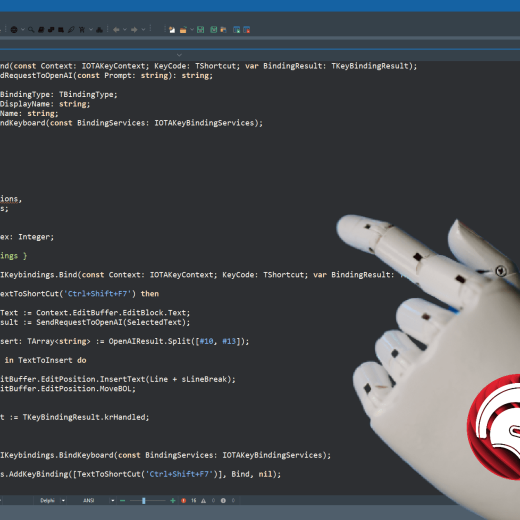
This year is definitely starting to look like the year of the AI uprising and it’s only a question of time before it makes it into IDE software of all types. The ball really started rolling with a dramatic investment by Microsoft of at least $10 billion in OpenAI, the company behind the admirably powerful ChatGPT, Dall-E and similar advances in artificial intelligence and machine learning (ML). It was a brave move by Microsoft and it appears to have wrong-footed Google’s parent company Alphabet who experienced what appeared to be some major publicity SNAFUs while promoting Bard, their own ChatGPT rival. There’s now a bit of goldrush going on with AI and it’s hard not to notice the proliferation of apps which incorporate machine learning or AI (or at least claim to) in their titles. But the big question is, is a sufficiently powerful AI really going to steal our jobs? Table of Contents Is LSP, code completion and error insight a form of AI? Why is ChatGPT such a huge leap forward in AI? What can ChatGPT AI do for software developers? I’m a computer studies student, can ChatGPT do my homework for me? Is it possible to incorporate ChatGPT into the RAD Studio IDE? How to incorporate ChatGPT AI into the RAD Studio IDE Where can I get the source code for Marco Geuze’s RAD Studio add-on? More ways to add the power of ChatGPT AI to your IDE Am I going to lose my job to a ChatGPT AI? Is LSP, code completion and error insight a form of AI? Well, that’s a good question! RAD Studio 11.3 has a lot of great new features and improvements in it. In particular the Language Server Protocol or LSP had a ton of things done to improve its quality and reliability. The LSP is the ‘magic’ behind the mechanism which suggests potential functions, methods and properties when you type a dot or hit CTRL and SPACE. It’s intrinsic to the intelligence of useful functions like error insight and, unless you know better, it can look like intelligence. In fact, the similar feature in Microsoft products is called ‘intellisense’, clearly a name picked by someone with a flair for alliterative rhyming. RAD Studio 113 focused on stability and quality especially in the areas of code completion and LSP Sometimes LSP, code completion, and error insight can really appear like it’s alive (especially in 11.3 which I’ve found to be rock-solid and a huge improvement) – and it’s definitely useful, perhaps even essential, when coding in todays’ complicated software development industry. The reality is though that it’s just a very fast and smart indexing tool which has a specialized focus on the particular task with which it is helping, which in the case of RAD Studio is Delphi and/or C++ code. Clever, useful, but not ever going to be sentient…yet. Why is ChatGPT such a huge leap forward in AI? ChatGPT is a MASSIVE language model with billions of tokens (elements of knowledge). Compared to previous incarnations of similar large language models (LLMs) it might actually be orders of magnitude larger. The recently released ChatGPT4 took things even further and now understands images as well as having a bunch of safeguards to prevent it being fooled into giving answers it shouldn’t. […]

Read More

What’s Coming for C++Builder: An Amazing Preview

A few weeks ago we released RAD Studio and C++Builder 11.3, a quality release that’s been met with wide praise as the best of any recent version. This builds on several releases of 11.x, including our dedicated C++ quality release, 11.1.5. With that quality background, we want to share our plans for the future of C++Builder and C++ within RAD Studio. We see questions around our plans for C++Builder in multiple areas: support for newer C++ standards like C++20 and C++23; improving the debugger; resolving issues linking large projects; STL quality; productivity like code completion, navigation, and refactoring; and support for other platforms, like Android or Linux. We are addressing these with two major steps: Upgrading Clang – but not just ‘upgrading’ Clang, we’re taking a very different approach that we refer to as ‘doing it right’; Integrating key features of Visual Assist into C++Builder This, both what we’re doing and the approach to what we’re doing, is very exciting. Read on – not just for what we’re doing, or why, but even screenshots showing it in progress! Table of Contents Upgrading to Clang 15 Runtimes and STL Release Plans Continually Up To Date Clang Upgrade in Summary Preview Integrating Visual Assist Preview Modern Clang, COFF, and Visual Assist?! Upgrading to Clang 15 C++Builder’s compilers are based on Clang, extended with our language extensions. The language extensions are for interoperability with Delphi: if you did not know, the two languages can be compiled into the same application, and even have classes in C++ inherit from classes defined in Delphi. C++ can also use and refer to Delphi-implemented code through translated headers, as well as use Delphi-isms like properties. In 2018, we upgraded to Clang version 5, which provided C++17 support. Now, we’re upgrading our current Clang, Clang version 5, to Clang 15 – a massive jump in features and C++ compatibility. But this is not an upgrade like our previous upgrade (from 3.3 to 5 in 2018), in many ways. In the past we’ve always had somewhat of our own way of doing things. For example, we use ELF64 (typically a Unix/Linux object file format) as the object file format on Win64 with DWARF as the debug info format, for various reasons. C++Builder has its core differences, which are our benefits: Delphi compatibility; the language extensions; the things that let us develop forms and frames and use the VCL and FireMonkey – and those differences are valuable. But our current Clang implementation contains some custom elements with no inherent value, and is slowly becoming a maintenance cost without adding to the overall amazing benefits of C++Builder. We are different from platform conventions for legacy reasons. But if we were to follow platform conventions, it would mean less customisation in our toolchain for us to maintain, fewer custom tools, and significantly increased compatibility for you. As a result the Clang upgrade is planned not to be an upgrade of our existing compiler with all extra material, but an upgrade of the core key architecture of our compiler. This means we plan to adopt a more platform-standard approach: to emit COFF object files (the ‘native’ or by-convention Windows format); use the PDB format for debugging; use the LLVM linker not ilink; and not only does this mean we can focus on the […]

Read More

De ce luna Martie este momentul potrivit pentru a reînnoi mentenanța RAD Studio.

RAD Studio devine din ce în ce mai bun cu fiecare lansare. Cu o echipă mare de dezvoltatori care adaugă noi capabilități, remediază erori și abordează literalmente sute de solicitări ale clienților zilnic, fiecare actualizare a versiunii RAD Studio reprezintă un salt înainte nu doar pentru IDE și setul de instrumente, ci și pentru afacerea dvs. O lansare marcantă RAD Studio 11 Alexandria, în special, a fost o lansare importantă. Iată ce se bucură utilizatorii RAD Studio 11 de la lansarea sa și actualizările ulterioare: Support for 4k high-dpi screens Support for Windows 11 and all the latest target platform versions VCL Styles visibility at design-time Support for Apple’s M-Series Silicon chips Enhanced support for remote collaboration Ce se întâmplă în versiunea 11.3? RAD Studio 11.3 este o versiune axată pe calitate, care aduce IDE-ul la egalitate cu cele mai recente actualizări ale platformei țintă – iOS 16 (doar pentru Delphi), Android 13 și macOS Ventura, toate lansate după RAD Studio 11.2, precum și Ubuntu 22 LTS și Windows Server 2022. RAD Studio 11.3 introduce, de asemenea, noi funcții interesante, cum ar fi o nouă componentă Mobile Biometric Authentication pentru aplicațiile mobile FireMonkey. De asemenea, introduce îmbunătățiri ale lanțului de instrumente, cum ar fi mutarea tuturor depanatoarelor de platformă non-Windows în Delphi și C++ la arhitectura LLDB. O altă caracteristică nouă foarte puternică este ToolsAPI pentru Editorul de cod. Această nouă caracteristică îmbunătățește stabilitatea IDE cu pluginuri de la terți, deoarece hack-urile nu mai sunt necesare și încurajează utilizarea mai multor suplimente de la terți, extinzând foarte mult flexibilitatea IDE-ului RAD Studio. Sunt multe de văzut în versiunea RAD Studio 11.3 Alexandria. „Vedeți Ce este nou în RAD Studio 11.3 Alexandria – Reluare webinar” videoclipul de pe canalul de Youtube Embarcadero este o modalitate excelentă de a afla mai multe despre ce se află în noua versiune. Și în cazul în care sunteți încă pe o versiune anterioară a RAD Studio 11, iată o listă completă de ceea ce ați putea beneficia cu o licență și un set de instrumente complet actualizate. De asemenea, puteți afla mai multe despre beneficiile mentenanța RAD Studio de actualizare Pe aceasta pagina. Dacă acesta nu este un motiv suficient de bun pentru a reveni la actualizarea mentenanța RAD Studio, iată câteva motive suplimentare: De ce este util să rămâneți la abonamentul de actualizare? Dezvoltarea software-ului evoluează cu o viteză vertiginoasă. Noi versiuni de platformă, noi cerințe pentru utilizatori, noi amenințări și noi piețe apar aproape în fiecare zi. Echipa Embarcadero este conștientă de faptul că toți clienții își doresc să fie pe deplin actualizați și să fie consecvent pe abonamentul de actualizare, dar uneori circumstanțele ne împiedică. De aceea, am alcătuit o combinație unică de oferte speciale pentru a crea o oportunitate pentru clienții care apreciază abonamentul de actualizare să se țină din urmă. Mai multe despre asta mai jos. Dar mai întâi, să ne uităm la beneficiile adesea subestimate ale rămânerii la abonamentul de actualizare și la riscurile de a nu face acest lucru. Acces la cele mai recente caracteristici, remedieri și upgrade-uri Fiecare nouă lansare RAD Studio vine cu sute de remedieri de erori raportate de utilizatori, împreună cu noi funcții fie selectate de echipa de dezvoltare, fie solicitate de clienți. Fiecare versiune nouă oferă performanțe îmbunătățite, capacitate mai mare, securitate sporită […]

Read More

How C++ Program Works With Libraries

The C++ programming language is one of the most popular programming languages. C++ is the highly evolved and modern app building software comes with a lot of libraries and with header files to define functions in these libraries. Libraries are one of the main important parts of the C and C++ languages. For example, you can use library – or in C++ – for the standard input output functions. You can use all C functions included in this library, i.e. printf, gets, sscanf, getchar, and many C functions in your C or C++ applications, although the safer and more modern C++ versions in the header are recommended. Today, you can develop C console apps or full GUI C++ apps with modern libraries, including database connections, 2D-3D visualizations, you can use artificial Intelligence libraries like machine learning, deep learning libraries and more. Libraries are also used in C++. Do you know that C libraries can be used in C++ applications too? There are very modern libraries with GUIs like VCL (vcl.h) and FMX (fmx.h) libraries in C++ Builder. The latest C++ Builder can be used to develop these kinds of apps in Windows 11, including x86, x64, and mobile device operating systems. You can add modern GUIs with styled skins, and produce apps which apply effects to digital images easily for example sepia effects, glow effects, etc. The C programming language can be used to develop apps with C or C++ SDKs and with free tools like Dev-C++ and C++ Builder Community Edition. Table of Contents What happens when a C or C++ program works with libraries? How a classic C program works with libraries How C++ works with libraries? What is a library? How C++ Builder works with libraries What is the Run Time Library (RTL)? What is the Visual Component Library (VCL)? What is the FireMonkey Library (FMX)? What does a ‘framework’ mean in C++ programming? What other functionality can we add to our C++ programs with libraries? How to download C++ Builder program to work with libraries? What happens when a C or C++ program works with libraries? When we develop an application in the C or C++ language, we often need to use pre-defined variables and functions to do different operations. For all these, generally, we need to include standard libraries that have these pre-defined variables and functions. Each library in the C or C++ language includes functions and definitions for commonly used purposes such as file or stream handling, memory management and so on. Libraries in C and C++ programming are pre-compiled files that are mostly included in the lib (library) folder, ready to be linked into your app. Generally, their extension is *.lib. or *.a. Libraries can also be external in the form of a dynamically linked library (DLL) which is loaded when you app is initialised. Libraries use a collection of header files that include these pre-defined variables and functions. Header files (*.h files in C and *.h , *.hpp files in C++). Libraries may require many header files, for example, the VCL and FMX libraries of C++ Builder are huge libraries, and they include many header files to enable our programs to create, display, and use a GUI-based user interface. By referencing the library’s functions using the header file we are telling the compiler and linker that the library’s […]

Read More

Let’s Learn More About C Programs And C Programming

Hello to all beginners and professionals of the programming world. We keep an eye on the topics people are searching for on the internet in connection with C++ and C programs. For example, why is the C letter used for the C language, what does C mean? Who is the developer of C language? Is a C++ program the same as a C program? Our primary focus, of course, is C++, and especially creating C++ apps using C++ Builder or RAD Studio. But C code can also be written to some extent using those IDEs too, and C still remains very much a dominant programming language around the world. So, with that in mind, today we have another 5 posts primarily about C coding for you! What’s new in RAD Studio 11.2 with C++? Embarcadero recently announced the release of RAD Studio 11.2 with Delphi 11.2 and C++Builder 11.2. Some of the main new features and enhancements in RAD 11.2 has been listed in this post below: Announcing the Availability of RAD Studio 11.2 Alexandria How can we start writing a C++ or C program? These posts are designed to inform you and to be easy to understand the modern and professional ways in which we can use C and C++. Here are the topics, What Does C Mean In Programming? Who Is The Developer Of The C Programming Language? How To Compile A C Program? How To Run A C Program In Terminal How To Close A C Program? Does C++ Builder have all the answers for these C++ and C programs? C++ Builder can be used to develop C applications like console applications and C++ applications too. In addition, you can use modern VCL and FMX frameworks with C++ to develop GUI based very professional application. Here are our favorite selections from recent articles on LearnCPlusPlus.org What Does C Mean In Programming? Who Is The Developer Of The C Programming Language? How To Compile A C Program? How To Run A C Program In Terminal How To Close A C Program? You motivate us so much with your likes and comments on social media and here. Thank you for all your valuable comments and questions. All them help improve the quality of our future posts and new codes in these posts. We have a lot of unique posts waiting to come. We keep adding new topics every week about C++ in general and specific topics for C++ Builder, Dev-C++, and for the other C++ compilers. Please keep following our LearnCPlusPlus.org website for the latest posts and updates. Feel free to comment and share with your colleagues, students, members – knowledge is power, and knowledge shared is empowering. C++ Builder is the easiest and fastest C and C++ IDE for building simple or professional applications on the Windows, MacOS, iOS & Android operating systems. It is also easy for beginners to learn with its wide range of samples, tutorials, help files, and LSP support for code. RAD Studio’s C++ Builder version comes with the award-winning VCL framework for high-performance native Windows apps and the powerful FireMonkey (FMX) framework for cross-platform UIs. There is a free C++ Builder Community Edition for students, beginners, and startups; it can be downloaded from here. For professional developers, there are Professional, Architect, or Enterprise versions of C++ Builder […]

Read More

7 Best Mobile App Makers in 2022 To Make Your Own Mobile App

The demand for app development is booming, and despite the recent turmoil in some sections of the tech economy, mobile app makers are still very much in demand. With the help of modern app builder software which support innovations such as drag-and-drop tools and low-code or no-code development strategies, almost anyone can create an app for their needs. Picking the right setup benefits small and medium enterprises with a low budget or resources to develop an app. However, we must consider many things while choosing an app builder software. This article will first look at the range of opportunities offered by app-maker tools. Then we will read about the top seven mobile app makers in 2022. We will also discuss each app maker’s pros and cons. Finally, we will see why the best native app builder can make the life of a developer easier and more productive. Table of Contents Why is building an app hard? What are the 7 must-know points while browsing mobile app makers? What are the best mobile app makers in 2022? 1. Appy Pie mobile app maker 2. AppMachine 3. Mobile Roadie 4. GoodBarber 5. Appery 6. Gamesalad 7. RAD Studio as a cross platform and low-code app maker Which mobile app maker is best for development in 2022? Why is building an app hard? Creating an app can be challenging and might even become a nightmare without the right tool. Sure, there are solutions available as no-code app builders, but they can have some significant drawbacks such, in some cases, a requirement for a monthly subscription or a ‘walled garden’ where you neither own the app you have created and cannot liberate it from the no-code app builder when you feel you need to move on to a new development system. For anything nontrivial there can be a definite sense of being locked-in and growth restricted. Couple this with the fact many of those solutions are, in effect, wrapping web technologies to provide the app’s functionality. So, the provided solution may look like an app, but the underlying system is still a website with an embedded browser and not a true native app solution. That said, some developers have used mobile app makers successfully to solve problems like making real-time stock market apps. What are the 7 must-know points while browsing mobile app makers? You can use mobile app makers to make, for example, a low-code weather app easily. However, before committing to an app builder, there are some key points to consider. There is a difference between Native, Hybrid, and Web applications. See What is the difference between native, hybrid, and a web application? Beware of the cost per app, per annum, or unlimited. Remember that the smaller amount you know, the worst choices you may make. Research and understanding your intended market – now and in the future – is key. A long-term game plan is essential in software creation for maintenance, update, and bug fixing. Low and No Code approaches are suitable for the most common needs. It’s inevitable though you will need a full-code cross platform desktop app development solution when you outgrow these systems. Owning the source code – the means to create the app – is ultimately a vital position to be in both as a best practice but also […]

Read More

Enterprise Resource Planning: The Magnificent Guide

Table of Contents Introduction What is Enterprise Resource Planning (ERP)? Understanding ERP Systems The Origins of Enterprise Resource Planning MRP Adoption ERP Software And The Cloud ERP Systems Today The Importance of ERP ERP Deployment Models On-Premise ERP Software Pros And Cons of On-Premise ERP Software Cloud-Based ERP Software ERP Systems And Organization Size Pros and Cons of Cloud ERP Software Hybrid ERP Software ERP Features And Modules 1. Data Sharing Features 2. Process Integration Features 3. Analytics and BI Features 4. Automation Features 5. Reporting Features 6. Visibility Features 7. Customer Relationship Management Modules 8. Supply Chain Management Modules 9. Manufacturing Modules 10. Human Resources Modules 11. Marketing and Sales Modules 12. Accounting and Finance Modules Building and Deploying an ERP System Where to Begin: The Big Enterprise Application Development Questionnaire Building an Enterprise Resource Planning Software System With RAD Studio® Conclusion Contact a customer success agent now Introduction When the operations of an enterprise grow beyond a certain level of complexity, the familiar spreadsheets are no longer able to capture the value, support the proper coordination of activities and generate the insights for that enterprise to function efficiently and productively, and grow to the next phase. This is why ERP (Enterprise Resource Planning) emerged as a single-system approach to business processes management, first in the 1960’s in the form of a Materials Requirements Planning collaboration between Black & Decker and IBM, and through the 1990’s and the first use of “enterprise resource planning” by Gartner. As a developer you may be called upon to build ERP (Enterprise Resource Planning) systems to help enterprise clients manage their resources and build up to new levels of efficiency in their business processes. To help illuminate all the corners of what Enterprise Resource Planning is and what it involves, we’ve put together this detailed guide to help you along the way. We hope it’s an enjoyable read and a useful resource. Want a printable copy? Download this guide in PDF format. Let’s begin with what an ERP system is. What is Enterprise Resource Planning (ERP)? An enterprise resource planning (ERP) system is a management system that integrates operations, functions, roles, and material and human resources across an enterprise or organization. An ERP software system is about integrating core business processes. Advanced ERP systems are likely to include functions and modules related to supply chain management, inventory management and order fulfillment, finances, procurements, and logistics. It can also include functions and modules for managing product lifecycles, risks, performance, and human resources. An enterprise performance module of an ERP system helps a business plan, budget and forecast financial processes and deliver reports on the financial outcomes of its operations. ERP systems rely on the continuous and reliable flow of accurate data generated by business operations, and the sharing of that data between different teams with a view to generating insights and maximizing efficiency. In an ERP system, all departments reference the same pool of shared data with the required level of data integrity. ERP systems are stored either on premises or in the cloud, depending on an organization’s needs. They are used by businesses and organizations of all sizes, from small and mid-sized businesses to multinational corporations. The larger the organization and the more complex the operations involved, the more benefit there is to […]

Read More

How To Program A Robot in C and C++? 

Both the C and C++ languages are both popular choices for robotic applications, including IoT systems. We have some great topics this week again some of which on robots and IoT systems along with a few posts on more basic subjects suitable for absolute beginners. A robot is a machine that is mostly programmable and capable of carrying out a complex series of actions automatically. IoTs like Raspberry Pi and Arduino are easy to develop small scale, educational applications, in addition to really great mechatronic applications with this kind of IoT devices. Their microchips are generally programmed by C and C++ because of their fast execution speed and low memory usage and relatively easy to understand code. In this week’s posts, we explain how to program a robot ‘safely’ in C++ and we also explain how you can use C++ in programming Arduino IoT device. These can be extended to other IoT devices that support C and C++ too. In another post we explain recursion and recursive apps, also recursive functions in C++. If you are new to C or C++, we have also two beginner level posts that explains in simple examples to run and end an application in C or C++. C++ Builder is a great IDE and compiler to develop these kinds of apps from beginner level apps to professional level apps on Windows, iOS, Android or apps for IoT systems. Before these posts, If you still don’t know there are new features in the latest RAD Studio and C++ Builder, What’s new in RAD Studio 11.2 with C++? Embarcadero recently announced the release of RAD Studio 11.2 with Delphi 11.2 and C++Builder 11.2. Some of the main new features and enhancements in RAD 11.2 has been listed in this post below: Announcing the Availability of RAD Studio 11.2 Alexandria How C and C++ Work Internally in the most modern and efficient ways? These posts are designed to inform you and to be easy to understand the modern and professional ways in which we can use C and C++. Here are the topics, How To Program A Robot Using C++ How To Program Arduino With C++ How To Make A Program Repeat Itself In C++ How To Run A Program In C How To End The Program In C++ and you can find more posts like, Why You Should Use IPWorks MQTT Lib To Communicate with IoT The Top 6 C++ Builder Component Packs Available This Year How C and C++ Work Internally ? Answers and more are here Here are our favorite selections from recent articles on LearnCPlusPlus.org How To Program A Robot Using C++ How To Program Arduino With C++ How To Make A Program Repeat Itself In C++ How To Run A Program In C How To End The Program In C++ You may need these posts for some applications on IoT, Why You Should Use IPWorks MQTT Lib To Communicate with IoT Here are some component packs available this year mostly they have many IoT application supports, The Top 6 C++ Builder Component Packs Available This Year Don’t worry we have a lot of examples in our LearnCPlusPlus.org website. It’s all completely free and there are thousands of examples from beginner level to professional level. Please keep adding your feedback. Your words in comments motivate […]

Read More

How Do C and C++ Work Internally And More?

C++ Builder is an amazing C++ IDE to develop C and C++ projects from beginner to professional level apps on Windows, iOS, Android or apps for IoT systems. We hope these topics may help and motivate you, your kids, your staff or your students to start new apps in C or C++, and on different platforms. We try to answer all your questions, please ask your questions if you need any specific topics or detailed posts. A C or C++ compiler are a specialized app which compiles your text codes to machine codes as a library or as an executable, it can understand and augment the processes involved in preprocessing, compiling, linking, loading and running C/C++ programs. We have a great topic about this that explains how the C / C++ IDE and compiler works internally. Debugging is the process of finding and resolving bugs – unwanted or unplanned behavior – in your software applications or hardware systems and we have topic about that too. Linked lists are very useful and we have a linked list example using with classes and structs with std::unique_ptr. In C and C++ programming there is Declaration Syntax Index that defines most of data type declarations. They have fundamental data types for the characters, integers and floating numbers. The fundamental type specifiers are defined well in the Fundamental Types. When we use short int, short we call that a Specifier Keyword. The int term is a Type Keyword. Both together are called Type Specifiers. In another post we explain all these and what a short int is in C programming. If you are a new to C or C++ language, we have a post that teaches you to compile and run a C program on Windows and also same for the C++ which can be used on other platforms too. What’s new in RAD Studio 11.2 with C++? Embarcadero recently announced the release of RAD Studio 11.2 with Delphi 11.2 and C++Builder 11.2. Some of the main new features and enhancements in RAD 11.2 has been listed in this post below: Announcing the Availability of RAD Studio 11.2 Alexandria How does C and C++ Work internally? These posts are designed to inform you and to be easy to understand the modern and professional ways in which we can use C and C++. Here are the topics, How Does A C Program Work Internally? How To Debug A C++ Program? How To Create A Linked List In A C++ Program What Is A Short Int In C Programming? How To Compile A C Program On Windows? How C and C++ Work Internally? Answers and more are here Here are our favorite recent selections from recent articles on LearnCPlusPlus.org How Does A C Program Work Internally? How To Debug A C++ Program? How To Create A Linked List In A C++ Program What Is A Short Int In C Programming? How To Compile A C Program On Windows? Please keep adding your feedback. Your words in comments motivate us so much with your likes on social media and here. Thank you for all your valuable comments and questions. All of them help to improve the quality of our future posts and new code in these posts. We have a lot of unique posts waiting to come. We keep adding new topics every week about C++ in general and specific topics […]

Read More