C++ Builder

How Do C and C++ Work Internally And More?

C++ Builder is an amazing C++ IDE to develop C and C++ projects from beginner to professional level apps on Windows, iOS, Android or apps for IoT systems. We hope these topics may help and motivate you, your kids, your staff or your students to start new apps in C or C++, and on different platforms. We try to answer all your questions, please ask your questions if you need any specific topics or detailed posts. A C or C++ compiler are a specialized app which compiles your text codes to machine codes as a library or as an executable, it can understand and augment the processes involved in preprocessing, compiling, linking, loading and running C/C++ programs. We have a great topic about this that explains how the C / C++ IDE and compiler works internally. Debugging is the process of finding and resolving bugs – unwanted or unplanned behavior – in your software applications or hardware systems and we have topic about that too. Linked lists are very useful and we have a linked list example using with classes and structs with std::unique_ptr. In C and C++ programming there is Declaration Syntax Index that defines most of data type declarations. They have fundamental data types for the characters, integers and floating numbers. The fundamental type specifiers are defined well in the Fundamental Types. When we use short int, short we call that a Specifier Keyword. The int term is a Type Keyword. Both together are called Type Specifiers. In another post we explain all these and what a short int is in C programming. If you are a new to C or C++ language, we have a post that teaches you to compile and run a C program on Windows and also same for the C++ which can be used on other platforms too. What’s new in RAD Studio 11.2 with C++? Embarcadero recently announced the release of RAD Studio 11.2 with Delphi 11.2 and C++Builder 11.2. Some of the main new features and enhancements in RAD 11.2 has been listed in this post below: Announcing the Availability of RAD Studio 11.2 Alexandria How does C and C++ Work internally? These posts are designed to inform you and to be easy to understand the modern and professional ways in which we can use C and C++. Here are the topics, How Does A C Program Work Internally? How To Debug A C++ Program? How To Create A Linked List In A C++ Program What Is A Short Int In C Programming? How To Compile A C Program On Windows? How C and C++ Work Internally? Answers and more are here Here are our favorite recent selections from recent articles on LearnCPlusPlus.org How Does A C Program Work Internally? How To Debug A C++ Program? How To Create A Linked List In A C++ Program What Is A Short Int In C Programming? How To Compile A C Program On Windows? Please keep adding your feedback. Your words in comments motivate us so much with your likes on social media and here. Thank you for all your valuable comments and questions. All of them help to improve the quality of our future posts and new code in these posts. We have a lot of unique posts waiting to come. We keep adding new topics every week about C++ in general and specific topics […]

Read More

Enterprise Resource Planning: The Magnificent Guide

Table of Contents Introduction What is Enterprise Resource Planning (ERP)? Understanding ERP Systems The Origins of Enterprise Resource Planning MRP Adoption ERP Software And The Cloud ERP Systems Today The Importance of ERP ERP Deployment Models On-Premise ERP Software Pros And Cons of On-Premise ERP Software Cloud-Based ERP Software ERP Systems And Organization Size Pros and Cons of Cloud ERP Software Hybrid ERP Software ERP Features And Modules 1. Data Sharing Features 2. Process Integration Features 3. Analytics and BI Features 4. Automation Features 5. Reporting Features 6. Visibility Features 7. Customer Relationship Management Modules 8. Supply Chain Management Modules 9. Manufacturing Modules 10. Human Resources Modules 11. Marketing and Sales Modules 12. Accounting and Finance Modules Building and Deploying an ERP System Where to Begin: The Big Enterprise Application Development Questionnaire Building an Enterprise Resource Planning Software System With RAD Studio® Conclusion Contact a customer success agent now Introduction When the operations of an enterprise grow beyond a certain level of complexity, the familiar spreadsheets are no longer able to capture the value, support the proper coordination of activities and generate the insights for that enterprise to function efficiently and productively, and grow to the next phase. This is why ERP (Enterprise Resource Planning) emerged as a single-system approach to business processes management, first in the 1960’s in the form of a Materials Requirements Planning collaboration between Black & Decker and IBM, and through the 1990’s and the first use of “enterprise resource planning” by Gartner. As a developer you may be called upon to build ERP (Enterprise Resource Planning) systems to help enterprise clients manage their resources and build up to new levels of efficiency in their business processes. To help illuminate all the corners of what Enterprise Resource Planning is and what it involves, we’ve put together this detailed guide to help you along the way. We hope it’s an enjoyable read and a useful resource. Want a printable copy? Download this guide in PDF format. Let’s begin with what an ERP system is. What is Enterprise Resource Planning (ERP)? An enterprise resource planning (ERP) system is a management system that integrates operations, functions, roles, and material and human resources across an enterprise or organization. An ERP software system is about integrating core business processes. Advanced ERP systems are likely to include functions and modules related to supply chain management, inventory management and order fulfillment, finances, procurements, and logistics. It can also include functions and modules for managing product lifecycles, risks, performance, and human resources. An enterprise performance module of an ERP system helps a business plan, budget and forecast financial processes and deliver reports on the financial outcomes of its operations. ERP systems rely on the continuous and reliable flow of accurate data generated by business operations, and the sharing of that data between different teams with a view to generating insights and maximizing efficiency. In an ERP system, all departments reference the same pool of shared data with the required level of data integrity. ERP systems are stored either on premises or in the cloud, depending on an organization’s needs. They are used by businesses and organizations of all sizes, from small and mid-sized businesses to multinational corporations. The larger the organization and the more complex the operations involved, the more benefit there is to […]

Read More

How To Program A Robot in C and C++? 

Both the C and C++ languages are both popular choices for robotic applications, including IoT systems. We have some great topics this week again some of which on robots and IoT systems along with a few posts on more basic subjects suitable for absolute beginners. A robot is a machine that is mostly programmable and capable of carrying out a complex series of actions automatically. IoTs like Raspberry Pi and Arduino are easy to develop small scale, educational applications, in addition to really great mechatronic applications with this kind of IoT devices. Their microchips are generally programmed by C and C++ because of their fast execution speed and low memory usage and relatively easy to understand code. In this week’s posts, we explain how to program a robot ‘safely’ in C++ and we also explain how you can use C++ in programming Arduino IoT device. These can be extended to other IoT devices that support C and C++ too. In another post we explain recursion and recursive apps, also recursive functions in C++. If you are new to C or C++, we have also two beginner level posts that explains in simple examples to run and end an application in C or C++. C++ Builder is a great IDE and compiler to develop these kinds of apps from beginner level apps to professional level apps on Windows, iOS, Android or apps for IoT systems. Before these posts, If you still don’t know there are new features in the latest RAD Studio and C++ Builder, What’s new in RAD Studio 11.2 with C++? Embarcadero recently announced the release of RAD Studio 11.2 with Delphi 11.2 and C++Builder 11.2. Some of the main new features and enhancements in RAD 11.2 has been listed in this post below: Announcing the Availability of RAD Studio 11.2 Alexandria How C and C++ Work Internally in the most modern and efficient ways? These posts are designed to inform you and to be easy to understand the modern and professional ways in which we can use C and C++. Here are the topics, How To Program A Robot Using C++ How To Program Arduino With C++ How To Make A Program Repeat Itself In C++ How To Run A Program In C How To End The Program In C++ and you can find more posts like, Why You Should Use IPWorks MQTT Lib To Communicate with IoT The Top 6 C++ Builder Component Packs Available This Year How C and C++ Work Internally ? Answers and more are here Here are our favorite selections from recent articles on LearnCPlusPlus.org How To Program A Robot Using C++ How To Program Arduino With C++ How To Make A Program Repeat Itself In C++ How To Run A Program In C How To End The Program In C++ You may need these posts for some applications on IoT, Why You Should Use IPWorks MQTT Lib To Communicate with IoT Here are some component packs available this year mostly they have many IoT application supports, The Top 6 C++ Builder Component Packs Available This Year Don’t worry we have a lot of examples in our LearnCPlusPlus.org website. It’s all completely free and there are thousands of examples from beginner level to professional level. Please keep adding your feedback. Your words in comments motivate […]

Read More

What Is The C Programming Language, Who Wrote it, Is It High Level?

Hello to all developers, we have another 5 beginner-level posts about C and C++ coding that may help and motivate you, your friends and family, or your students to start new apps on Windows, Linux, iOS, or on IoT systems. This week’s topics are a round-up of some more great C and C++ apps articles from the LearnCPlusPlus website. We try to answer all your questions, please ask in the comments section below if you need any specific topics or detailed posts. Maybe most of you don’t know some stories about C and C++. For example, do you know who wrote the C programming language? How about the inventor of the C++ programming language? What kind of programming language is C? Is C a high-level programming language? How can we run and compile some simple C code in the command prompt or the Linux terminal? If you think IDEs are costly, we explain how you can develop C apps for Windows, iOS, and Android with a free C++ Builder IDE. You can also use the same IDE to develop C++ GUI apps quickly and professionally. Note that you can use C functions in your GUI-based C++ apps too. We have many beneficial posts on LearnCPlusPlus.org, where we cover the skills and activities necessary to develop C++ apps. What’s new in RAD Studio 11.2 with C++? Embarcadero recently announced the release of RAD Studio 11.2 with Delphi 11.2 and C++Builder 11.2. Some of the main new features and enhancements in RAD 11.2 has been listed in this post below: Announcing the Availability of RAD Studio 11.2 Alexandria How can we start writing C++ and C programs in the most modern and efficient ways? These posts are designed to inform you and to be easy to understand the modern and professional ways in which we can use C and C++. Here are the topics, Who Wrote The C Programming Language? Is C A High Level Programming Language? How To Run A C Program in Command Prompt How To Compile And Run A C Program What Kind Of Programming Language Is C? Does C++ Builder have all the answers for these C++ and C programs? Here are our favorite selections from recent articles on LearnCPlusPlus.org Who Wrote The C Programming Language? Is C A High Level Programming Language? How To Run A C Program in Command Prompt How To Compile And Run A C Program What Kind Of Programming Language Is C? You motivate us so much with your likes and comments on social media and here. Thank you for all your valuable comments and questions. All them help improve the quality of our future posts and new codes in these posts. We have a lot of unique posts waiting to come. We keep adding new topics every week about C++ in general and specific topics for C++ Builder, Dev-C++, and for the other C++ compilers. Please keep following our LearnCPlusPlus.org website for the latest posts and updates. Feel free to comment and share with your colleagues, students, members – knowledge is power, and knowledge shared is empowering. C++ Builder is the easiest and fastest C and C++ IDE for building simple or professional applications on the Windows, MacOS, iOS & Android operating systems. It is also easy for beginners to learn with its wide range of samples, tutorials, help […]

Read More

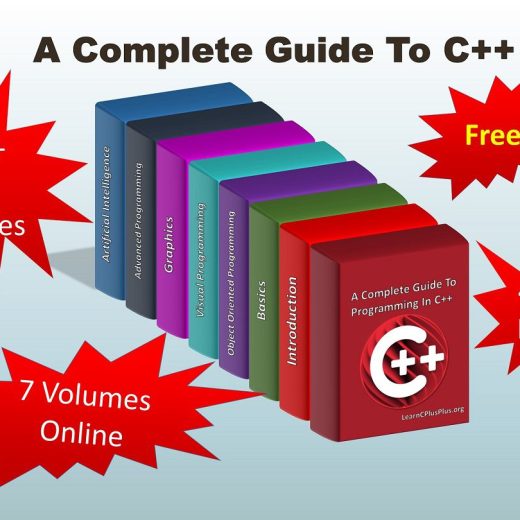
A Summary Of The Complete Guide To Programming In C++

C++ is one of the most powerful programming languages as well as being one of the world’s most popular. Using a fast and reliable C++ IDE for Windows, Android and iOS programming is very important for beginners and professionals since it helps C++ developers in remembering which language features exist, how to use them, and even detect errors when we get it wrong. C++ Programming requires many pre-defined variables, functions, and libraries, tools and options for the different operating systems which means you need a professional IDE to help remember the different options and allow us to create apps with the greatest possible developer efficiency. Table of Contents Why did I write The Complete Guide To Programming In C++? Introduction To A Complete Guide To Programming In C++ Download RAD Studio 11 now See what’s new in RAD Studio 11 Here is a summary of The Complete Guide To Programming In C++ 1. Introduction – A Complete Guide To Programming In C++ 2. Basics – A Complete Guide To Programming In C++ 3. Object Oriented Programming – A Complete Guide To Programming In C++ 4. Visual Programming – A Complete Guide To Programming In C++ 5. Graphics – A Complete Guide To Programming In C++ 6. Advanced Programming – A Complete Guide To Programming In C++ – 7. Artificial Intelligence – A Complete Guide To Programming In C++ – 8. 15 Tips To Graduate from Classroom C++ Download RAD Studio 11 now See what’s new in RAD Studio 11 Why did I write The Complete Guide To Programming In C++? For those that do not know me, my name is Yilmaz Yoru. On the LearnCPlusPlus.org site I started to write C++ posts with examples with the support of Embarcadero about 2 years ago. Actually, I had a dream to explain how C++ Builder is easy, powerful, and helps you create truly great apps. Mostly I try to use my existing code to teach you C++ as simply as possible. Posts are generally written for everyone, not only for engineers but also for the wide range of curious programmers from kids to elders, teachers to academic staff, to any person. I believe that at some level everyone can develop C++ apps and every person has creativity in their field of interest. Thus, all these examples and posts may improve the world with new great apps developed by these creative people. It’s a lofty idea, but I think it’s a worthy one. Of course, more complicated logical, mathematical engineering applications which require more engineering skills may need more specific specialized skills. As an Embarcadero MVP and partner, I have compiled more than 400 blog articles written on LearnCPlusPlus.org including more than 1000 examples specific to C++ programming. We created 7 selection posts as “A Complete Guide to Programming In C++”. Endless thanks to all the Embarcadero team who contributed to my articles. There was a great effort in every post. We tried to compose C and C++ examples that would be simple and understandable for those at the beginner level. We designed very specific graphics for some explanations in these posts. Sometimes we used docwiki.embarcadero.com materials in some parts, occasionally we drew from the built-in help, and official Embarcadeo examples of C++ Builder were helpful to our posts too. In some more advanced […]

Read More

What are vcle.lib and rtle.lib?

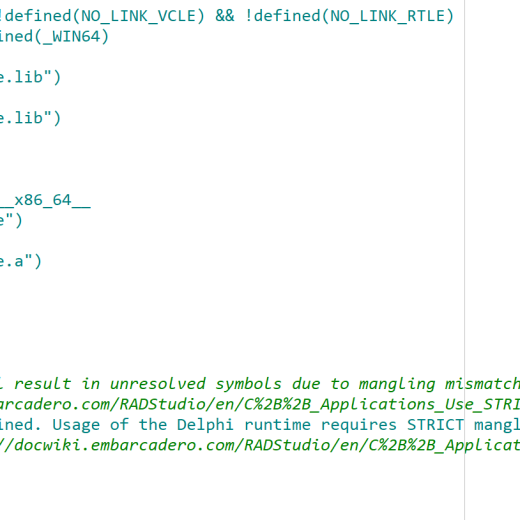
Solving an interesting issue upgrading a project from Classic to Clang. A recent blog comment asked for help where a Clang project was linking to vcle.lib, but the library did not exist in the Clang linking path (lib/win32c/release): it’s present only for the classic compiler in lib/win32/release. (Note the C in win32c, meaning Clang.) Why? If you see this error, how do you resolve it and continue? (For those new to C++Builder, ‘classic’ refers to the original old or legacy C++ compiler C++Builder used to use. We still ship it, but these days we strongly encourage everyone to use our default modern compiler, which is based on Clang but with many enhancements. We have good compatibility, with lots of work to ensure you can simply switch compilers and rebuild with minor tweaks at worst, but sometimes people encounter issues. The blog comment that prompted this post was one of them.) If you use C++Builder you might find this post interesting for insight into our RTL, or if you encounter this issue when upgrading a project from the classic to Clang compilers, this post should help you resolve that issue. Let’s dig in to what this library is first, before answering how to solve the issue. Table of Contents vcle and rtle Why would a Clang project link to the Classic library? Linking RTLE.lib correctly Summary vcle and rtle vcle.lib was and still is a library that contains Delphi / C++ bridging code. Some of this also includes C++ implementations of Delphi classes: the typical examples are Delphi strings, where ShortString, AnsiString, WideString and UnicodeString/String are implemented in C++ when you use them from C++Builder, having compatible behaviour and binary layout to a Delphi string, so invisibly bridged. (You can see these in the *string.h files, eg ustring.h. There’s no need to include these headers manually since including VCL or FMX headers brings them in.) Back in the days of the classic compiler, Win32 was the only platform and VCL was the only UI framework. The compatibility bridge library was named “vcle” based on that. But these days, with the Clang compiler, we have multiple platforms and multiple UI frameworks. The bridging is not really to do with any UI framework: it is low level, basic classes, and so is a RTL issue. Thus, for Clang, the same library has the name rtle.lib (Win32) and rtle.a (Win64.) In other words, a Clang project should never link to vcle.lib. It should only ever link to rtle.lib/.a. Why would a Clang project link to the Classic library? The most likely cause for a Clang-compiled project to try to link to vcle.lib is that the project is linking in some object files or a library built with the classic compiler, and those classic-compiled object files are causing vcle to be brought in. It is very important that you don’t mix object files created with both compilers together in the same app. Entirely aside from this issue, they are not binary compatible. Build everything with Clang. To resolve this: Use tdump to identify what’s causing the linker to look for that library. Run tdump on the objects and libraries being linked into your project. Or… Use our inbuilt clang/classic incompatibility autodetection! A couple of years ago in version 10.3.3 we added a linker warning that […]

Read More

Introduction To C Programming In 2023

Hello to all developers. As we write this, a new year is approaching and we have introduction-level beginner posts about C programming that may help and motivate you, your friends and family, or your students to make learning to code your new year resolution and start new apps on Windows, Linux, iOS, or on IoT systems in 2023. The topics in this article are a round-up of the latest C topics from the LearnCPlusPlus website including very simple examples that can be compiled by any C compiler. We try to answer all beginner-level questions, please ask in the comments section below if you need any specific topics or detailed posts. Flowcharts are useful diagrams in software development. In C and C++ programming, flow charts are often used to represent algorithms or some parts of programs or main parts of big C or C++ applications. We explain flowcharts, what they are, and how can you use a flowchart when designing and coding your apps, which programs can be used, and what tools can be used with C++ Builder. Table of Contents Why an introduction to C programming in 2023? What’s new in RAD Studio 11.2 with C++ and C programming? How can we start C++ and C programming in 2023? How C++ Builder can be used in C++ and C programming in 2023? Why an introduction to C programming in 2023? Although our main focus is. of course, on the C++ programming language, the fact both C and C++ share an ancestry means understanding how they are similar, and where they differ helps us choose the best way to use them both and know where one is stronger than the other in any given situation. The C Programming Language was developed in the 1970s and since 1970, there have been many programming languages and have been many changes in C language, like C+, C++, CLANG standards C++99, C++11, C++14, C++17 and C++23. In the history of programming, there was B programming language before C. And there was ALGOL language before the B programming language. In other posts mentioned today, we explain how to create, run and exit C programs using the latest C++ IDE on Windows 10 and Windows 11. C is one of the most powerful programming languages and it’s suitable for a wide variety of uses. You can create a C program and compile it with several different C and C++ compilers and IDEs. You can develop C apps with a free C++ Builder IDE. You can also use the same IDE to develop C++ GUI apps quickly and professionally. Note that you can use C functions in your GUI-based C++ apps too. We have many beneficial posts on LearnCPlusPlus.org, where we cover the skills and activities necessary to develop C++ apps. What’s new in RAD Studio 11.2 with C++ and C programming? Embarcadero recently announced the release of RAD Studio 11.2 with Delphi 11.2 and C++Builder 11.2. Some of the main new features and enhancements in RAD 11.2 has been listed in this post below: Announcing the Availability of RAD Studio 11.2 Alexandria How can we start C++ and C programming in 2023? These posts are designed to inform you and to be easy to understand the modern and professional ways in which we can use C and C++. Here are the topics, […]

Read More

5 Easy Steps To A Simple Game Programming in C++

Hello to C++ developers, whether or not you are just taking your first steps in learning to program or are an experienced coding professional. The gaming industry developed fast in the last two maybe three decades and at its core we often find the C++ language. Did you know you can create games in C++ helped along by the features of a great C++ IDE like C++ Builder, Dev-C++, or RAD Studio? This week, we have another 5 posts focused to teach some first steps of C++ including the steps to develop a very simple game in C++ to help you understand some of the conditional statements and logic of the language. A ‘guessing game’ is really nice simple way to show how a programming language works and how you can have some fun while you learn to code. We also include one of our articles about the C programming language. Although our main focus is. of course, on the C++ programming language, the fact both C and C++ share an ancestry means there is some value in understanding how they are similar, and where they differ too. What’s new in RAD Studio 11.2 with C++? Embarcadero recently announced the release of RAD Studio 11.2 with Delphi 11.2 and C++Builder 11.2. Some of the main new features and enhancements in RAD 11.2 has been listed in this post below: Announcing the Availability of RAD Studio 11.2 Alexandria How can we start writing a C++ Game? These posts are designed to inform you and to be easy to understand the modern and professional ways in which we can use C and C++. Here are the topics, What Is The C++ Programming Language? How To Start Programming In C++ How To Execute A Program In C How To End A C++ Program How To Learn Game Programming In C++ Does C++ Builder have all the answers for these C++ Games? C++ Builder can be used to develop C applications like console applications and C++ applications too. In addition, you can use modern VCL and FMX frameworks with C++ to develop GUI based very professional application. Here are our favorite selections from recent articles on LearnCPlusPlus.org What Is The C++ Programming Language? How To Start Programming In C++ How To Execute A Program In C How To End A C++ Program How To Learn Game Programming In C++ You motivate us so much with your likes and comments on social media and here. Thank you for all your valuable comments and questions. All them help improve the quality of our future posts and new codes in these posts. We have a lot of unique posts waiting to come. We keep adding new topics every week about C++ in general and specific topics for C++ Builder, Dev-C++, and for the other C++ compilers. Please keep following our LearnCPlusPlus.org website for the latest posts and updates. Feel free to comment and share with your colleagues, students, members – knowledge is power, and knowledge shared is empowering. C++ Builder is the easiest and fastest C and C++ IDE for building simple or professional applications on the Windows, MacOS, and iOS operating systems. It is also easy for beginners to learn with its wide range of samples, tutorials, help files, and LSP support for code. RAD Studio’s C++ Builder version comes with […]

Read More

What Is The Windows Software Development Kit?

Table of Contents What is a Software Development Kit? How does RAD Studio work as a Windows Software Development Kit? How to install RAD Studio, C++ Builder and Delphi Windows Software Development Kit? See What’s New in RAD Studio 11 Download RAD Studio 11 Now Is Microsoft Windows Software Development Kit also known as MS Windows SDK? Does C++ Builder and Delphi support Microsoft Windows Software Development Kit? What are the requirements of Microsoft Windows Software Development Kit? How to create a new Windows 10 SDK entry in RAD Studio or C++ Builder? See What’s New in RAD Studio 11 Download RAD Studio 11 Now What is a Software Development Kit? A Software Development Kit (SDK) provides the software required to build your applications for a specific target platform such as for Windows Development, macOS apps, iOS, Android or Linux. In the SDK Manager page of RAD Studio we define the details of the SDK so that the IDE can find the information that it needs to locate and use the required software components in your development system. On the SDK Manager page, for each target platform that has an associated SDK, one SDK is the default SDK, which appears in bold type. Windows platforms do not have a default SDK. The SDK management page from a RAD Studio with Delphi 11 project How does RAD Studio work as a Windows Software Development Kit? RAD Studio, C++ Builder is the easiest and fastest C and C++ IDE for building simple or professional applications on the Windows, iOS & Android operating systems. It is also easy for beginners to learn with its wide range of samples, tutorials, help files, and LSP support for code. C++ Builder comes with RAD Studio which is a full-featured and powerful rapid application development IDE. RAD Studio’s C++ Builder version comes with the award-winning VCL framework for high-performance native Windows apps and the powerful FireMonkey (FMX) framework for creating cross-platform apps from a single code base. There is a free C++ Builder Community Edition for students, beginners, and startups. RAD Studio / C++ Builder 11 IDE and Compiler, Welcome Screen Here are the features of the C++ Builder 11 version; Provision apps for Windows 11 Compile for Android API 30 (C++ 32bit at time of writing, Delphi 32 and 64bit) Compile for M-series (Apple Silicon) processors Design on high-DPI 4k+ screens View VCL Styles in design time+ New & modernized VCL components   Use enhanced remote desktop support to collaborate remotely  Here are some other features of the C++ Builder; Build Windows and iOS C++ Applications 10x Faster with Less Code. C++Builder Community Edition provides you with an integrated toolchain and professional-level developer tools from Day 1 Featuring Clang-enhanced compiler, Dinkumware standard library, MSBuild/CMake/Ninja support, and popular libraries like Boost and Eigen. Develop Windows and iOS applications with a single codebase and responsive UI Enjoy the award-winning Visual Designer using the C++Builder VCL and FireMonkey frameworks for maximum productivity Built-in Debugging Tools that allow you to debug on any device Build database apps with local/embedded capabilities Hundreds of included components to enhance your app and reduce development cycles Direct access to InterBase, SQLite, MySQL, SQL Server, Oracle, PostgreSQL, DB2, SQL Anywhere, Advantage DB, Firebird, Access, Informix, MongoDB, and more. Licensed for use until your individual revenue from C++Builder applications or company revenue reaches […]

Read More

C++ in the News

In this blog post you’ll find links to recent C++ articles related to the language, programming, ISO standard and software development. The articles included are for the period of November 6, 2022 to December 7, 2022. C++ Language Bjarne Stroustrup was live online on Nov 15, 2022: ‘What is good C++ code?’ Read the Article and Watch the YouTube Video C++ overtakes Java in December 2022 Tiobe language popularity index. Read the InfoWorld article by Paul Krill Reminder: If you intend to use a C++/WinRT namespace, you must include that namespace’s header file Read the Article Port of OpenAI’s Whisper model in C/C++ Find the Project on GitHub The Top 5 Great C++ Tips On Eligible Copy Constructors And Pure Virtual Destructors Read Yılmaz Yörü’s Embarcadero Blog Article Instead of a C++ template parlor trick, why not just add support based on whether the header file has already been included? Read the Article Modern C++ In-Depth – Lambdas, Part 1 Read the Article 5 Easy Steps To A Simple Game Programming in C++ Read the Article C++ template parlor tricks: Using a type before it is defined Read the Article What kind of caller diagnostic information can I get from exceptions thrown by C++/WinRT and wil?, C++20 edition Read the Article Mike Shah’s Modern C++ YouTube Series — Mike Shah Read the Article First videos of Meeting C++ 2022 released Read the Article How a C++ Program Works With Libraries Read the Article How To Program A Robot in C and C++? Read the Article How Do C and C++ Work Internally And More? Read the Article C++ constexpr parlor tricks: How can I obtain the length of a string at compile time? Read the Article Using final in C++ to improve performance — Niall Cooling Read the Article AMA with Sean Parent at Meeting C++ online Read the Article Three new utility functions in C++23 Read the Article Overview of C++ Variable Initialiation — Christian Aichinger Read the Article Lifetime extension of temporary objects in C++: common recommendations and pitfalls Read the Article Software Development How to detect Stack Unwinding in a Destructor in C++? Read the Article Code Analysis Tools for C++ Read the Article Ccache – a fast C/C++ compiler cache Read the Article Visual Studio 2022 Performance: Faster C++ Source Code Indexing Read the Article A Summary Of The Complete Guide To Programming In C++ Read the Article What’s New for C++ Developers in Visual Studio 2022 17.4 — Sy Brand Read the Article FOSSA is announcing the GA of a security and license scanning capability for C and C++ projects Read the Article Artificial Intelligence – A Complete Guide To Programming In C++ Read the Article ISO C++ Standard and Foundation Trip report: Autumn ISO C++ standards meeting (Kona) Read the Article Standard C++ Foundation Annual Report for Fiscal Year 2022 Read the Article Reduce development time and get to market faster with RAD Studio, Delphi, or C++Builder. Design. Code. Compile. Deploy. Start Free Trial   Upgrade Today    Free Delphi Community Edition   Free C++Builder Community Edition

Read More