From the blog

What Is The Best Windows UI Toolkit For Styles And Effects?

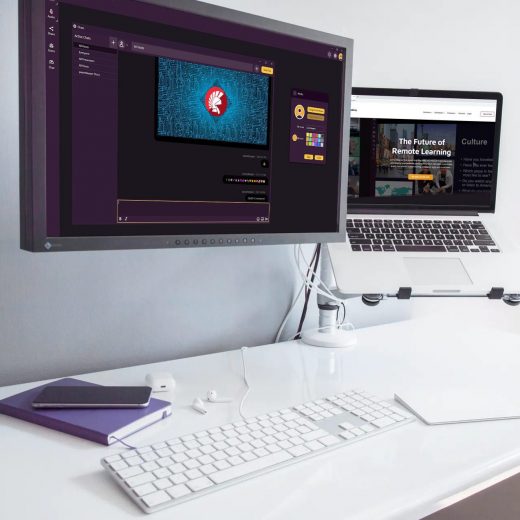
The Windows user interface has changed numerous times over the years, sometimes quite dramatically. The Windows design drastically evolved from the very simple outlines and colors of Windows 3.11 in 1993 to the gloriously advanced Windows UI toolkit of Windows 11. The latest version of Windows brought us the new Fluent Design System, a revamp of Windows Metro that includes guidelines for the designs and interactions used within software designed for all Windows 10 devices and platforms. In this webinar, Jim McKeeth will walk us through the evolution of Windows Design and will dive into the latest changes in Windows Fluent Design System. How did Windows design evolve over time? In this video, we will revisit all the five eras of windows UI starting with Windows Classic which includes Windows 3.11 which notably features a very simple set of outlines, very few colors with 16 to 256 color display. In Windows 95, we were introduced to shaded bevels for a slight 3D effect while Windows 98 introduced us to Gradient title bars. Windows Luna is the next era of Windows design that was introduced in Windows XP and provided us with gradients for a greater 3D rounded look. This is eventually followed by Windows Aero which came with Windows Vista which added transparency and glass effects. Next to it is the Windows Metro which is notable for its flat primary color designs, a UI that was also applied for Windows Phone and Xbox console. Developed in 2017 by Microsoft, the Windows Fluent Design System is considered to be a revamp of Metro that provides an evolution of all the UI systems of Windows. What are the latest updates with Windows Fluent UI? Interestingly, Fluent Design preserves the clean look and feel of Metro featuring its signature simple flat-esque design while renewing the visuals that Aero had including the blurred translucency, drop shadow, and highlighting effects of the mouse cursor. The video will also walk us through the new design principles of Windows 11 as well as the signature experiences including Geometry, Layering and Elevation, Color, Materials, Iconography and Typography, and Motion. McKeeth will also share with us how to make your applications look the best on the latest version of Windows 11. This includes the use of Windows VCL Styles. Delphi and C++ Builder included the new Windows 11 VCL styles that are available to GetIt Package manager which comes with a dark mode and light mode. Some useful components for Delphi were mentioned in this video including the Skia4Delphi which we’ve seen from the previous DelphiCon webinar. To know more about the latest Windows UI changes for Windows 11, feel free to watch the video below.

Read More

Why You Should Know About Test-Driven Development On Windows

Development is hard! Well, I should really say that good development, getting things to work properly, efficiently and reliably, is hard. Even the best developers make mistakes and introduce bugs or unexpected behavior. It doesn’t matter if you’re carrying out that software development on Windows with powerful IDE software which catches a lot of the mistakes before they reach your users – you can still get problems which seep through, potentially disastrously. Test-driven development is a technique which tries to stop that particular problem in its tracks by employing methods where the tests of the code’s desired behavior and functionality are written first and then the code created to make those tests pass. Developers who use test driven development say they find it leads to much improved quality of the code’s final product. In this video, Embarcadero Technology partner and MVP Serge Pilko talks to fellow MVP Jens Fudge about the pros and cons of test-driven development.

Read More

Why You Should Use TFrameStand In Your Cross Platform Apps

One of the hardest challenges when developing cross platform apps is making the navigation and presentation of the app’s screens work consistently. Each platform, whether desktop or mobile, seems to have a different way of making it work. Combine that with the challenges of scaling your wonderful app handiwork so that it looks great on the daunting array of screen sizes and available pixel resolutions, and it can really start to become burdensome. How does Delphi help with cross-platform app challenges? Luckily Delphi developers are blessed with a superb assortment of components and solutions to help them stay focused on the actual code features while the low-code component architecture abstracts all the complications sizing and scaling away from them, so they don’t have to trouble themselves with writing reams and reams of scaffolding code. This is the kind of “don’t write more code than you really have to” attitude to software development which attracted me to Delphi in the first place. What other solutions are available for cross platform application development with Delphi? But even the best auto-scaling and built-in native components can still benefit from the massive ecosystem of third-party components and code we get to benefit from thanks to Delphi’s longevity. In this video, Embarcadero Technology partner and MVP Serge Pilko talks to fellow MVP Andrea Magni about Andrea’s hugely popular TFrameStand component which elegantly solves lots of common problems coders can face when trying to implement navigation in their apps. I’m a big fan of Andrea’s and his TFramestand and it’s great to see Serge in discussion with him. You can also read and see more on TFrameStand on the Embarcadero blog.

Read More

ANIMUS: Revenant, The beginning of an apocalyptic game world

Out of a desire to reach as many users as possible,, Minwoo Ryu, CEO, planned to run their game on multiple platforms from the beginning. Since they had confirmed the possibility to expand from mobile to PC and console through previous titles, the Tenbirds team prepared to expand “Revenant” to multiple platforms to leverage all their accumulated know-how and take their game to another level. As a result, the “Revenant” was released successfully on Nintendo Switch, Xbox, Steam, and even PlayStation using a single source.  It’s unusual for an Indie developer team to run their game on so many platforms, so we asked how this was made possible. Minwoo replied that they were pretty confident since their team included experienced experts from each field, but the key was Unity’s high multi-platform compatibility as well as a highly engaged community. In particular, dealing with different graphics, resources, and debugging issues of each platform is the biggest problem when expanding to multiple platforms – but since Unity has a highly engaged community, most issues could be solved quickly and easily,. With so much information about Unity many of their issues were solvable by means of a simple search and more complicated problems could be solved within the Unity forum.  Alhough it is not visible on the game screen, the Tenbirds team developed and put to use an internal tool that combines mesh and texture to improve performance, and were also able to solve some restrictions on URP-based renderers for more vivid expression by modifying the code themselves. By actively utilizing Unity’s strengths like this, the team was able to achieve the high quality of the game and expand to multiple platforms.    When a problem arises, it is really not easy to find the answer right away.  But Unity makes this possible. It’s so efficient and professional.  Most of all, you can quickly find the answer in a dedicated, highly engaged community. Minwoo Ryu, CEO, Tenbirds  

Read More

Unity Gaming Services bootcamp series: Analytics and Player Engagement

Check out our on-demand bootcamp videos for Cloud Content Delivery, Remote Config, and Analytics (beta) to learn all about their features and functionality.   Whether you’re starting out with Unity Gaming Services or are a seasoned professional, our product bootcamps provide informative guides on feature updates and how to integrate them into your projects.  The live bootcamp series also aims to answer the questions you have about projects you’re working on.  So far, we’ve covered Cloud Content Delivery, Remote Config, and Analytics (beta) with dedicated live events, but we’ve prepared on-demand recordings of all the content covered in case you missed anything or just fancied showing your favorite video guides to your friends and loved ones.  Take a look:

Read More

Unity and Urban Arts are creating brighter futures for underserved students

UA’s School of Interactive Arts (SIA) uses Unity to teach video game design and related skills like coding, animation, and story development. Through this training, students develop the abilities and confidence to pursue careers in a variety of creative and technical fields. Working with Unity tools, UA students have created games that address the COVID-19 pandemic, climate change, and other social issues, alongside more lighthearted projects like smoothie mixing, card-based magician duels, and DJ sets. Some students have even taken their games to crowdfunding platforms like Kickstarter, flexing both their artistic and marketing skills. Beyond real-time development, Urban Arts helps its students with AP and SAT exam preparation, financial aid applications, and college application fees. They also connect students with mentors and internships, ensuring they emerge as highly skilled and career-ready leaders. Over the past six years, School of Interactive Arts students have earned over $7 million in scholarships and gone on to attend first-rate colleges and universities including Stanford, Columbia, USC, Hunter, and Rutgers. Unity is proud to support Urban Arts in providing equitable STEAM education that prepares tomorrow’s innovators, creative thinkers, and entrepreneurs for success. Learn more about Urban Arts.

Read More

Unpredictably fun: The value of randomization in game design

Randomness makes for better immersion. For example, let’s say that each tree has a fixed health count of 100, and each axe strike takes 25 points off a tree’s health. This task will soon become predictable, and therefore, boring. Even if you give the trees a health range of 76 to 100, any given tree will be four strikes away from falling. But trying a smaller range of, say, 75 to 76 provides a greater variety of gameplay outcomes, as a tree will take between three and four hits to fall. Another way to make this scenario interesting is to indicate health changes through clear visual cues instead of health bars. Doing this will allow the player to learn, through gameplay, approximately how many axe swings it’ll take for a tree to fall. Visual cues add some limited unpredictability that can be balanced and adjusted for the target gameplay. Using the Random class instead of a fixed value enables you to transform a monotonous task into a fun one. To expand on this example, you could choose to remove a random value between 15 and 25 health points for each axe swing. Doing this makes it so that players can’t easily predict how many swings it’ll take to cut down a tree. They’ll need to rely more closely on visual clues to gauge when a tree will fall; clues like the size of chunks flying from the tree or cracks forming up the trunk, branches falling, sound effects, and so on. They won’t know precisely when each tree will fall, but over time, as players chop down more trees, they can make educated guesses, ultimately improving their chances at survival.

Read More

Introducing Unity 2021 LTS

Next, we wanted to give you the ability to iterate faster and produce higher-quality experiences for your players. We’ve upgraded workflows across the board, provided better Editor usability, and enhanced our testing tools.  Minimize time from design to hands-on creation by leveraging Feature Sets, which gather all the packages you need to start a project in a one-click bundle. Find what you’re looking for faster with improved search capability, and experience an added zippiness in common operations you use regularly. Make sure your code is clean, performant, and high-quality with a new Mono upgrade, improved C# 8 support, and incremental builds that compile your project as you create it. A comprehensive Memory Profiler allows you to profile with multiple Players simultaneously.  Follow up that quality coding experience with tools that facilitate an equally high-quality output. In Unity 2021 LTS, you’ll find a mobile Device Simulator to check for compatibility on multiple devices. Use the production-ready Code Coverage package with the Test Runner to export code coverage data and reports from your automated tests. Additionally, the Code Coverage package offers a Coverage Recording feature that allows you to capture coverage data on demand for manual testing or when there are no automated tests in the project.

Read More

CLion 2022.1 Release Candidate

News We are approaching the release, and the CLion 2022.1 Release Candidate is now available for download. To install CLion 2022.1 RC (build 221.5080.169), download it from the website, update from our Toolbox App, or use this snap package (for Ubuntu). You can also update from CLion 2022.1 Beta via a patch. You need to have an active subscription or start a free trial to use CLion 2022.1 RC. Updated Inlay Hints settings CLion makes code easier to read thanks to parameter and type hints shown in the editor. The settings in Settings/Preferences | Editor | Inlay Hints are now enhanced with some explanations and code examples: Other improvements A new setting was added to Settings/Preferences | Advanced Settings | CMake that allows the user to disable CMake Presets integration. It’s enabled by default, which means CLion will create CMake profiles by default for each CMake configuration and build preset found. CLion can now correctly highlight the CUDA __managed__ keyword. Type hints for iterators were improved (CPP-28696). The full release notes are available here. Give the RC build a try and report any problems you find to our issue tracker. DOWNLOAD CLION 2022.1 RC Your CLion teamJetBrainsThe Drive to Develop

Read More

PyCharm 2022.1 Release Candidate is now available

News Newsletter We are now on the final stage of the release cycle. The release candidate for PyCharm 2022.1 provides enhanced code insight for TypedDict, new tool support for frontend development, and improvements for working with Jupyter notebooks. Download the EAP builds via the Toolbox App or directly from our website. Important: EAP builds are not fully tested and might be unstable. Download PyCharm EAP TypedDict support We’ve enhanced the code insight for TypedDict types. Now PyCharm recognises it when you are creating TypedDict using dict literals and suggests code completion for key types. PyCharm also suggests code completion options for the function parameters where TypedDict is expected. PyCharm now properly recognizes forward references and Union types using the “|” operator used as TypedDict value types, providing code completion for key types. User Experience Updated Structural Search and Replace dialog We’ve redesigned the Structural Search and Replace dialog to feature a list of all templates to make it easier to navigate between them. Also, we’ve added a Pin Dialog icon in the upper-right corner of the Structural Search and Replace dialog and moved the Injected code and Match case checkboxes to the bottom of the Search template pane. Evenly split tabs You can now evenly distribute the working space among editor tabs so that they are the same width. To set this up, go to Settings / Preferences | Advanced Settings | Editor Tabs | Equalize proportions in nested splits. UI improvements for the debugger To maximize the usable space in the Debug tool window, we’ve hidden the tab labels by default. To make them visible again, or to customize their location, use the Show Tab Labels option in the Layout Settings or call it via Search Everywhere dialog (⇧⇧ / Shift+Shift) with the Debug tool window in focus. Exporting UML diagrams to other formats It’s now possible to export UML diagrams as yEd .graphml, JGraph .drawio, Graphviz .dot, Graphviz .dot with positions, Mermaid .md, Plantuml, and IDEA .uml files, which makes them compatible with third-party tools. To export, use the corresponding action from the context menu available via right-click. New UI for inlay hints settings We’ve implemented a new UI for Inlay Hints settings. It allows you to configure your preferences based on the type of hints you want the IDE to provide. Editor New Incorrect formatting inspection We’ve implemented the Incorrect formatting inspection, which notifies the user if the current formatting of a file does not match the code style settings. To turn on the inspection, go to Settings/Preferences | Editor | Inspections | General | Incorrect formatting. Frontend development ESM support for webpack configuration From now on, webpack coding assistance will work with ES modules in your webpack.config.js files. Support for Volta PyCharm 2022.1 will get proper integration with Volta, a JavaScript tool manager. It will automatically recognize Yarn and npm installed using Volta. Corepack support for Yarn and pnpm Another thing that made it into this release is Corepack support. Corepack is an experimental Node.js tool that lets you use Yarn and pnpm without having to install them. If you want to give it a try, make sure you run corepack enable in the built-in terminal – the feature isn’t turned on by default. For more information, see the official documentation. Improved Structure view With the […]

Read More