embarcadero

The First Steps Of How To Develop Games In C++

Hello everyone. The C++ programming language is the most used programming language in game development. The gaming industry keeps growing, this can be seen by the number of new games, game tools, new 3D features, and many new gaming technologies that come in every week, and by the enormous incomes from game marketing. If you want to start game development for free or if you are just interested in learning C++ then download C++ Builder 11 CE and start to take your first steps into the amazing world of C++ game development. According to global game marketing analysis, it will keep growing up in the next 5 years analysis. For example, according to this source; “The global gaming market size reached US$ 202.7 Billion in 2022. Looking forward, IMARC Group expects the market to reach US$ 343.6 Billion by 2028, exhibiting a growth rate (CAGR) of 9.08% during 2023-2028. The growing utilization of smart devices, wide availability of free-to-play games online, and increasing popularity of e-sports and multiplayer video game competitions represent some of the key factors driving the market“ Developing a good and effective game might be the dream path to fame and fortune, but it’s also a path which typically requires a lot of effort and not a small amount of luck too. You don’t need to spend billion dollars to develop games. You can start with simple but effective games. C++ is one of the most powerful programming languages that we can use to create games in 2D or 3D. You just need an idea, a C++ editor, and passion to develop it. C++ Builder and RAD Studio have built in features to help you so you can easily deploy your game in app stores or on your web page. Table of Contents How can I start to develop a game in C++ for free? What is new in C++ Builder CE? What are the basics to develop games with C++ Builder CE? Learn to develop games with C++ Builder CE Get in touch and tell us what you’d like to see on the blogs What might be next for C++ Builder? How can I start to develop a game in C++ for free? If you don’t know anything about C++ or the C++ Builder IDE, don’t worry, we have a lot of examples on the LearnCPlusPlus.org website and they’re all completely free. Just visit this site and copy and paste any examples there into a new Console, VCL, or FMX project, depending on the post example. We keep adding more C and C++ posts with sample code. In today’s round-up of recent posts on LearnCPlusPlus.org, we have new C and C++ posts with very simple examples that can be used with the following: The free version of C++ Builder 11 CE Community Edition. or a full paid version of C++ Builder and RAD Studio. or free BCC32C C++ Compiler and BCC32X C++ Compiler. or the free Embarcadero Dev-C++ IDE with TDM GCC Compiler What is new in C++ Builder CE? C++ Builder 11 CE, the free Edition of C++ Builder, has been recently released. Embarcadero has made available a Community Edition license for the most recent 11.3 release of Delphi and C++Builder. This is a free edition of either Delphi or C++Builder for students, hobbyists, and startups (as the license is revenue-limited). There is also […]

Read More

5 New Posts With Free C++ Builder CE, Dev-C++, BCC, GCC Examples

Hello developers, if you just starting out on your C++ journey and want to jump to a modern IDE and C++ compiler, there is a free version of C++ Builder, C++ Builder 11 CE Community Edition released on April 2023. If you are a start-up developer, student, hobbyist, or just interested in learning to code then the C++ Builder Community Edition may well be just the thing for you. Read the FAQ notes on the CE license and then simply fill out the form to download C++ Builder 11 CE. Today we have 5 more C++ posts, some of C++ examples in these posts can be used with C++ Builder or the C++ Builder 11 CE Community Edition, and others can be used with Dev-C++, BCC C++ Compilers, and some other compilers such as the GCC compiler. Table of Contents Where can I learn to program with free C++ examples? What is new in C++ Builder CE? What are the important features of C++ that can be used with C++ Builder CE? Learn C++ Builder CE with C++ examples Get in touch and tell us what you’d like to see on the blogs What might be next for C++ Builder? Where can I learn to program with free C++ examples? If you don’t know anything about C++ or the C++ Builder IDE, don’t worry, we have a lot of great examples on LearnCPlusPlus.org website and they’re all completely free. Just visit this site and copy and paste any examples there into a new Console, VCL, or FMX project, depending on the post example. We keep adding more C and C++ posts with sample code. In today’s round-up of recent posts on LearnCPlusPlus.org, we have new C and C++ posts with very simple examples that can be used with: The free version of C++ Builder 11 CE Community Edition or a professional C++ Builder  or free BCC32C C++ Compiler and BCC32X C++ Compiler or the free Dev-C++ What is new in C++ Builder CE? C++ Builder 11 CE which is the free Edition of C++ Builder has been recently released. Embarcadero has made available a Community Edition license for the most recent 11.3 release of Delphi and C++Builder. This is a free edition of either Delphi or C++Builder for students, hobbyists, and startups (as the license is revenue-limited). What are the important features of C++ that can be used with C++ Builder CE? C++ is one of the most powerful programming languages that we use for all sorts of purposes, from regular applications, games, business, industrial infrastructure, robotics, and in the control of IoT devices. The most well-known controllers for those areas where human and computer interaction are important and stretches beyond simple keyboard input are joysticks or gamepads. One of the simplest examples to use them on Windows is using the venerable XInput library which has been around for quite a long time but can still be easily used with the latest C++ Compiler. In the first post, we explain how you can use a gamepad or joystick controller in C++ with the Xinput library. https://learncplusplus.org/how-to-use-a-game-pad-or-joystick-controller-in-c-on-windows/ C++ Builder is the easiest and fastest C++ IDE for building professional applications with powerful GUI components like Memo, Edit, ListBox, StringGrid and many more. Each component can be skinned with Styles to change their visual appearance. Styles are very powerful and because of this it can […]

Read More

Let Stack Overflow Know You Use RAD Studio With Delphi

Hello fellow developers. The hugely important Stack Overflow site is currently running their annual survey of developer tools. Delphi is listed among the choices. It would be really helpful if you could visit the survey and let Stack Overflow know that you’re a RAD Studio with Delphi user. Whether you use one of the paid editions or the recently announced version 11 Community Edition it all counts. Delphi is very good at working away silently and trouble-free in the background, powering all sorts of parts of commerce, apps, and vital infrastructure. The fact that Delphi apps are immensely stable and don’t keel over just because something on the computer was changed or upgraded is a huge benefit – but it’s also a curse. It can lead to the language being ‘silently successful’. To paraphrase Oscar Wilde, “there is only one thing worse than being talked about, and that is not being talked about“. The Stack Overflow survey also has a spot to indicate that you use RAD Studio, so C++ Builder also counts too. So, please, go to the following link and let everyone know that you’re a Delphi user. It’s anonymous and only takes a few minutes. The figures are aggregated so nobody will actually know – but every single vote counts. The survey closes on May 19th so the sooner you can take the survey, the better. Here’s the survey: https://meta.stackoverflow.com/questions/424565/take-the-2023-developer-survey Marco has written a blog about the survey too. I am also very grateful to Darian Miller, one of our excellent MVPs who managed to electronically poke me as soon as I took over from Jim McKeeth and reminded me about the survey. Darian has his own take on the survey here: https://www.ideasawakened.com/post/2023-stack-overflow-developer-survey-includes-delphi-place-your-vote-today If you can find the time to complete the survey you’ll be helping both your fellow Delphi developers and those people who are considering development for the first time. Free Delphi Community Edition   Free C++Builder Community Edition

Read More

5 Modern C++ Posts That Can Be Used With C++ Builder 11 CE

Hello C++ developers, C++ students, and C++ educators. We recently had another milestone for the C++ programming language with a free version of C++ Builder, C++ Builder 11 CE Community Edition released in April 2023. If you are a start-up developer, student, hobbyist or just interested in learning to code then C++ Builder Community Edition may well be just the thing for you. Read the FAQ notes on the CE license and then simply fill out the form and download C++ Builder 11 CE. Table of Contents Where can I learn to program in C++ for free? What is new in C++ Builder CE? What are the important features of C++ that can be used with C++ Builder CE? Learn C++ Builder CE with C++ examples Get in touch and tell us what you’d like to see on the blogs What might be next for C++ Builder? Where can I learn to program in C++ for free? If you don’t know anything about C++ or the C++ Builder IDE, don’t worry, we have a lot of examples on the LearnCPlusPlus.org website and they’re all completely free. Just visit this site and copy and paste any examples there into a new Console, VCL, or FMX project, depending on the post example. We keep adding more C and C++ posts with sample code. In today’s round-up of recent posts on LearnCPlusPlus.org, we have new C and C++ posts with very simple examples that can be used with the following: The free version of C++ Builder 11 CE Community Edition. or a full paid version of C++ Builder and RAD Studio. or free BCC32C C++ Compiler and BCC32X C++ Compiler. or the free Dev-C++. What is new in C++ Builder CE? C++ Builder 11 CE, the free Edition of C++ Builder, has been recently released. Embarcadero has made available a Community Edition license for the most recent 11.3 release of Delphi and C++Builder. This is a free edition of either Delphi or C++Builder for students, hobbyists, and startups (as the license is revenue-limited). There is also a new Delphi CE version 11 edition. The C++ CE version and Delphi CE version cannot exist on the same machine. The full commercial versions of RAD Studio with Delphi and C++ Builder can co-exist though, and, in fact, RAD Studio can choose between the “C++ personality” and “Delphi personality” so you can use it for both languages as your needs dictate. What are the important features of C++ that can be used with C++ Builder CE? C++ is a very capable, versatile, and powerful programming language that has a very strong compiler supported by a big community on a range of different platforms. The C++ language definitions, syntax, and functionality are organized into different standards. Those standards are usually named after the year the standard was adopted such as 1998 for C++98, 2011 for C++11, 2014 for C++14, and 2017 for C++17. One of the great features of a C++ compiler is you can choose which standards you want your code to be compiled against, before the compilation of your source code. This allows the compiler to check that your code complies with that standard. In the first post, we explain what the standards are, how you can view them, how you can check the compatibility of your C++ source code against […]

Read More

Embarcadero Welcomes Ian Barker to Developer Advocate Role

If you have watched any of Embarcadero’s online content, attended a RAD Studio webinar, or been to one of the in-person events you will most likely know the wonderful Jim McKeeth. Jim has been the Chief Developer Advocate and Engineer for Embarcadero since July 13th, 2013, just short of ten years. Today, however, the big news is that Jim is leaving Embarcadero and moving on to a new role as a developer advocate at EOS Network Foundation. Of course, we’re devastated that Jim’s particular brand of jovial code geekery will no longer be at the helm of the Developer Relations program, but we’re also thrilled for him to be moving on to new horizons and will get to stretch that burgeoning tech brain of his with the delights of such things as block-chain. Along with that news comes, of course, an announcement that Ian Barker (that’s me) will be taking over as Embarcadero Developer Advocate. I’ll be dealing with most of the things Jim did, those that are public, along with those which he did so capably behind the scenes too, of which there are many. Eli Mapstead will be expanding his role too and taking over some of the Python projects that Jim oversaw and championed. Yes, Jim can legitimately make the claim “it took two people to replace me“. Jim will become an Embarcadero MVP – once I’ve reviewed his application and decided if he’s good enough. ???? I’m going to do a more comprehensive retrospective blog post of some of the many great things Jim has been responsible for as well as highlight a few of his crazy professor moments, we have a thick stack of them – he’s a developer’s developer and irrepressible gadget freak – but, for now, we’re going to let the video do the talking. The audio echoed a little from time to time – but then it wouldn’t be the same if technology didn’t try to trip Jim or I up during recording, would it? From all of us in the Embarcadero and Idera family – thank you Jim. You’re a hard act to follow. Reduce development time and get to market faster with RAD Studio, Delphi, or C++Builder. Design. Code. Compile. Deploy. Start Free Trial   Upgrade Today    Free Delphi Community Edition   Free C++Builder Community Edition

Read More

Dealing with Sharing C++

If you don’t use Sharing C++, no data races can happen. Not sharing means that your thread works on local variables. This can be achieved by copying the value, using thread-specific storage, or transferring the result of a thread to its associated future via a protected data channel. The patterns in this section are quite obvious, but I will present them with a short explanation for completeness. Let me start with Copied Value. Copied Value Sharing C++ If a thread gets its arguments by copy and not by reference, there is no need to synchronize access to any data. No data races and no lifetime issues are possible. Data Races with References The following program creates three threads. One thread gets its argument by copy, the other by reference, and the last by constant reference. // copiedValueDataRace.cpp #include #include #include #include using namespace std::chrono_literals; void byCopy(bool b){ std::this_thread::sleep_for(1ms); // (1) std::cout << “byCopy: ” << b << ‘n’; } void byReference(bool& b){ std::this_thread::sleep_for(1ms); // (2) std::cout << “byReference: ” << b << ‘n’; } void byConstReference(const bool& b){ std::this_thread::sleep_for(1ms); // (3) std::cout << “byConstReference: ” << b << ‘n’; } int main(){ std::cout << std::boolalpha << ‘n’; bool shared{false}; std::thread t1(byCopy, shared); std::thread t2(byReference, std::ref(shared)); std::thread t3(byConstReference, std::cref(shared)); shared = true; t1.join(); t2.join(); t3.join(); std::cout << ‘n’; } Each thread sleeps for one millisecond (lines 1, 2, and 3) before displaying the boolean value. Only the thread t1 has a local copy of the boolean and has, therefore, no data race. The program’s output shows that the boolean values of threads t2 and t3 are modified without synchronization. You may think that the thread t3 in the previous example copiedValueDataRace.cpp can just be replaced with std::thread t3(byConstReference, shared). The program compiles and runs, but what seems like a reference is a copy. The reason is that the type traits function std::decay is applied to each thread argument. std::decay performs lvalue-to-rvalue, array-to-pointer, and function-to-pointer implicit conversions to its type T. In particular, it invokes, in this case, the type traits function std::remove_reference on the type T. The following program perConstReference.cpp uses a non-copyable type NonCopyableClass. // perConstReference.cpp #include class NonCopyableClass{ public: // the compiler generated default constructor NonCopyableClass() = default; // disallow copying NonCopyableClass& operator = (const NonCopyableClass&) = delete; NonCopyableClass (const NonCopyableClass&) = delete; }; void perConstReference(const NonCopyableClass& nonCopy){} int main(){ NonCopyableClass nonCopy; // (1) perConstReference(nonCopy); // (2) std::thread t(perConstReference, nonCopy); // (3) t.join(); } The object nonCopy (line 1) is not copyable. This is fine if I invoke the function perConstReference with the argument nonCopy (line 2) because the function accepts its argument per constant reference. Using the same function in the thread t (line 3) causes GCC to generate a verbose compiler error with more than 300 lines: The error message’s essential part is in the middle of the screenshot in red rounded rectangle: “error: use of deleted function”. The copy-constructor of the class NonCopyableClass is not available. When you borrow something, you have to ensure that the underlying value is still available when you use it. Lifetime Issues with References If a thread uses its argument by reference and you detach the thread, you have to be extremely careful. The small program copiedValueLifetimeIssues.cpp has undefined behavior. // copiedValueLifetimeIssues.cpp #include #include #include void executeTwoThreads(){ // (1) const std::string […]

Read More

How Do I Program Fun Games?

Hello Everyone, C++ Builder Developers, and Delphi Developers, Last weeks, we started to release “Introduction to C++” series in our LearnCPlusPlus.org web site, we will continue to release basics of C++ in the next weeks.   If you are new a beginner, new to C++ or if you are a Delphi developer and want to learn or remember basics of C++, these posts are good to improve your programming skills. This is why we call everyone ! We keep adding new C++ blogs for C++ Builder, Dev-C++ and also most are compatible with other C++ compilers. We have another great new C++ Builder post picks from the last week.  If you are a beginner or want to jump into C++ Builder please visit our LearnCPlusPlus.org website for the great posts from basics to professional examples, full codes, snippets, etc.  Are you the next great games programmer? Do you want to develop a game like Minecraft without using 3D engines in C++ ? Want to develop a very simple text game ? We explain how to  develop a Guessing Game in C++. Dynamic Polymorphism and other very long words Do you want to learn structure of C++ programming language ? Do you want to learn how to use comments,  variables, Booleans.  Want learn Dynamic Polymorphism in C++ by the CppCon video? Discount până la 30% pentru C++ Builder RAD Studio C++ Builder is a great environment for learning to use C++ and is also powerful enough for all your development needs.  Reduce development time and get to market faster with RAD Studio, Delphi, or C++Builder.Design. Code. Compile. Deploy.

Read More

Embarcadero Subscription Benefits – Highlights for September 2020

Embarcadero Subscription will help Your team to focus on most important things – increase efficiency and Reduce development time and get to market faster with RAD Studio, Delphi, or C++Builder. Design. Code. Compile. Deploy. RAD Studio Update for Embarcadero Subscription benefits continues to expand. In addition to multiple FREE components and tools available to Update Subscription customers, we want to highlight several exciting features for September related to the 10.4 / 10.4.1 releases.  Custom HighDPI ready VCL Windows Styles  In 10.4, we significantly extended the VCL Styles architecture to support High DPI and 4K monitors. All UI controls on the VCL form are now automatically scaled for the proper resolution of the monitor the form is displayed on.  Each UI element can be selected from a library of multi-scale versions and scaled to any DPI, resulting in crisp UI elements on all monitors. The following 13 custom VCL styles have been updated to fully support High DPI with your VCL applications: Calypso Stellar Wedgewood Light Material Oxford Blue Puerto Rico Material Patterns Blue Windows 10 Modern Malibu Windows 10 Modern Blue Whale Windows 10 Modern Clear Day Windows 10 Modern Black Pearl Flat UI Light Lucky Point Zircon Parallel Debugger  Today’s applications don’t just run on one thread – they’re spread over the main UI thread and multiple parallel threads all inter-operating. Yet most IDEs are built around interacting with one thread at a time when debugging, or have debugging controls that aren’t even aware that more threads might exist at all. Debugging thread interactions can be hard, really hard… and we have the solution: a new parallel extension to RAD Studio designed for understanding and controlling what your multi-threaded application is doing. Visualize thread call stacks in parallel. See multiple threads indicated inline in the code editor. Control execution on a per-thread basis. And more! This exciting new extension is coming soon exclusively for Update Subscription customers using RAD Studio 10.4.1. TwineCompile: speed up C++ builds  C++ can be slow to compile, for all C++ IDEs – and TwineCompile is the answer. This amazing C++Builder extension parallelizes C++ builds, speeding them up by the number of cores in your machine – making your project build in half, a quarter, or even less time. This add-on is one of the best productivity extensions available for C++ development. Depending on your application size, it’s possible to save an hour or more per day – a huge time saver for your entire development team! There are three short, two-minute videos introducing TwineCompile and how to use it: probably the best six minutes you could spend today improving things for your C++ team. You can get TwineCompile now for C++Builder with your Update Subscription — including for Professional edition customers! Updated FMX Linux We also recently updated the FMXLinux package for Delphi in GetIt. The latest version has full support for 10.4.1 and includes a number of quality improvements.

Read More

Getting Started with InterBase for RAD Users

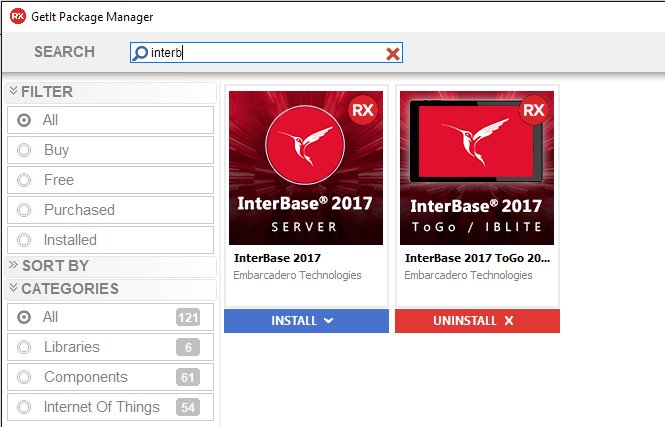
Most, if not all, of your applications will connect to some database backend.  For Delphi and C++Builder users, most have either used it previously or have heard of it. InterBase is a zero admin, small footprint database engine that offers enterprise grade database capabilities like granular transparent database encryption, powerful access control, point-in-time recovery and patented data change tracking. It’s the database running across a range of industries, from POS systems to medical laboratories and CRM to railway systems. In fact, even RAD Server uses an InterBase database for the storage of user information, user groups, analytics, registered devices, version information, registered Edge Modules, push notification messages and more. So why not see if it can further your development efforts. What’s to lose? It’s included in your RAD Studio license. How do I use InterBase for RAD Development? All versions of RAD Studio/Delphi/C++Builder come with support for InterBase 2020 databases. InterBase 2020 is installed with RAD Studio in the following directory: C:\Program Files (x86)\Embarcadero\Studio\20.0\InterBase2020 Installing and Starting the InterBase Server In the additional options of the web installer for RAD Studio, check and install the InterBase Developer Edition and InterBase Express Components. InterBase 2020 Developer Edition is installed with RAD Studio, Delphi or C++Builder and is in the RAD Studio integrated license. Choose Start | Programs | Embarcadero InterBase 2020 | 64-bit/32-bit instance = gds_db | InterBase Server Manager [instance = gds_db] On the InterBase 2020 64 Server Manager, start the InterBase server if it is not running Connecting to InterBase Connecting to the server and database will require entering the host, port, database user and password. InterBase databases are defaulted to the port 3050 or 3051 and provide the default system administrator user, SYSDBA (not case-sensitive) with a password of masterkey (all lowercase). Note: It is recommended that you change the SYSDBA password for improved security. IBConsole IBConsole is a simple, yet powerful and complete system for managing InterBase servers and databases. IBConsole lets you look into the details of the database structure, query the data, backup and restore the database, and perform any other admin tasks.  For more on what IBConsole can do, click here Command Line isql tool The command-line isql is a utility for processing SQL data definition (DDL) and data manipulation (DML) statements from interactive input or from a source file. It enables you to create and view metadata, add and modify data, grant user permissions, test queries, and perform database administration tasks. For more on invoking isql, click here. Developing Database Applications Delphi includes many components for accessing databases and representing the information they contain. They are typically grouped by their access mechanism. The two recommended data access components are: FireDAC FireDAC is the set of standard data-access and data-aware visual components for developing with various database systems including InterBase. FireDAC is designed to deal with real-world high load applications and enables the developer to concentrate on developing the application, not on the complexities of database interaction InterBase Express InterBase Express components or IBX, is a set of custom data aware components and controls that allow you to connect to and access data from InterBase servers and databases. Applications built using IBX components should work better and faster (even if only marginally), giving you more control over the specific features of the server.  The components are broken down into two sections, the IBX Dataset components and Administrative Components.  Using IBLite and InterBase […]

Read More