The Next Big Thing In Analytics And Reporting Tools
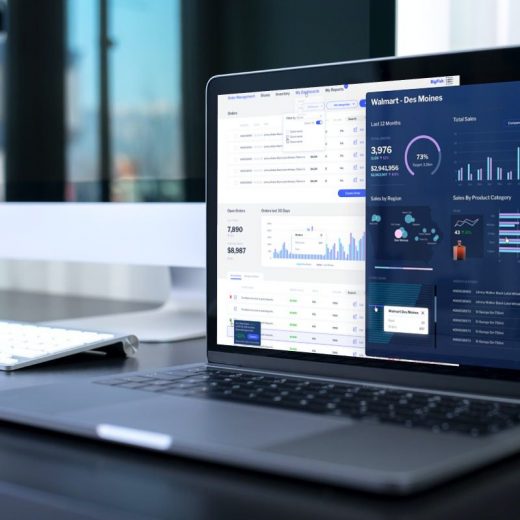
The world is becoming increasingly data-driven. Without data, businesses cannot succeed and expand. They may have a stream of data coming from different sources, but it is useless without analytics and reporting tools. Data is a critical asset for businesses as it helps them make informed business decisions. Plus, data usage drives the success of a business. Which depends on analytics, and the usage of reporting tools. Reporting tools make all the information easier to parse. Without analytics and reporting tools, informed business decisions are hard to imagine. This is where Yellowfin comes into play. Gartner surveyed CIOs for analytics and reporting tools. They asked for their best pick in business’s success. As a response, the highest 24% voted for data analytics. CIOs also believe that data analysis is important to act on data. Which returns invaluable insights. So, if an enterprise wants to succeed, it must keep up with the latest trends in data analytics. Don’t know where to look? No worries! We have prepared this guide solely for this purpose. Continue reading to learn about big things in data analytics and reporting tools. How have analytics and reporting tools advanced recently? 1. Contextual Analytics Contextual analytics is a chart embedded on the page with the data. It also includes picturing and the related actions for better insights. It embeds dashboards and analytics solutions into a software application’s core workflows. In addition, users get the benefits of analytics directly in the framework. Before contextual analytics, the users had to switch away from their working environments. They did so to investigate data or derive insight. But now, with contextual analytics, the data is delivered to the end-user directly. It is in the user interface and the transaction flow. With one click, users can get instant, guided, and dynamic insights. Which helps them to train and make decisions while working as usual. The contextual analytic’s goal is to maximize the business benefits. It does so by supporting or triggering actions users take within the app. 2. Augmented Analytics Augmented analytics uses enabling technologies like AI and machine learning. It helps with data preparation, insight explanation, and insight generation. Its primary purpose is to boost how users explore and analyze data in analytics and BI platforms. It augments the expert and citizen data scientists. It speeds up machine learning, data science, and AI model development. So, augmented analytics is transforming how businesses prepare data. It helps find insights and share the findings from those insights. It will be no surprise if data analytics becomes mainstream. It is one of the next big things in analytics and reporting tools. Thus, data and analytics leaders should not wait and incorporate it now. 3. Automated Analytics Automated analytics detect relevant anomalies, trends, and patterns. Once found, it delivers insights to users in real-time with no manual analysis. Enabling technologies like machine learning and AI are used to monitor working performance. They also help search large datasets and track user-defined metrics with desired business outcomes. As a result, it produces alerts of specified triggers and delivers analyzed findings. The main goal of automated analytics is to perform automated analysis. It offers benefits for both software vendors and end-users. It comes with features of fraud detecting and tracking changes in customer behavior. That helps in automated analytics. […]