Noutați

5 Ultimate Ways To Modernize Your Apps For Windows 11

Delphi offers a modern, robust & enterprise-grade UI developer environment with Visual Component Library (VCL) for Windows only and FireMonkey (FMX) for cross-platform development. Delphi VCL offers the latest features and modern UI controls for your Windows app development.  Moreover, you can enjoy the native performance in your Delphi app, and accessing to hardware and latest features of Windows is quick with Delphi. In this article, we try to point out five main ways to modernize your apps for Windows 11. Users love when they can easily find what information the app is gathering and easy-to-understand privacy-policy notices. So, informing about all this and giving access to enable or disable telemetry settings is always welcome. The comprehensive design forms a more reliable product and environment for everyone. For instance, if your app is consists of lots of text content, it is more salutary to add an assistive screen reader that is also satisfactory for people with disabilities. Describe the UI controls or menus with beautiful and simple animations. Make your app scalable and responsive as much as you can. Provide font size changing option. Because you never know how your app represents in different sized screens. If your app welcome screen shows different information with several frames, make sure to give the option to redesign the frames. Delphi 11 IDE gives access to alter the layout On Windows 11, you can see most of the icons are updated with shiny and coherent icons. Besides, the new UI font called Segoe UI Variable makes the typography of your app more readable and softer. Src: Windows Docs Delphi VCL provides modern Windows UI controls with native performance.  By bringing beautiful and modern UI controls, your app looks shiny and up-to-date with Windows 11. Since Windows 11 itself has so many UI innovations, your app needs compatible with it! In addition to that, using lightweight and scalable animation in your app can increase user experience. Because everyone loves beautiful things. One of the popular ways of adding animations to the applications is using Lottie animation files.  Do you know how to add Lottie animation files to your Delphi app? Well, it is easy because of community contribution to the Delphi development ecosystem! Skia4Delphi is a cross-platform 2D graphics API for Delphi platforms based on Google’s Skia Graphics Library. Here you can watch the Desktop First session about Lottie and SVG in Delphi by Jim McKeeth Windows 11 introduced a wide array of UI elements and rounded corners to the desktop operating system. The usual sharp edges are now rounded and smooth corners which gives another feeling about desktop apps.  As you utilize Windows 11, the rounded corners on every UI control look great in both dark and light modes.  Here you can learn how to controls Windows 11 rounded corners with code: Delphi VCL has exceptional options to make your app look modern with VCL Styles. With dozens of different and unique styles, you can create modern-looking Windows apps in seconds by just applying styles.  How to design Fluent apps in Delphi – Acrylic material design? If you want to build your app by applying the Fluent design system, you can easily achieve it with the StyleControls VCL package. StyleControls VCL package uses classic drawing, system themes, GDI+, and VCL styles to make unique user interfaces. In recent years, we can see that some apps are designed for touchscreen mode also. For instance, when I use my 2-in-1 laptops, you need bigger […]

Read More

Quadruple your number of components for TMS WEB Core on Windows, macOS or Linux

Background One of the many reasons to develop TMS WEB Core for Visual Studio Code was that you could use this highly popular development environment directly on your favorite desktop Windows, macOS or Linux system. And this without any virtualization software! With this mission accomplished, a next goal was to bring our wide portfolio of TMS WEB Core enabled FNC components to TMS WEB Core for Visual Studio Code on any of these platforms.  The entire range of TMS FNC Components was already for some time available for Delphi developers on the Windows operating system. That means, when you have TMS WEB Core installed in the IDE and you install any of the TMS FNC Components using its installer, these components also become automatically available for use in TMS WEB Core web client applications or Miletus desktop applications.  Now, with TMS WEB Core for Visual Studio Code running on a macOS or Linux machine, this was somewhat more problematic. Our FNC component installer is an executable designed for Windows that does not work out of the box for macOS or Linux. Enthusiast TMS WEB Core for Visual Studio Code users did the cumbersome extra effort to find a Windows machine, install it there and then manually move over the files and install in Visual Studio Code. A new easy way to install FNC components But from today, this inconvenience is all a thing of the past! We’re pleased to announced that the full portfolio of TMS FNC Products is now also available both for trial and registered versions as simple ZIP file distributions that can be used from any desktop operating system. Simply unpack, pick from Visual Studio Code the folder where the ZIP file was extracted and pick the package to install it in the IDE. Done! Our colleague and evangelist Holger Flick has it for you all explained and demonstrated in the video he created especially for this: What do you get today? From today, you can easily install following FNC component as trial version or as registered version in TMS WEB Core for Visual Studio Code: TMS FNC Chart : business, statistical, financial & scientific data TMS FNC Dashboard Pack : dashboard UI controls TMS FNC Maps : the world of mapping services, directions, geolocation, … in your hands TMS FNC UI Pack : sophisticated UI controls including grid, planner, ribbon, treeview, navigation, … And it doesn’t end there! You have most likely seen the announcement of our new WX technology that encapsulates web technology for any type of Delphi application or TMS WEB Core application. Our upcoming TMS FNC WX Pack is also already enabled for easy install in TMS WEB Core for Visual Studio Code.  And on top of this, in the future we want to make it even easier than this as we are researching right now to use the Microsoft Visual Studio Code Market Place for FNC component distribution. With this in-place, you’ll have the ultimate experience, that is: an IDE that takes care itself of always keeping your components automatically up-to-date.  Stay tuned! There is a lot more in the pipeline and never-seen-before developments we will soon unveil.

Read More

Huh, Raspberry Pi app from the Delphi IDE?!?

Excitement Before we dive into more technical details and bring a first beta build with this new milestone reached, we just wanted to brighten up your day and share on this gray, cold, rainy Thursday our excitement in the lab. Excitement because months of R&D work result today in closing the circle and having the ability to simply select from our Delphi IDE a new target : Raspberry Pi and then XCOPY the app and run it directly from the Raspberry Pi, including accessing all sorts of hardware hooked up to this small SBC. It goes without saying this concerns an app written 100% in Object Pascal with a RAD component based methodology and as a bonus with a couple of our FNC components and using the Miletus technology of TMS WEB Core. Expect more details coming, but enjoy for now this first glimpse:

Read More

To be (live) or not to be (live): a poll

Ever since the covid-19 pandemie caused the first lockdown in March 2020, we did not organize and did not participate in any live Delphi related event. Instead, we embarked on a new project, the TMS Web Academy to reach out to you, to create our own platform where we have full control and to prove the strength of TMS WEB Core to create web applications. We launched the TMS Web Academy in the beginning of this year successfully. The number of participants to the number of webinars we already offered exceeded our expectations.  It’s clear that the TMS Web Academy is here to stay. But it is also clear there is no substitute for real in person and face to face meeting with fellow Delphi developers.  For a long time and till now, the uncertainty about new possible lockdowns withheld us from setting up a new live event.  In Belgium, the country where the main office of TMS software is located, there is a high degree of vaccination and it appears that restrictions keep diminishing. And that makes us reflect about new possibilities for a live event.  The sole purpose of this blog post is to feel how this resonates with you, as possible attendee of a live TMS training day. So, in a nutshell, with this poll you can indicate how you feel about this. The idea we play with is a TMS training day about the newest TMS WEB Core and TMS FNC developments. As a location, we think about Bruges, the venice of the North with easy access by highway, train, airports in Ostend & Brussels and a one of a kind authentic and historic heart of the city.  We are very curious to hear how you feel about this! Please fill-in this poll or add any remarks about how you think about live events in the comments!

Read More

Lazarus Linux support for FNC webbrowser

Intro Up until now, the only way to use the TTMSFNCWebBrowser in a Linux environment was through FMXLinux. Today, we can proudly announce official Linux support through Lazarus as well. A couple of FNC products were already working in Linux, but the browser based components, such as the TTMSFNCWebBrowser and the TTMSFNCMaps components (& descendants) were not working. We have been working hard the past months to make our browser based products ready for Linux. With Linux support through Lazarus, we add yet again a new platform to the wide variety of already supported platforms in FNC. TMS FNC Components can be used simultaneously on these frameworks TMS FNC Components can be used simultaneously on these operating systems/browsers TMS FNC Controls can be used simultaneously on these IDEs Getting Started The components have been tested and deployed on a Linux environment (Ubuntu 20.04) after properly setting up Lazarus and other dependencies required for various parts of FNC. To setup your Linux environment please execute the following commands sudo apt install joe wget p7zip-full curl openssh-server build-essential zlib1g-dev libcurl4-gnutls-dev libncurses5 sudo apt-get install zlib1g-dev sudo apt install libgl1-mesa-glx libglu1-mesa libgtk-3-common libgstreamer1.0-0 libgstreamer-plugins-base1.0-0 sudo apt install libwebkit2gtk-4.0-dev Uninstall previously installed FNC packages and rebuild the Lazarus IDE. Remove LIB folders generated in the source directory. During compilation of dependant packages, checksum errors might appear. If this is the case, follow the exact steps below. LCLTMSFNCCorePkg.lpk >> Install LCLTMSFNCCorePkgDE.lpk >> Install >> Error LCLTMSFNCCorePkg.lpk >> Only compile LCLTMSFNCCorePkgDE.lpk >> Install >> OK LCLTMSFNCMapsPkg.lpk >> Install LCLTMSFNCMapsPkgDE.lpk >> Install >> Error LCLTMSFNCMapsPkg.lpk>> Only compile LCLTMSFNCMapsPkgDE.lpk >> Install >> OK Repeat steps 5-8 for other FNC products if necessary GTK 3.0 Note that the TTMSFNCWebBrowser is relying on GTK 3.0 as a minimum. By default Lazarus applications target GTK 2.0. To change this, select “Project Options”, go to “Additions and Overrides”, and change the default “LCLWidgetType” to GTK 3.0 Start the application to explore the capabilities of the TTMSFNCWebBrowser TMS FNC Maps Lazarus Linux support for TTMSFNCWebBrowser also means the TMS FNC Maps component set is available. Below is a screenshot of one of the demos in action. Stay tuned! With Linux support through Lazarus we add yet another major and exciting platform to the already huge amount of platforms FNC has to offer. Stay tuned for more FNC improvements and features coming up in the near future!.

Read More

Announcing DelphiCon 2021!

Delphi 11 Alexandria is taking software development to whole new levels, and DelphiCon 2021 is the best way to learn all about your favorite programming language. Sessions are planned around the latest features, as well as general best practices, and emerging technologies that apply to all versions. There are also sessions on integrations with other languages (C++, Python, etc.) and platforms. DelphiCon 2021 is a free online conference the week of November 14th, 2021. It is the official worldwide Delphi conference! If you were registered last year then we saved you the trouble registering again. So if it says you are already registered then you are ready to go! Stay tuned as we announce more session details. Planned sessions topics: Artificial Intelligence, Best Practices, Productivity, APIs, Graphics and Design, Integrations, Tools, Components, Libraries, Windows 11, Low Code, Android, iOS, Linux and Blockchain. We are in the process of working with MVPs, Technology Partners, internal Embarcadero experts, and industry leaders, to build a line-up like no other. Beyond the traditional sessions, there are interactive sessions planned – a chance for you to try new things with immediate feedback. I’d also love to hear from you: What sessions or content would you like to see at DelphiCon 2021? Leave a comment and let me know. FAQ: How much is DelphiCon2021? ➡️ DelphiCon2021 is completely free! What about C++Builder? ➡️ We will look at a C++ specific event during the first part of next year. Will there be replays? ➡️ Sometimes it takes a while to get all the replays online, but you unfortunately miss the opportunity to ask the presenter questions. Is the content in English? ➡️ All content will be in English, but we are looking at options to make the content more accessible to all attendees. Do I need to install Delphi 11 first? ➡️ It isn’t required, but it is highly recommended. Will the content cover Delphi (Insert random version number)? ➡️ Some of the content will be applicable to all Delphi developers, but you increase the odds of things being compatible by being on a recent version. Can I speak at DelphiCon 2021? ➡️ We are currently soliciting sessions from MVPs and Technology Partners, but we are curious to cover a large variety of topics. Leave a comment and let us know what you have in mind. Who is speaking at DelphiCon 2021? ➡️ Close your eyes and imagine the best speakers with the best sessions. That is our goal. Leave a comment with your suggestions and reach out to your dream speakers and encourage them to speak! Be ready for DelphiCon and getting the latest and greatest Delphi! Download RAD Studio 11 Alexandria today!

Read More

How to create a blazing Pusher chat with Delphi ?

Pusher is a set of bidirectional APIs targeted on real time communication. The main use case of those APIs are : real time charts (cryptocurrency values) network games (synchronization of players) in app chat (application support) real time resuts (basketball, soccer, baseball) instant geolocalization (products to home delivery) Pusher is a publish-subscribe messaging system that allows to exchange messages reliably and effectively. Pusher solves by design the problems of : scale of number of messages and users the real time constraint of messages delivery. Pusher distings itself from other publish-subscribe systemby introducing the concept of type of channels. A channel of communication can have 4 differents type : Public Private Encrypted Presence Public Channel Public channels should be used for publicly accessible data as they do not require any form of authorisation in order to be subscribed to. Private Channel Private channels should be used when access to the channel needs to be restricted in some way. In order for a user to subscribe to a private channel permission must be authorized. The authentication occurs via a HTTP Request to a configurable authentication url when the subscribe method is called with a private- channel name. Encrypted Channel Encrypted channel is similar to a private channel. However the content of message is end-to-end encrypted  This encryption follows the specifications of Secretbox encryption standard defined in NaCl and message is encrypted before it leaves the server. Only authorized subscribers have access to the channel specific decryption key. This means that nobody except authorized subscribers can read the payload data, not even Pusher. End-to-end encrypted channels also provide end-to-end authenticity; that is your messages are protected from forgery, and that they are guaranteed to come from someone who holds the encryption master key. Presence Channel Presence channels build on the security of Private channels and expose the additional feature of an awareness of who is subscribed to that channel. This makes it extremely easy to build chat room and “who’s online” type functionality to your application. Create application on Pusher.com First of all as for facebook or telegram, user needs to subscribe to Pusher network and creates an application. Pusher will generate several id and keys needed to used Pusher system as follow : With all these data, the developer will be able to interact with Pusher system. Connect to Pusher network with the TsgcWSAPI_Pusher component of ESEGECE As the low-level communication with Pusher is based on web socket, it’s quiet obvious to find a Pusher component in the websocket component suite of ESEGECE company. Download  the component suite from here. The component installation is done by the compilation of the bpl regarding the Delphi version. Create a new application and drop on the main form the web socket component TsgcWebSocketClient and the pusher component TsgcWSAPI_Pusher. In the property of the pusher component we will need to set : sgcPusher.Pusher.Cluster := ‘eu’; sgcPusher.Pusher.AppId := myAppid; sgcPusher.Pusher.Key := myKey; sgcPusher.Pusher.Secret := mySecret; sgcPusher.Pusher.TLS := True; sgcPusher.Pusher.Version := myVersion; sgcPusher.Pusher.Name := myName; sgcPusher.Pusher.Cluster := ‘eu’; sgcPusher.Pusher.AppId := myAppid; sgcPusher.Pusher.Key := myKey; sgcPusher.Pusher.Secret := mySecret; sgcPusher.Pusher.TLS := True; sgcPusher.Pusher.Version := myVersion; sgcPusher.Pusher.Name := myName; for the websocket component the property will be set a following : wsClient.Port := 443; //means secure because TLS of Pusher component is on wsClient.Host := ‘ws-eu.pusher.com’; wsClient.Port := 443; //means secure because […]

Read More

New in RAD Studio 11: High DPI IDE and Form Designing!

There is a very exciting improvement in Delphi, C++Builder and RAD Studio 11.0 Alexandria: the IDE now fully supports high DPI scaling on high-resolution screens. This means that if you use Windows and have a 4K or similar high-res display, the IDE will render crisply and clearly on your screen. In fact, if you have two screens with different scales, you can have different IDE windows on those multiple displays and each will render perfectly, crisp and clear, on each monitor. This high DPI scaling support using the VCL’s own support for perMonitorv2 scaling, which we introduced a couple of releases ago, plus our own image collection and virtual image list components. In other words, we use the same tools we make available to you. Importantly, high DPI support includes support in the code editor, for crisp text, and when designing forms, both VCL and FMX. (If you’ve started RAD Studio 11 and thought, ‘hey, my form is small!’ read onwards – we have settings controlling the scaling in the VCL form designer and you’re set to unscaled by default.) Let’s dig into how the IDE behaves on both high-res and low-res displays today, some interesting notes about how it was implemented, and look at VCL form designing in particular. High DPI Comparison The best way to see the difference in the IDE is to use it. Using the IDE on a high-res display is like night and day – there are some things that screenshots only half convey, and what the RAD Studio 11 look and feel is like is one of them. In person, it’s an amazing difference. Here is a great image Jim McKeeth created comparing the 10.4.2 and 11.0 IDEs: On the left, the old DPI-unaware IDE in 10.4.2. It draws low-res, so is blurry when scaled up.On the right, the new high-DPI aware IDE in v11. It is crisp and clear no matter how high the scaling. You can see that the image on the right, in v11.0 Alexandria, the text and icons are clear no matter how large the display the IDE is placed on. Background – why High DPI? 2x the pixel density A typical scale set in Windows today is 200%. This is 2x the pixel density, which really means that for each pixel in the past, there are now four pixels (it is divided into two vertically and horizontally.) I am writing this on a 4K monitor, which is 2160 pixels high. That is 2 times 1080, a vertical resolution that before high DPI I used for years. To get everything to appear the same physical size onscreen, I need to scale by 2. If an app doesn’t support high DPI (is ‘DPI unaware’), Windows will scale it up, but upscaling adds blurriness. It is much better if an app is aware of the scaling applied to the screen its window(s) are on and can draw crisply. We added support to the VCL for this in 10.3, supporting perMonitorv2 high DPI scaling (the latest and best of the options Windows provides) and adding in components for high-res icons and image drawing, providing better support for high-res images in toolbars and menus that Windows has inbuilt. The IDE, which is mostly built with the VCL, uses these and is a great demo […]

Read More

How To Build A Powerful Real-Time Stock Market App

Wouldn’t it be nice to have Stock Data Real-Time, Intraday & Historical Market information for your business and be able to instantly retrieve up-to-date data for any ticker down to the minute, request intraday quotes or search 30+ years of accurate historical market data? The stockmarket API is capable of delivering accurate data for 170,000+ worldwide stock tickers, from more than 50 countries, as well as 750+ market indices, information about timezones, currencies, collected from 70 global exchanges, including Nasdaq, NYSE, and more. In this article we will see how fast and easy it is to use RAD Studio and Delphi to create a Firemonkey multidevice application using the LowCode Wizard in addition to a REST client library to take advantage of market stack API and retrieve a JSON format response for stock market data in real-time. Our RAD Studio and Delphi applications will be able to call the API and request information based on the name of parameters you provide. How do I set up the MarketStack API? Make sure you refer to MarketStack API website (https://MarketStack.com/) and and sign up for the free plan providing only your email and some basic information (no credit card required). Once you are in the website will redirect you to a quick start guide dashboard and your API Access Key will be provided. The Access Key unique, personal and is required to authenticate with the API. Keep it safe! How do I call MarketStack API endpoints? Now all we need to do is to call the API base URL (http://api.marketStack.com/v1/) via a HTTP POST method with no JSON request body needed and some few requested parameters added to the URL address depending on the ednpoint we choose to call. One can do that using REST Client libraries available on several programming languages. marketStack offers several API endpoints to choose from: End-of-Day Data: Get daily stock market data. Intraday Data: Get intraday and real-time market data. Tickers: Get information about stock ticker symbols. Exchanges: Get infotmation about all supported exchanges. Currencies: Get information about all supported currencies. Timezones: Get information about all supported timezones. Our demo will focus on the End-of-Day endpoint but all the others follow similar logic but with different parameters passed. For a complete and detailed list of endpoints and its parameters make sure you refer to MarketStack Quickstart guide (https://marketStack.com/quickstart) // Intraday Data API Endpoint http://api.marketstack.com/v1/eod ? access_key = YOUR_ACCESS_KEY & symbols = AAPL // optional parameters: & interval = 1h & sort = DESC & date_from = YYYY-MM-DD & date_to = YYYY-MM-DD & limit = 100 & offset = 0 // more parameters available please refer to the API Documentation (https://marketStack.com/documentation) // Intraday Data API Endpoint http://api.marketstack.com/v1/eod ? access_key = YOUR_ACCESS_KEY & symbols = AAPL   // optional parameters: & interval = 1h & sort = DESC & date_from = YYYY–MM–DD & date_to = YYYY–MM–DD & limit = 100 & offset = 0 // more parameters available please refer to the API Documentation (https://marketStack.com/documentation) What does the MarketStack API endpoint return? You can use the API’s eod endpoint in order to obtain end-of-day data for one or multiple stock tickers. A single or multiple comma-separated ticker symbols are passed to the API using the symbols parameter. After the call is done main results will be as shown below, […]

Read More

5 Ways To Enhance The Security Of Windows Apps

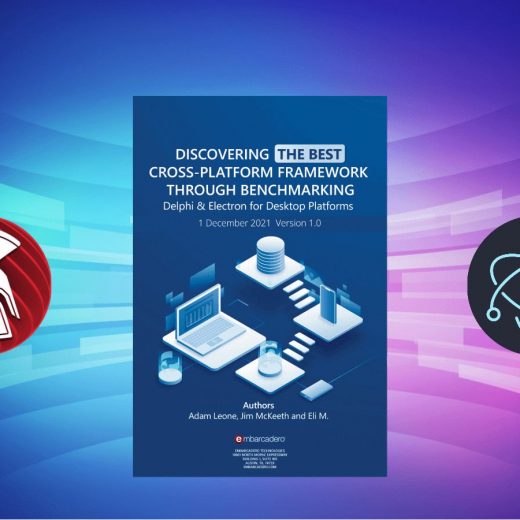
Every organization wants to get ahead of security, and security is essential for everyone. Having a secure system always helps you to avoid future problems with your customers.  These current advanced and different technologies that you use give lots of risks to build secure systems. But there are always best practices to prevent dozens of vulnerabilities in your app. Developing a secure app can be a challenge. Customers expect apps to become available and updated faster than ever. In this post, we will try to cover best practices to enhance the security of Windows applications. The better way to protect your source code – preventing people from stealing your ideas and implementation – is to use Delphi. Developing the Best Developer Framework through Benchmarking – This white paper shows really good and real-world metrics of three different frameworks. The white paper includes: Delphi WPF with .NET Electron Overall, it proves that Delphi offers high productivity and better security alongside great functionality. Moreover, when Delphi VCL and FMX demo apps were decompiled, we can see that all the logic code was presented as an assembly which makes it hard to extract source code structure. While when C# WPF and JavaScript Electron demos are decompiled, the source code is easily exposed to a standard text editor. Besides, if you are against reverse engineering of your Windows programs, you can utilize obfuscating tools. Learn more about obfuscating in this tutorials: This shows that with, Delphi programming language with VCL and FMX frameworks, you can achieve high performance and better security over your application. You can learn more about all the comparisons and metrics, be sure to check out these posts: Data-in-flight refers to the connection and the messages transferred across it. For instance, you might need to create a server & client application. In this case, rather than using third-party security protocols, you can rely on platform-specific protocols and layers. RAD Studio offers native and cross-platform Internet Client and Request components to create secure and reliable internet bases programs. The use of Secure Sockets Layer (SSL) and Secure Hypertext Transfer Protocol (HTTPS) ensures the security of the connection. This helps to block intermediary parties from accessing the connections. This kind of authentication is based on a single-user credential which is usually a password. If you are going to build your single-factor authentication you can learn the process here: The user gives a username and password to the identity provider. The provider verifies the identity of the user. The identity provider validates the given username & password. In most cases, the password is encrypted and provides additional security so that others can not read it. Then the identity provides return True or False that indicates authentication status Finally, if it is successful, the system gives access to the user. The problem with Single-factor authentication is that passwords can be easy to guess. This can be solved by adding another layer of the requirement to get into the system. For instance, applying secret questions and regular password changes.  Use an EDP Module. Since we are talking about Windows app development, we are in a better place compared to the web environment. Microsoft Windows 10 and 11 offer Enterprise Data Protection (EDP). The EDP module guards enterprise data against unintended or malicious use and it provides 4 levels of protection: Block, […]

Read More