Education

Animation Curves, the ultimate design lever

The row of spheres in the image above was created by positioning a sequence of Rigidbodies in a row and constraining their X and Z Freeze Position properties. An upward force was then applied using an Animation Curve based on the compression upward force, but with different curves for each sphere, positioned side-by-side for better visualization. You can use this technique to find the desired level of bounce for an object, or to tweak existing bounce to balance out characteristics. As a designer, being able to manipulate the characteristics of the upward force can help you create abstractions of more complex functions. Curves are a powerful XY chart data type, and though not technically perfect, they can help you prototype speedy damping solutions that can be visually edited in the Inspector and saved as presets at runtime. In this blog on the art of damping, Alexis Bacot highlights all the things that “depend on good damping. Camera, animation, movement, color gradients, UI transitions, and many many more… it’s used everywhere! Understanding damping is key to achieving great polish. Damping alone can make the difference between a bad or good experience.” In the same post, he demonstrates how Unity’s SmoothDamp can be used to create a beautiful ease in and out, and reacts to the target changing accurately. But it does not bounce like an “advanced spring damper that can oscillate, which is great for car suspension or fake ball physics” – an example of where Animation Curves provide a powerful advantage. Of course, curves have more uses than as an XY data type to manipulate gameplay. They can also be treated as an evaluation tool to capture data visually using AddKey via the Unity API. For evaluating a position over time, such as damping in the vehicle suspension example, or the falling spheres, use AddKey(elapsedTime, currentSpringCompression) in a method, and then call that method and pass captureResolution as the repeating rate via InvokeRepeating. A capture resolution of 0.1f means that, at every 0.1s, a key is added to the curve. View the mini result in the Inspector, or open the graph up to see the complete data.
Read More

Creating games for everyone: Introducing Unity Learn’s new accessibility course

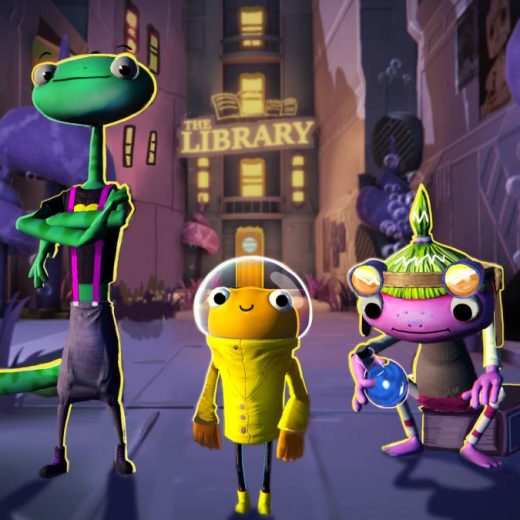
Practical Game Accessibility is a new, free online course for intermediate creators. It’s an introduction to creating games that more players can enjoy. As you work through the course, you’ll learn about prioritizing accessibility while building a game guided by an inclusive design approach. To support this learning journey, we created Out of Circulation – a small, vertical slice of a point-and-click narrative adventure game. You’ll use Out of Circulation as an example case study to explore and expand upon throughout the course. “You’ll work it out, Sureswim,” Old Smalt reassures you as she passes you the apanthometer and sends you on your way. Surely the benevolent tech-witch and her gadgets will help you solve the mystery surrounding the local library. While your sidekick Wink is an expert in eavesdropping, you’re going to need all the support you can get!  Not working on a game? No problem! Although Practical Game Accessibility uses games and game development as its core example, you can also apply much of what you’ll learn to other non-game projects, such as simulations, visualizations, and other real-time applications.

Read More

Unity and Meta Immersive Learning partner to expand VR education and inspire creators

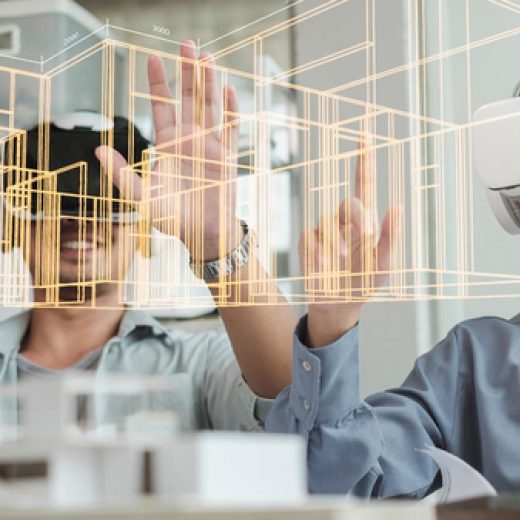
Immersive technologies like virtual reality (VR) and augmented reality (AR) are transforming how people work, socialize, play, and learn. More and more, schools and educators are recognizing the power of these tools to reimagine learning and inspire students to be creators – not just consumers – in the metaverse. The market for extended reality (XR) is expanding, as is the demand for talent to create these immersive digital experiences. According to Burning Glass, AR jobs are projected to grow 172% and VR jobs are projected to grow 170% globally in the next 10 years. As the XR job market broadens, schools find themselves in the position of needing to prepare the future workforce. Even though many schools have rapidly adopted XR technology, enabling their students to create and learn in new ways, equity gaps are growing, too. Most schools, especially those serving underrepresented and low-income communities, still experience barriers to accessing the promise of XR, with cost and readiness being the most prevalent factors. To address this, Unity Social Impact and Meta Immersive Learning have partnered to increase access to AR/VR hardware, high-quality educational content, and resources to prepare educators to teach.  We are excited to partner with Meta Immersive Learning on our shared goals to propel immersive learning and diversify the XR creator workforce. The Create with VR Grant and Higher Ed XR Innovation Grant – two core components of the partnership – will increase access to hardware and software, provide training and preparation for educators, and support educational institutions in creating immersive learning experiences. “At Unity, we believe the world is a better place with more creators in it. This partnership brings that belief to life by ensuring education is accessible to all, regardless of zip code. Every student should have the opportunity to achieve their full potential,” says Jessica Lindl, vice president of social impact at Unity. “As we all know, there has been a major shift not only in the global labor market but also in how we work. Therefore, it’s more important than ever to connect young people with the skills needed for future jobs, as these help chart a clear path from learning to earning opportunities.” John Cantarella, vice president of community and impact partnerships at Meta, says, “As part of our commitment to support the next generation of creators through the Meta Immersive Learning initiative, we’re excited to partner with Unity, a trusted and innovative name in the XR industry. Together, we can empower aspiring creators to learn and grow in the metaverse – removing barriers to immersive technologies and unlocking new opportunities.”

Read More