Delphi

6 Books About IDE Tools for Windows 10 You Should Read

Reading is an essential skill for Windows application development. Development is a nebulous and constantly expanding subject and I’ve noticed that the most successful coders, project managers and designers are often readers with a voracious appetite for consuming books on everything they possibly can to keep feeding a hunger for knowledge. Unlike a waistline, expanding your mind is rarely seen as a negative attribute and over-indulging produces nothing but good results! Learning a new programming language can be a hard task, but if you get hold of a good book, spend time, and have the commitment, then learning becomes easier and delightful. Practice and self-tuition is important but books and videos help use the benefits of other’s experiences to enrich our own without the pain of getting it wrong and spending years acquiring the knowledge. Technology is in constant growth and could be considered a fast-paced competitive market. Every day new frameworks and tools are created, and it is easy to get lost in the sea of new information. Because of this speed, many rely on quick tutorials which lead from point A to point B without figuring out the way yourself. That is why it is essential to read coding books that explain every single detail that helps to build a true foundation. Windows operating system has been dominating the desktop software world and with the new version of Windows 11 with an elegant user interface, we are seeing new Windows 10 and 11 supported applications in the Microsoft Store. If you would like to find out which books and resources would help you to start your Windows desktop app development career, keep on reading! You will find the best 6 books about IDE tools for Windows 10 and even you can you these tools to create native and cross-platform applications. 1. Object Pascal Handbook for Delphi.4 (The New Edition) The Object Pascal Handbook for Delphi 10.4 is the complete guide to the programming language of Delphi. Why Delphi? Because with Delphi you can create cross-platform native applications easily and the programming language syntax is also suitable for everyone, it is like writing a poem in English. If you would like to know more about why you need to choose Delphi, check out these articles now! If you would like to know more about why you need to choose Delphi, check out these articles now! This book is written by Marco Cantu, who is well known Delphi guru and author of dozens of Delphi books, and he is one of the Product Managers for RAD Studio at Embarcadero Technologies where Delphi is evolving. With this book, you can get all the foundations of the language and give you a full idea about the Delphi programming language which you will utilize to create native Windows applications. Link: https://www.marcocantu.com/objectpascalhandbook/ 2. Coding in Delphi Coding in Delphi is a programming book by Nick Hodges that covers a variety of powerful Delphi programming features and techniques including: Generics Interfaces Exception handling Anonymous methods Collections RTTI Enumerations Attributes Dependency Injection Unit Testing By learning these features of the programming language, you can write efficient code and make things faster and more reliable. Moreover, these technologies help you grow as an engineer. Link: https://leanpub.com/codingindelphi 3. Expert Delphi: Robust and fast cross-platform application development This book […]

Read More

Building the Future – Delphi’s 27th Anniversary – #Delphi27th

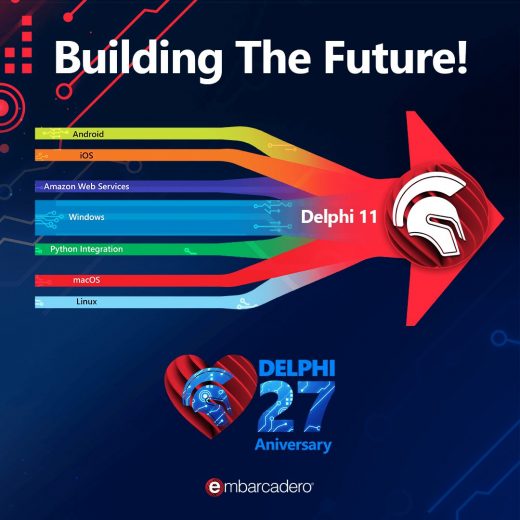
The 14th of February is just around the corner, and while for many that means chocolates and flowers, we know the true meaning: Delphi’s birthday! The theme of Delphi’s 27th anniversary is Building the Future! It is always great to tell the story of how you discovered Delphi, but let’s look to the future. How do you see Delphi making the world a better place? What Delphi related technologies continue to change the way you program? We are hosting a webinar with Kyle Wheeler, Marco Cantu, David Millington, and Ian Barker, where we share the ways Delphi continues to shape the future of software development. The free webinar is Feb 14, 2022 10:00 AM CST. I’ll be sure to review the comments on this post before the webinar, so if you have a story, demo, library, tip, etc. that you would like featured, please leave it as a comment here. Then join the webinar and our live Q&A. We will see you online!

Read More

Delphi Timewarp – 1995 And Delphi’s Mythical Origins

1995 is a very important year in the history of Delphi. On February 14 of that year the first version of Delphi was released for 16-bit Windows 3.1 as a Rapid Application Development (RAD) tool.  Delphi came as a departure from its predecessor, Borland’s Turbo Pascal for Windows. Turbo Pascal combined an editor, debugger, compiler, linker, and libraries, and evolved into Object Pascal after support for objects was added. Delphi / Object Pascal created a foundation for app development that still inspires and supports application developers today.         Henceforth Thou Shalt Be Known as “Delphi” Where did the Delphi name come from? The accepted story is that the Delphi name was originally suggested by then Borland developer Danny Thorpe as a reference to the Greek fortune-telling temple of the same name. One of the goals behind Delphi was to provide database connectivity to developers, and because Oracle was one of the more popular database products of the time, the reasoning was that “if you want to talk to the Oracle, you have to go to Delphi”.               It just happened, however, that Borland was preparing to release the product as Borland AppBuilder, but when Novell AppBuilder was released shortly before Borland’s own release date, the company moved forward with the amazing iconic name of Delphi. The rest, as they say, is history. The first version of Delphi came with a Visual Component Library (VCL), visual two-way tools, a Runtime Library (RTL), data-aware components live at design time, a Property Method Event (PME) model, structured exception handling, and Database support via BDE and SQL Links.             Where Was The World in 1995? What kind of year was 1995? Do you remember where you were in your life that year? I for one was halfway through architecture school. Here are some of the highlights: After landing in Saskatchewan, Canada, Steve Fosset became the first person to fly solo in a hot air balloon across the Pacific. The Schengen Agreement went into effect for the first time, and more than 170 countries agreed to extend the Nuclear Non-Proliferation Treaty. Meanwhile, a lot was happening in space, too. Russian cosmonaut Valeri Polyakov completed a record 366 days in space, while Bernard A. Harris Jr. became the first African American and Michael Foale became the first Briton to walk in space. In December, NASA’s unmanned probe Galileo captured the world’s imagination with pictures as it entered the atmosphere of Jupiter.               Entertainment Hollywood was busy as always, and the year saw the release of Kevin Costner’s Waterworld, David Fincher’s crime thriller Seven, with Brad Pitt and Morgan Freeman, and Toy Story, the first-ever full-length computer animated film.  Other high-profile movie releases included Batman Forever, and the James Bond thriller Goldeneye. Forrest Gump won the Oscar for best film. Alanis Morissette released Jagged Little Pill, Shaggy released Boombastic, and rapper Coolio released Gangsta’s Paradise. Browsers, Games and The Internet Microsoft released Windows 95, Visual Studio 4.0, and Internet Explorer 1 and 2. Interestingly, the first version of the Opera browser was also released in the same year, as was Netscape Navigator 2.0.               HTML was also at version 2.0, and […]

Read More

Developer Environment Tools For Delphi And Electron – Benchmark Study

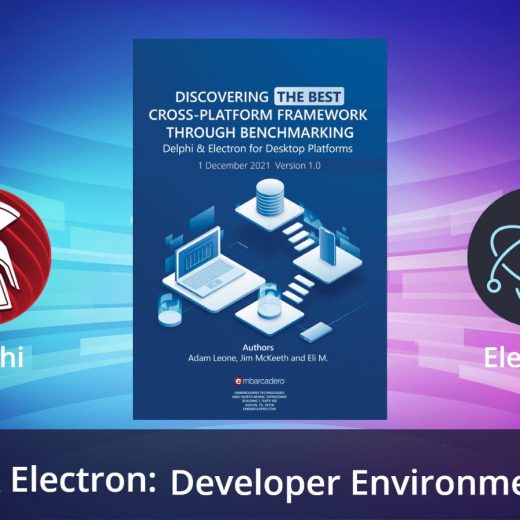
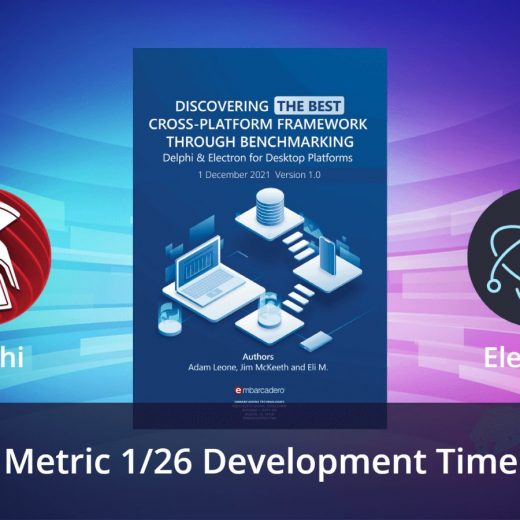
Developer environment tools improve the speed and quality of coding with features like auto-completion, debugging, and emulation. They influence factors like development time, and the need (or lack thereof) to make future updates and bug fixes. RAD Studio, for example, comes with code insight, an advanced debugger, code formatting, refactoring assistance, and keystroke macros. When businesses choose a software framework they begin a long-term relationship for the duration of their application’s lifecycle. Given the strategic consequences of this decision, businesses must carefully consider how frameworks enhance developer productivity, business functionality,application flexibility, product performance, the long-term viability of that framework, and the inherent security in each framework’s design and technology. The ideal framework demonstrates strength in each category by minimizing product time-to-market, reducing maintenance costs, supporting product variety, and facilitating a superior customer experience. The “Discovering The Best Cross-Platform Framework Through Benchmarking” whitepaper evaluates two frameworks supporting multi-platform desktop application development: Delphi and Electron. This is the third in a series of blog posts looking more closely at each of the 26 individual metrics used in the study, and how Delphi and Electron each fared on these metrics. The first can be found here. Download the complete whitepaper here Benchmark Category: Developer Productivity Developer productivity is the measure of effort and code required for developers to complete typical development tasks. Productivity directly impacts product time-to-market and long-term labor costs so tools that increase developer productivity have substantial impacts on business timelines and bottom lines. Productivity can be realized in two distinct ways – reduced coding requirements due to native libraries, and IDE tools like code-completion and visual design.IDEs with greater library breadth generally result in fewer lines of code per application and produce a clean, lean codebase that minimizes opportunities for bugs or maintenance problems later in the product life cycle. Benchmark Metric 3/26: Developer Environment Tools Developer Environment Tools: Does the framework IDE standard installation include auto-completion, debugging, and emulation tools? Are multiple IDEs available for the framework? Frameworks with multiple development tools and a choice of IDE better support individual development preferences, techniques, and requirements. Benchmarking Results Delphi Score: 4 (out of 5) Delphi’s IDE, RAD Studio, offers a plethora of developer tools including Code Insight (suggestions, completion, etc.), advanced debugger, code formatting, refactoring assistance, keystroke macros, and integration with common software version control systems. RAD Studio provides an Android emulator feature and can tie into an iOS simulator on a macOS machine. RAD Studio is the only IDE available for Delphi and the only method of compiling Delphi projects, however, both the code and UI definitions can be edited using standard text editors. Electron Score: 4 (out of 5) Electron applications can be written in code editors such as Visual Studio, Atom, and WebStorm as well as full IDEs. All offer robust features and tools to enhance developer productivity. Electron must be compiled, run, and packaged using the command line – integration with Visual Studio Code hasn’t been completed. Third party solutions may be available. Download the complete whitepaper here

Read More

The 7 Most Misunderstood Facts About Windows 10 Development

Desktop applications are the most productive apps for the majority of ordinary people. From scientific apps to applications which power user’s creativity, Windows desktop applications lead the market. Moreover, the new Windows 11 has big changes that can ramp up Windows applications to the next level. Windows 11 has a gorgeous visual tweaking of the Windows desktop coupled with a rethinking of how areas of the program could be improved to make a user’s life easier. Since you are a developer, it’s very likely you’re interested in Windows app development. The Windows ecosystem for applications is so huge it’s pretty impossible to ignore There are lots of software development tools available for developing Windows desktop applications, but there are misconceptions about the available tools, the development process, and several other common misunderstandings. Here in this article, we will talk you through the misconceptions and what, instead, is the reality.  1. Do you think you have to use a Microsoft framework? Microsoft itself provides a set of tools to build Windows desktop applications in the box like WPF, UWP, WinForms and the new one is the .NET MAUI. Moreover, they have a big community around those tools. So, if you choose Microsoft Windows development tools, you have to follow the .NET framework, and your application is dependent on that. Other options offer more resilience and have decades of stability. For instance, Delphi is one of the leading programming languages for the development of Windows desktop applications for more than 25 years. Delphi has the Visual Component Library (VCL) that offers you to build a classic desktop application that has all the features that you can get from the classic desktop C++ applications. The difference is that Delphi VCL provides high productivity and a set of built-in components that you can design and develop any type of application in a short amount of time. Be sure to check out the applications that Delphi developers building. 2. Are you worried your Windows App will be bloated like Electron? JavaScript rules the web application market and some software development tools provide features and functionalities that offer you to build Desktop applications using JavaScript along with web technologies.  While it provides easy development for experienced web developers, sometimes it consumes high memory and gives less native user experience compared to those native development tools like Delphi, C++ or C#. For instance, Delphi IDE provides all the available tools to create any type of application. These applications run fast and utilize less memory. Moreover, while building apps with Delphi, you do not experience: DLL Hell Bloated EXEs Slow compilation Complex toolchains 3. Do you believe that Windows development is complicated?  If you are having struggles with your Windows development tools, you might have chosen the wrong development or you are not aware of the available functionalities of it. Delphi with Visual Component Library is one of the most productive Windows desktop development platforms in the market. The built-in visual and non-visual components provide flexibility and productivity for the developers. Moreover, the Visual Component Library (VCL), with its ability to map to classic and modern APIs (from Win API to COM-based APIs, to WinRT) and its support for High DPI monitors, Snap Layouts, and modern UI trends – all without requiring a full application rewrite – is […]

Read More

Top 10 How To’s: RAD Studio

RAD Studio 11 Alexandria comes with a wealth of new super features to boost your productivity and give you access to new services and advances capabilities. The best new features include support for High-DPI 4k screens, provisioning for Windows 11, design-time views of styles, and much more. Here are our 10 favorite picks for getting things done in RAD Studio. 1. How to Use New Platform Identifiers in RAD Studio, Delphi and C++Builder 11 Alexandria I was looking through “What’s New in Version 11 Alexandria” and found a cool tidbit about small changes in the RTL for “Platform Identifiers“. Using these platform identifiers can help in your cross platform development projects. Ensuring that all of the platform related identifiers use a consistent naming pattern will also help in your programming efforts. You will find the new platform identifiers in the  System.Classes.pas and System.Classes.hpp files. Note: a few of the platform identifiers are now marked with the deprecated attribute. Keep Reading >>>   2. How to Work With Delphi 11 Alexandria Defines As part of my recent DelphiCon 2021 session, Multi-Platform Explorations using Delphi, FMX, Feeds, REST and More, my example code needed to use IFDEFs for some of the uses statements, variable definitions and code. This blog post contains an example of the use of defines when compiling for Windows (Win32/Win64), macOS, iOS and Android platforms. I also include screen shots of the sample output on each platform. You can download all of my talk’s sample projects using the session links above. The simple Delphi FireMonkey application includes a TButton and a TMemo. In the Button’s OnClick event handler the code outputs information about the platform and the compiler defines for each platform. Keep Reading >>>   3. How to Work With The New VCL Support in Windows 11 With the official release of Windows 11 , Embarcadero has made available some specific VCL styles and I’m offering some coding helpers specific to the new version of the Microsoft desktop OS. More will come over time. After the announcement earlier this year, Microsoft has now officially released Windows 11 last week. Despite some issues running the new operating system on older computers due to new hardware requirements, the new version of Windows offers a nicer user experience and working environment, while maintaining a very high degree of compatibility with existing applications, including those written with Delphi and C++Builder. We are expecting a lot of end users will move to Windows 11 in the coming months. Keep Reading >>>   4. How to Use Appercept’s New AWS SDK For RAD Studio Enterprise and Architect Embarcadero has reached a two-year exclusive distribution agreement with Richard Hatherall, the UK-based owner of Appercept, on the company’s “AWS SDK for Delphi”. The deal includes an initial preview, with additional features to be released over time. The AWS library and updates are available via GetIt, and limited to customers on Enterprise and Architect with active update subscription. Customers using the AWS library also get support by Appercept through Embarcadero’s own support team. The library does not currently support C++Builder, but there are plans to provide C++ support for the AWS SDK in the future. Keep Reading >>>   5. How to Deploy The New RAD Server Lite (RSLite) in RAD Studio 11 As part of the RAD Studio […]

Read More

How Do Delphi And Electron Line Up on Development Time? Benchmarking Study

Development time is a vital component of any software development project, even before it starts. It relies partly on development tools and partly on developer productivity, and heavily influences cost, upgrade and maintenance estimations. When businesses choose a software framework they begin a long-term relationship for the duration of their application’s lifecycle. Given the strategic consequences of this decision, businesses must carefully consider how frameworks enhance developer productivity, business functionality,application flexibility, product performance, the long-term viability of that framework, and the inherent security in each framework’s design and technology. The ideal framework demonstrates strength in each category by minimizing product time-to-market, reducing maintenance costs, supporting product variety, and facilitating a superior customer experience. The “Discovering The Best Cross-Platform Framework Through Benchmarking” whitepaper evaluates two frameworks supporting multi-platform desktop application development: Delphi and Electron. This is the first in a series of blog posts looking more closely at each of the 26 individual metrics used in the study, and how Delphi and Electron each fared on these metrics. Download the complete whitepaper here Benchmark Category: Developer Productivity Developer productivity is the measure of effort and code required for developers to complete typical development tasks. Productivity directly impacts product time-to-market and long-term labor costs so tools that increase developer productivity have substantial impacts on business timelines and bottom lines. Productivity can be realized in two distinct ways – reduced coding requirements due to native libraries, and IDE tools like code-completion and visual design.IDEs with greater library breadth generally result in fewer lines of code per application and produce a clean, lean codebase that minimizes opportunities for bugs or maintenance problems later in the product life cycle. Benchmark Metric 1/26: Development Time Development Time Metric: Total hours spent writing the fully functional application from scratch. This measurement assesses the value a framework’s productivity tools add to an average developer with no prior task knowledge. Comprehensive documentation, plentiful native libraries, code completion, and other IDE tools will allow the developer to design and build the benchmark application more efficiently than would be the case in a “standard” text editor. Benchmarking Results Delphi Score: 3 (out of 5) One expert Delphi developer completed the Unicode Reader in 23.3 hours using the RAD Studio IDE. Application modification with internal tests took 8.33 hours for a total development time of 31.63 hours. Five other Delphi developers gave estimates for the original application ranging from 24 to 50 hours, averaging 38.8 hours. Electron Score: 5 (out of 5) One expert Electron developer completed the Unicode Reader in 20 hours using Angular for the RSS reader GUI and node-postgres, a collection of node.js modules, for the database interactions. However, application modification with internal tests took an additional 47.8 hours – 28.6 hours to code the tests and 19.2 hours to troubleshoot issues on three platforms until acceptance criteria were met – for a total of 67.8 hours. Three other Electron estimates for the Unicode Reader ranged from 80 to 120 hours with a mean of 100 hours. Download the complete whitepaper here

Read More

How Does UI Design Approach Differ Between Delphi And Electron? Benchmarking Study

How much effort does a developer have to put in to build a great-looking, intuitive and functional user interface? Much depends on how much the IDE or framework the developer is using facilitates the process through a WYSIWYG (What You See is What You Get) approach, ready-made visual design components, libraries and tools, and a low-code approach that automates as much of the repetitive parts of the process as possible. When businesses choose a software framework they begin a long-term relationship for the duration of their application’s lifecycle. Given the strategic consequences of this decision, businesses must carefully consider how frameworks enhance developer productivity, business functionality,application flexibility, product performance, the long-term viability of that framework, and the inherent security in each framework’s design and technology. The ideal framework demonstrates strength in each category by minimizing product time-to-market, reducing maintenance costs, supporting product variety, and facilitating a superior customer experience. The “Discovering The Best Cross-Platform Framework Through Benchmarking” whitepaper evaluates two frameworks supporting multi-platform desktop application development: Delphi and Electron. This is the second in a series of blog posts looking more closely at each of the 26 individual metrics used in the study, and how Delphi and Electron each fared on these metrics. The first can be found here. Download the complete whitepaper here Benchmark Category: Developer Productivity Developer productivity is the measure of effort and code required for developers to complete typical development tasks. Productivity directly impacts product time-to-market and long-term labor costs so tools that increase developer productivity have substantial impacts on business timelines and bottom lines. Productivity can be realized in two distinct ways – reduced coding requirements due to native libraries, and IDE tools like code-completion and visual design.IDEs with greater library breadth generally result in fewer lines of code per application and produce a clean, lean codebase that minimizes opportunities for bugs or maintenance problems later in the product life cycle. Benchmark Metric 2/26: UI Design Approach UI Design Approach Metric: Does the framework’s IDE allow for graphical/visual application creation and provide a “What You See Is What You Get” (WYSIWYG) view model? IDEs that support development through “drag and drop” components or other visual methods allow users to engage different methods of thought and creativity as they work. Visual creation through WYSIWYG editors preclude businesses from needing every version of physical hardware to view platform-native styling. Benchmarking Results Delphi Score: 5 (out of 5) Delphi’s RAD Studio IDE offers a What-You-See-Is-What-You-Get (WYSIWYG) design experience with drag-and-drop components for visual GUI design. The designed GUI can be viewed using native Android/iOS/Windows/macOS styling or custom styles and can simulate application appearances within mobile devices of varying screen sizes. Components can also be resized and have their properties adjusted in the Object Inspector without touching code, allowing rapid prototyping through visual development. Delphi also offers the ability for a developer to edit the UI using a simple YAML style language definition. Electron Score: 3 (out of 5) Electron lacks a native IDE but can be developed using text editors and command line tools, Electron doesn’t include a WYSIWYG design experience or drag-and-drop components by default. The UI can be created using HTML5 and CSS styling. Unless the developer chooses an IDE like Visual Studio, Electron applications must be compiled and run to view the project’s GUI. Download […]

Read More

13 Things About Native Windows Development You May Not Know

Software development is an exciting journey. Choosing the best development tools can considerably save us from many troubles down the road. Although every developer has some considerations regarding native windows development, there might be some exciting points you may not have known. So let us explore them together. 1. Are all native development tools equal? Not all native development tools are equal. On one end of the spectrum, there are time-tested native windows development solutions. On the other end, there are recently born scripted tools without any proven success history. Designing the right development tool can take decades of hard work and passion. Longevity – the ability for a product to last over an extended period of time – is often a true indicator of the quality and fitness of the development solution. People ‘vote with their feet’ . A poor but well-marketed product can often make a noisy and exciting splash when it hits the headlines but over time you find that the new Best Thing Ever, when the initial honeymoon period is over, quickly submerges under the seas of reality versus sales hype until it suffocates and eventually dies. Picking the quieter, long-lived solutions turns out to be the smart choice. The stability of the solution comes from a development tool having gone through the battle-hardening of many coders hammering it late into the night, fighting the demons of software development for real. 2. What is the “Hello World” program size? Comprehensively comparing native windows development tools can be difficult, but we can do a simple litmus test. Just find out the minimum size of the “Hello World” program that you can ship to your client. If its exe size is enormous and needs many accompanying files to run, it is a warning sign of possible problems. Every byte counts and every additional file we have to distribute with our software will require support, maintenance, and updates. Make sure to take into account the size of any supporting downloads required to make an app work on the target machine. A tiny executable package which required nearly a gigabyte of additional runtimes is a beast in disguise. 3. Does Productivity Matter? In any software project, Developers’ productivity matters. RAD studio is an acronym for Rapid Application Development. It has proved its ease of use and the productivity increase it imbues in developers who use it since Windows 3.1 – that’s 25+ years of service! No native Windows development tool can come close to Delphi RAD studio productivity. In addition, it has excellent time-saving features like an elegant IDE, Refactoring, Code Insight, VCL, Rest Debugger, LiveBindings Designer, compilation speed, backward compatibility, DB Connectivity, to name a few. 4. Is it essential to protect the source code? Source code might contain business secrets, so we should protect it. There are tools available to decompile JavaScript-based and .Net software easily and quickly. The developer can obfuscate it, but it is not foolproof and, it might also slow down execution. This leakage is a problem even if we do not care about our intellectual rights. Our client’s data and business secrets are at risk, which might lead to dire consequences. Compare this to Delphi and C++ Builder which both generate processor-native machine code, striping metadata, making decompiling almost useless and extremely difficult to […]

Read More

This Is How Technology Is Changing Windows IDE’s Treatment

While the idea of integrated development environments (IDE software) dates back to 1983 when Borland launched TurboPascal, the first-ever editor-compiler integration, many believe the IDE wave really started with Microsoft’s Visual Basic and Delphi in the 1990s. Long vbefore even those early days, early developers would save their code on a variety of hard-copy mediums such as the IBM punch card machine o,r punched paper tape, turn it in over to a machine/computer operator, and wait, sometimes for hours, for the printout to return before the developer would know whether or not their program was successful and if, it was, what the output generated looked like. The next generation was an improvement, with such advances as time-sharing terminals, where the software developer could save their code on a remote computer The programmer still often had to wait several hours before their code could be compiled, executed and the results arrive back. Luckily things progressed rapidly until the advent of the personal computer era meant we developers could write, compile and execute our code all on one machine with the immediate gratification if it worked – or woe and angst when it didn’t. Did the rise of the Internet make IDEs essential? However, the explosive growth of the internet accelerated the need for rapid application development (RAD); developers and businesses sought ways to abstract their ideas to higher languages, develop and deploy software faster, and ultimately become more productive. The success of Microsoft Windows highly graphical user interface offered – and demanded – solutions which were more instant and where the visual elements of the program’s user interface could be seen while designing, prior to deployment Hence the advent of Visual Basic and Delphi IDEs where screen design was WYSIWYG and a more tactile, responsive, intuitive experience. Developers could now think of code in graphical terms and visually design applications by leveraging the drag and drop feature in these IDEs. While the development of the first Windows IDEs was met with great enthusiasm from developers, how they were treated will quickly pale in comparison to how we treat a Windows IDE today.  What are the key elements of an IDE? Continuous advancement in technology has brought about massive improvements to the Windows IDEs. Over the years, we have seen integrated environments with features such as; Programmable editors Code refactoring engines Team collaboration systems Object and data modeling Build environments Debuggers Unit testing  Static and dynamic program analysis. Do Windows IDEs target Android/IOS/macOS/Linux and Windows? With advances in technology, the Windows IDE now targets not just apps for Windows but also those of Android, iOS, macOS and Linux. For example, Delphi can compile to native 32-bit or 64-bit code for Windows using the VCL framework and compile to 32-bit or 64-bit code for Windows, macOS, Android, iOS, and Linux using the FMX framework. The key takeaway here is that all the apps are native apps not some kind of bloated interpretive virtual app environment framework. The native close to the metal nature of Delphi and C++ Builder apps means they run at the full speed of the underlying hardware with almost nothing between the device’s internals other than the operating system. This means they are scary fast and ridiculously reliable with great resistance to operating system changes in shared components that brings about […]

Read More