Delphi

How Are Delphi And Electron Licenses Alike And How Do They Differ?

Delphi and Electron licenses differ significantly. In fact in some ways they are diametrically opposed. The benchmarking study sited in this blog post and the entire series of which it is the seventh post looks at the similarities and differences between the two platforms. Read more below. The “Discovering The Best Cross-Platform Framework Through Benchmarking” whitepaper evaluates two frameworks supporting multi-platform desktop application development: Delphi and Electron. Delphi Delphi, encapsulated in the Rapid Application Development (RAD) Studio IDE, is Embarcadero Technologies’ flagship product. A proprietary version of the Object Pascal language, Delphi features graphical application development with “drag and drop” components, a WYSIWYG viewer for most mobile platforms, and robust style options including platform-standard and unique palettes that provide a fully customized look and feel. Among other features, included libraries provide GUI controls, database access managers, and direct access target platform hardware and platform operating systems. The Delphi FireMonkey (FMX) framework will compile projects to native code for 32-bit and 64-bit Windows, macOS, Android, iOS, and Linux, allowing users to develop and maintain one codebase reaching most of the market. Delphi has been available for over 25 years. Electron Electron is an open-source (MIT License), Chromium-based framework that utilizes web technologies to build desktop applications on Windows, macOS, and Linux. It is developed and maintained by GitHub, a subsidiary of Microsoft. Electron combines the Chromium-based rendering engine with a Node.js server environment. As such, the user interface for an Electron application is available via HTML5 and CSS. Generally, Electron works with most Javascript frameworks such as Angular, Vue.js, and React. The HTML5, CSS, and Javascript-based technologies found in Chromium provide a rich ecosystem of user customization familiar to any web developer. Despite its relatively young age of five years, its community boasts open source packages for database access, operating system interactions, and other common tasks. 26 Benchmarking Metrics This is the seventh in a 26-part series of blog posts looking more closely at each of the individual metrics used in the study, and how Delphi and Electron each fared on these metrics. The first can be found here. Download the complete whitepaper here Benchmark Category: Functionality Functionality Framework functionality was examined qualitatively through research on the business aspects of each framework ranging from initial investment through long-term maintenance of the products created. Business functionality refers to a framework’s business suitability and impact on long-term plans. Excellent functionality allows companies to easily build custom tools or extensions, develop on a platform of their choosing, protect their source code from exploitation, and have confidence that their applications will be maintainable for decades. Benchmark Metric 7/26: License License: Does the framework’s IDE facilitate direct deployment to native platform application stores (i.e. iOS App Store, Android’s Google Play, Microsoft Store)? Frameworks with built-in deployment features reduce product deployment complexity, limiting errors that could occur or compound, and time-to-market for initial products and updates/bug-fixes. Benchmarking Results Delphi Score: 3 (out of 5) Delphi is a proprietary software with three paid license tiers and a free Community Edition and Academic Program. The free tier allows for development as long as annual revenue does not exceed $5,000 USD per year. The first license for full commercial use costs $1,599 USD and the tier that fully unlocks the software suite is priced at $5,999 USD at the time […]

Read More

The C++Builder 25th Anniversary: Visual Development, the Power of the C++ Language and 2.5 decades of Continuing Excellence

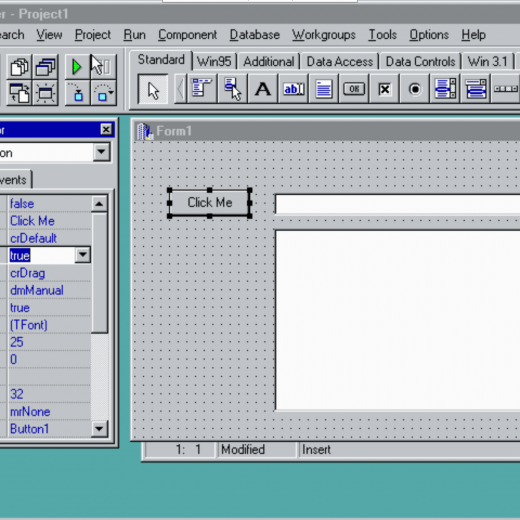
Delphi version 1 was launched at the Software Development Conference in San Francisco on February 14, 1995. I and other team members would travel around the world giving demonstrations of the IDE, Object Pascal language, VCL components and database connectivity. When Delphi was released, one of the frequently asked questions was, “where is the Borland C++ version”. At that time we were shipping Borland C++ with its support for building C++ applications, using Object Windows Library (OWL), Microsoft Foundation Classes (MFC) and other C++ libraries and code. Meanwhile, back at the Borland R&D department,  a team was busy working on what would become C++Builder. Previews and a Release At the Comdex expo in Las Vegas in November of 1996, in the Borland booth and in meetings, we started previewing a test version of C++Builder. Then in January 1997, we let the C++ development world know they could take part in a preview release of C++Builder. Finally, on February 23, 1997, a press release announced that C++Builder was finally available for purchase. Three editions of C++Builder were available: Standard, Professional and Client Server. C++Builder was (at that time) the only Rapid Application Development tool for C++ that combined visual component based development with the power of the C++ language. Some Steps Leading Up To C++Builder’s release The release of C++Builder built on top of IDE, compiler, runtime library and database access development for both the C and C++ languages. Those products included: Turbo C for DOS Turbo C++ for DOS and Windows Borland C++ for DOS and Windows Delphi versions 1 and 2 Hitting the Road with C++Builder After the release of C++Builder version 1 we hit the road again to demonstrate C++Builder. Borland’s C and C++ developer community was finally able to take advantage of the power of the C++ language and visual component based development to build console, desktop GUI and Client/Server database applications. C++Builder version 1 supported building applications that ran on Windows 95 and Windows NT. For the next 2.5+ decades we continued to release new versions of C++Builder with ever increasing language, library, component and platform support. The first demo we would show was a C++ version of the same first Delphi application that was shown at the launch of Delphi 1. The project contained a form with a button, edit box and list box. The event handler code for the button click event was add the contents of the edit box to the items in the list box. The IDE also supported integrated debugging with breakpoints, inspectors and evaluators. C++Builder Version 1: A Short YouTube Video I’ve put together a short video (available on YouTube) that shows building this one line C++ application using C++Builder version 1 Client Server edition running on Windows 95. C++Builder Version 1 running on Windows 95 YouTube Video (2 minutes and 28 seconds) The C++Builder Team Easter Egg inside the Help About Box Just as in Delphi version 1, C++Builder 1 contained a team member easter egg in the Help About Box. Holding down the ALT key and typing the letters TEAM brought up a scrolling list of all of the team members that worked on the product including those from R&D, QA, Documentation, Localization, Product Management, Product Marketing, Marketing, Developer Support and Developer Relations. Here is a complete list […]

Read More

The Top 5 Misconceptions About Windows Program Development

The Windows operating system is the most used desktop operating system in the World. Windows 11 launched with a substantial firestorm of publicity from Microsoft. With the new innovations such as the excellent Windows Subsystem For Linux (WSL) there seems to be a large uptick in interest from coders looking to Windows program development. Microsoft have consolidated their position as the dominant desktop operating system and by incorporating increasingly innovative features such as Android support and the WSL Windows is in a very strong position to beat back challenges from those who are looking toward devices like Chromebooks and Linux on the desktop. Accompanying that ethos of modernization Microsoft turned their attention toward the look and feel of Window’s user interface. The Microsoft Fluent Design System introduced a new UI/UX to the Windows OS ecosystem. It was a lighter, more modern ‘feel’ to the controls and embraced many of the stylistic ideals from the likes of Apple and Android. The current Windows program development industry is embracing the open platform, and this means everyone has unrestricted access to run the most comprehensive range of apps on Windows. This open platform also enables developers to build the apps and experiences that empower users to create, learn, and play. Video courtesy of Microsoft.com We can see lots of improvements in these three areas for Windows 11: The Fluent Design System & the new Microsoft Store News for Game Developers and Gamers Advances in end-to-end Web development along with new features for native Windows apps. The new Microsoft Store on Windows announced that it accepts more app types, like Win32, .NET, and PWAs, and support for Android apps from Amazon Appstore. This all creates a new collection of complex development tools that you should know. You might already think about how complicated it gets, but with Delphi, everything becomes much easier. In 1995 Delphi was acclaimed as the next-generation Windows development tool, blending the most intuitive visual design environment with the unrivaled performance of a world-class optimizing native code compiler. With Delphi, you can create apps for all major platforms with less coding effort. You can target Windows, Android, iOS, macOS, Linux, and Web with your single codebase. If you search for a Windows desktop development tool online, you come across web technologies that offer desktop development. But these tools force you to learn many technologies to create a simple application. Moreover, it is hard to understand, and applications built with web technologies do not offer your product pure device performance and security. Delphi’s RAD Studio provides native app development 5x faster than other development tools. The syntax of the Delphi language is friendly, and it is like giving commands to the computer using plain English. I’m pretty sure that in several hours you can learn all the basic details of the Delphi programming language and its visual development tools and start developing cross-platform native GUI applications. For instance, this Delphi Boot Camp helps you to learn: Delphi IDE and Intro to your first app Delphi Language from basics to advanced How to build compelling user interfaces with FireMonkey Game Development with Delphi and FireMonkey Mobile and Database Development and more! Is it hard to deploy a Windows app to the Microsoft Store? Since we have lots of different technologies and the Microsoft Store […]

Read More

Final Build Times With Delphi And Electron – Benchmark Study

The final build time metric in the “Discovering The Best Cross-Platform Framework Through Benchmarking” whitepaper measures the total amount of time required for the framework to produce the final build for the benchmark application. The whitepaper evaluates two frameworks supporting multi-platform desktop application development: Delphi and Electron. This is the fourth in a series of blog posts looking more closely at each of the 26 individual metrics used in the study, and how Delphi and Electron each fared on these metrics. The first can be found here. Download the complete whitepaper here Benchmark Category: Developer Productivity Developer productivity is the measure of effort and code required for developers to complete typical development tasks. Productivity directly impacts product time-to-market and long-term labor costs so tools that increase developer productivity have substantial impacts on business timelines and bottom lines. Productivity can be realized in two distinct ways – reduced coding requirements due to native libraries, and IDE tools like code-completion and visual design.IDEs with greater library breadth generally result in fewer lines of code per application and produce a clean, lean codebase that minimizes opportunities for bugs or maintenance problems later in the product life cycle. Benchmark Metric 4/26: Final Build Time Final Build Time: Total hours required to “speedrun” the application using a known solution. This measures the number of actions and volume of code required to complete the full application by an expert developer with perfect knowledge of a working solution. Productive frameworks reduce development time on repetitive but slightly altered tasks. Benchmarking Results Delphi Score: 5 (out of 5) Electron Score: 3 (out of 5) Once complete, the Electron application was “speedrun” in half the time of the Delphi application despite requiring almost twice as many lines of developer-typed code. This is largely because Delphi’s IDE provides visual application development [P2] through drag-and-drop components, decreasing the complexity of GUI creation at the cost of increased time configuring components. Delphi exhibited strength in other areas, however. Its database and network code composed only 46% of developer-typed lines compared to 61% for Electron, a clear indication that Delphi’s FireDAC database library and network tools abstract those operations better than Node.JS, reducing developer effort and opportunities for error. Overall, similar results in the initial development phase made Delphi and Electron appear equivalent. This conclusion changed after amending the specification to add internal unit tests. Once the contractors sufficiently understood the test requirements, the Delphi application was modified andaccepted in 8.33 hours of work. The Electron application, on the other hand, took 47.8 hours to add the same functionality. Although the Electron developer implemented the test features in his development environment within 28.6 hours, troubleshooting a variety of Javascript and database library errors occurring on the client machines (Windows, macOS, Linux) nearly doubled the delivery time of the amended RSS reader to 47.8 hours. Download the complete whitepaper here

Read More

Code Size Benchmark Comparison Between Delphi And Electron

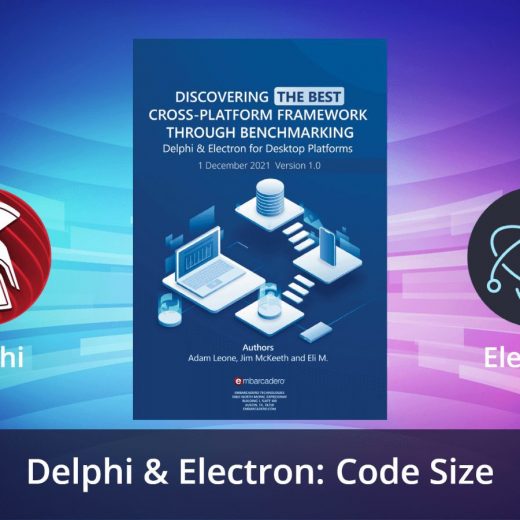
Code size is a simple metric that compares the number of lines of code required to create the benchmark application in the study. The “Discovering The Best Cross-Platform Framework Through Benchmarking” whitepaper evaluates two frameworks supporting multi-platform desktop application development: Delphi and Electron. This is the fifth in a series of blog posts looking more closely at each of the 26 individual metrics used in the study, and how Delphi and Electron each fared on these metrics. The first can be found here. Download the complete whitepaper here Benchmark Category: Developer Productivity Developer productivity is the measure of effort and code required for developers to complete typical development tasks. Productivity directly impacts product time-to-market and long-term labor costs so tools that increase developer productivity have substantial impacts on business timelines and bottom lines. Productivity can be realized in two distinct ways – reduced coding requirements due to native libraries, and IDE tools like code-completion and visual design.IDEs with greater library breadth generally result in fewer lines of code per application and produce a clean, lean codebase that minimizes opportunities for bugs or maintenance problems later in the product life cycle. Framework productivity was evaluated according to six metrics that sought to capture howframeworks and IDEs improve product time-to-market. Benchmark Metric 5/26: Code Size Code Size: Total lines of code the developer must write, adhering to accepted formatting and styles, to create a fully functional application. This objective measure of code volume sheds light on the difficulty of future code maintenance – more code typically requires more time to learn and troubleshoot. Benchmarking Results Delphi Score: 5 (out of 5) The Delphi FMX RSS reader required 178 lines of typed code total and 97 lines for the GUI (54%). Electron Score: 3 (out of 5) The Electron RSS reader required 293 lines of typed code total and 115 lines for the GUI (39%). Download the complete whitepaper here

Read More

Alister Christie And Serge Pilko Talk Delphi, Part 2 of 3: Farms And Books

On 12 January Serge Pilko, Embarcadero MVP and founder of Softacom, a world leading Delphi software development services and software solutions provider, published a video of his interview with Alister Christie, author of the legendary “Code Faster in Delphi” and the creator of hundreds of videos that have shown many of today’s Delphi developers around the world how to program and accomplish things with Delphi. Download Code Faster in Delphi for free here Alister also has an upcoming book, “Code Better in Delphi”, scheduled to hit bookstores soon. We have chosen to publish the transcript of their conversation in a three-part series of blog posts, of which this is the second. Read the first part here Alister Christie And Serge Pilko Talk Delphi, Part 2 of 3 Serge For me, because I am also creating some content for me, it’s interesting. Where are you getting your ideas for your videos nowadays? Because… Alister Sometimes it’s just, you know, I’ll stumble across something that’s interesting. So now we might make a video on it. Other times, you know.. sometimes YouTube comments, a source of video content. Serge Okay. Alister Or maybe someone else’s blog, post an idea for something. Serge Do you have any personal messages from people? For example, you posted some video, then they are trying to reach you somehow. I don’t know. Alister Yeah. I get, you know, a fair number of comments, Youtube comments, and occasionally I’ll get messaged. Quite often, LinkedIn is often the best way to get in touch with me. I’m Allister Christy on that. Serge Are you answering their questions? Because for example, sometimes we are posting something about Delphi and FireMonkey, and we have a lot of haters for Delphi, saying “stop, you’re providing wrong ideas, it’s dead, stop, you’re a liar. I’m just ignoring such kinds of comments. Alister I tend to get much negative. I often get comments that I talk too fast, which I definitely do, and I can’t help it. This is just my normal talking speed. I try to slow down a little bit for recording videos, but it can be hard to concentrate on so many different things when recording. Yeah, that one gets lost, I just end up talking fast, but yeah. ideas.  Yeah. Like the Deepstack one that was just, you know, I saw that Blue Iris, which is a security software I used was using it for doing object detection for providing alerts. And I thought “that obviously has an API. I wonder if you can access it in Delphi”, and of course, you know, has a  REST…, so it was pretty trivial to work it out. Serge Your format, like short videos, you think this is the best way for getting information or it’s more convenient for you? For example, for me, it’s not easy to find and prepare a huge video to deeply explain some subject. What about you? Because for you it’s easy, or you think it’s useful for the people, because they want long videos, because…? Alister Yeah, I, most, most of my videos are short. I mean, I’ve had to do DelphiCon, Coderage and that kind of stuff, and they took about an hour, 45 minutes to an hour, maybe half an hour. And usually, to produce an hour of […]

Read More

The Beginner’s Guide to Clean Code Windows Development

Designing a well-crafted and easily manageable software system is the ultimate goal of any professional developer. Therefore, we need the best windows development tool and coding practices to achieve this goal. Clean coding is one such core practice that can help us in our mission. However, unfortunately, many new developers are not even aware of clean coding. So, let us briefly discuss clean coding methods and their relationship to the best windows development tool, Delphi. What is clean code? By definition, clean code is well crafted, easy to understand, and easy to change because change is inevitable in any usable software. To change a software system, we need to understand it. If the code is poorly written and messy, it would not be cost-effective to change it. On the other hand, if code follows a well-thought structure, is well organized, and is easily understandable, it is clean code. What are the basic concepts of clean code windows development? Clean coding is a discipline in itself now. Here is a brief overview of some basic concepts of clean coding. Why is code duplication bad? Clean code does not repeat itself because code duplication generates many problems, from bug fixing to updating and maintenance. What is the “boy scout” rule? Always leave the code in a better state than you found it. If you always check out with a little bit better code, then the quality and clarity of your codebase will increase over time. On the other hand, if you do not follow this rule, the code will rote over time, and it will be a nightmare to maintain. Do you have empathy? Show that you care about the person who will read your code. For example, I once saw that the previous electrician marked a wire with a sticker in electrical wiring. It was a good help for the new electrician to understand and repair the circuit. Both of us were thankful for this act of kindness of the previous electrician. Why is naming so important? A code is full of variables, constants, methods, arguments, classes, directories, etc. If a developer takes some time and care in naming these entities, it will drastically increase the readability of the code. There will not be a need for many comments to explain these variables. Choose a name that clearly describes their purpose, functionality, and usage when naming your entities. What is the Single Responsibility Principle (SRP)? If a function or class does more than one thing, you have not designed it well. On the other hand, making an entity do only one thing well improves its readability, usability, and changeability. How many function parameters are ideal? Single parameter functions and procedures are ideal. However, you can increase this limit by up to three parameters. You should pass an object instead of many parameters for anything above that. This arrangement will improve readability, and it is easier to change if necessary. Are you directly using numbers and strings? If a code uses a value like ’33’ or ‘m’ in assignments, it is challenging to guess its purpose. Therefore, you should name these as constants and then use those constants in all assignments. With this arrangement, if you need to change it in the future, you can easily do it in one place only. […]

Read More

What You Need To Know – A Beginner’s Guide To Windows UI Toolkits

A control or component is a user interface (UI) element that displays content or enables interaction. Components are the building blocks of the user interface. A ‘pattern’ is a recipe for combining several controls to make something new. This article gives a guide for Windows UI development and design guidance for better UI development with modern Windows UI toolkits. The Delphi VCL and FMX frameworks have dozens of built-in controls for you to use, ranging from various simple buttons to powerful data components like the list view grid view. Moreover, the form designer and the LiveBindings designer in RAD Studio provide a great environment to create a bold, scalable UI that looks great on all devices and screen sizes. Delphi VCL & FMX Delphi’s RAD Studio IDE offers a WYSIWYG design experience with drag-and-drop components for visual GUI design. Let’s suppose you choose the FireMonkey (FMX) framework for building GUI apps? In that case, the designed GUI can be viewed using native Android, iOS, Windows, macOS styling, or custom styles and can simulate app appearances within mobile devices of varying screen sizes. But we have another library called Visual Component Library that creates actual native Windows-based applications with direct access to the hardware. You can benefit from pure native device hardware performance.  Delphi’s VCL has been in active development for more than two and a half decades. At least one application in your Windows device is built with Delphi and Visual Component Library. For instance, KMPlayer, WinRAR, MySQL Admin Tools, AIMP, BurnAware, Dev-C++, EarMaster, FL Studio, Nero Burning Rom, Ultra ISO, Total Commander, TeamSpeak, Hamachi (Gamers know it well), Age of Wonders, and many more applications.  Applications built with Delphi VCL give an authentic, native experience with high performance. The VCL includes a robust OpenTools API and component model making it easy for others to extend the IDE and build reusable components and libraries. That’s why you can see a massive pool of 3rd party component markets. This creates a robust environment for developers to make any application. Microsoft Windows has several design systems that you can follow to create GUI apps. For example, Windows Classic Design, Luna and Aero designs, Microsoft Metro, and the latest and most loved one is the Microsoft Fluent Design System. Fluent Design is used as a guideline for all Windows 10/11 devices, and transition to Fluent is a gradual long-term project. The Fluent Design System preserves the clean look and feels with blurred translucency. With Delphi VCL, you can turn your Windows Classic applications into Fluent Design using styles. Furthermore, it can alter any part of the UI element to something unique. Delphi VCL and FMX components can also be resized and have their properties adjusted in the Object Inspector without touching code, allowing rapid prototyping through visual development. Windows UI or just WinUI is Microsoft Windows’ native layer. Most of the new Windows development tools are utilizing it to create an environment to build desktop apps with their technologies. WinUI contains controls and fluent design systems that designers and developers need to develop Windows applications. WinUI is the latest GUI framework such as WinForms, WPF, and UWP. We can say that WinUI has improved over the years and got all the experiences from other frameworks like UWP XAML apps. For instance, WinUI 2 contains […]

Read More

A Cornucopia of Tools To Leverage

Delphi and C++ developers have a wide spectrum of available tools to help build solutions for their companies and customers. Beyond just the compiler, IDE, components and libraries, Embarcadero and Idera provide tools you can leverage to get the development done faster and with higher quality. Here is a quick rundown of all of the tools. Developer Tools Delphi and C++Builder (Professional, Enterprise, Architect and Community editions) allow developers to rapidly build multi-platform high-performance native code applications using the Visual Component Library (VCL) controls for Windows 11 and FireMonkey (FMX) components to develop single source projects for Windows, Mac, iOS, Android and Linux. Developers can also use components that work with SQL and NoSQL databases, cloud services and broad IoT connectivity. Delphi and C++Builder are supported by a global ecosystem of component and library vendors, consultants, trainers and book authors. InterBase is an ultrafast, scalable, embeddable SQL database with commercial-grade data security, disaster recovery, and change synchronization. InterBase can be used by developers in four editions: IBLite – Cross-platform, zero-install, embedded database as a direct-access library; InterBase ToGo – Cross-platform, zero-install, embedded database with database-level and column-level AES and DES encryption; InterBase Desktop – Concurrent applications/client access to the database on Windows with database-level and column-level AES and DES encryption; InterBase Server – Ultrafast, scalable, SQL server database for Windows and Linux with commercial-grade data security, disaster recovery and change synchronization. ApiLayer provides more than 60 off-the-shelf, cloud-based APIs to help developers integrate with services including AI & machine learning, computer vision, social media, FinTech, messaging, security, text processing and more. UltraEdit includes a suite of text editing tools for Windows, Mac and LINUX users. Editors are included that support HTML, XML, CSS, Markdown, Unix shell scripts, Hex, text and more. Froala Editor is a lightweight WYSIWYG HTML Editor written in Javascript that enables rich text editing capabilities for your applications. Visual LANSA is a low-code, rapid application development mobile, web, and cloud developers Sencha Ext JS includes an IDE, JavaScript framework and components for building data-intensive, cross-platform web and mobile applications. Whole Tomato Visual Assist integrates with Visual Studio to add functionality for navigation, refactoring, code generation, debugging, and more. FusionCharts includes JavaScript Charting Components that offer 100+ interactive charts and 2,000+ data-driven maps for web and mobile projects. Filestack’s APIs enables developers to build automated content processing and analysis via atech stack for uploading, transforming, understanding, and delivering content within applications and interfaces. Yellowfin’s business intelligence and analytics platform provides action based dashboards, automated data discovery, data storytelling and reports via Javascript and WebServices APIs. DevOps Tools TestRail by Gurock is a comprehensive web-based test case management tool that allows users to efficiently manage, track, and organize software testing efforts to boost testing productivity and increase the speed and soundness of software development. Ranorex Studio provides all-in-one test automation across devices, platforms, and technologies. Automation experts can use the product’s powerful test automation API, while its tools for codeless test creation empower testers to grow their automation skills. All members of cross-functional teams can collaborate on solutions by sharing reusable test automation modules. Travis CI is a continuous integration platform for building and testing software applications. Travis CI integrates with most other tools in the software development lifecycle, making the platform extremely popular with developers and highly complementary […]

Read More

How To Make Facebook Posts From Windows And Mobile Apps

At Softacom, as a software company specializing in mobile and Windows app development using Delphi, we often integrate clients’ software with 3rd party services using API. In this article we show you how to automatically create posts on Facebook from your Delphi apps using the Facebook Graph API. Facebook is the world’s most popular social platform used by businesses to communicate with their clients, and not only.The daily amount of information (texts, videos, images, urls) being posted in Facebook business accounts is huge and keeps growing. That’s why big companies often apply software solutions to distribute content effectively and in time.In this article we’ll show you how to automate the process of content posting and updating through Facebook API (namely Facebook Graph API).We’ll develop a Delphi FMX software application to post on a user’s Facebook page.The whole process can be split into the following steps: Create a Facebook app Make the required adjustments in the app Debug and test queries using the built-in Facebook API debugging tool called Graph API Explorer Develop a Delphi Fmx (cross-platform) software application Post some content on a Facebook page To work with Facebook Graph API we’ll use GET, POST and DELETE methods and requests. The server response will be in JSON format. How to create a Facebook application entry To work with Facebook Graph API you first need to sign in with your Facebook account (sign up if you do not have one). Then you need to go https://developers.facebook.com and register as a developer. Then you need to confirm your email address Select the profile type and click “Complete registration”. To start using the Facebook API you need to create a facebook app in My Apps . Select “Company” application type. Next, enter the application name, select its purpose and click Create App. Next enter your Facebook login password Congrats! You’ve just created a Facebook app.  How do I get an access token so I can write my own apps to post to Facebook? Now we need to get a token to access the page and configure the appropriate permissions to start posting. To get the token run Graph API Explorer. The Graph API Explorer will help us get the access token so that we can execute test queries and post to the page ( Softacom’s test page). To work with the Facebook app select it from the drop-down lis. To get the token to access the page, choose Get Page Access Token from the User or Page. Next, click Continue Select the page you need and save the ID for further posting: Both options have to be turned on. In our case Softacom. Click Further. The access token has been generated. How do I check my app can use the Facebook Graph API? We can test the Facebook Graph API with the built-in debugging tool “Graph API Explorer”. First, let’s test a GET request to get the profile name and identification number. Select your page (Softacom) Set up special permissions for posting (publish_to_groups, page_manage_posts). Click “Generate Access Token” to generate an access token in order to save the permissions settings. Permissions are saved successfully and a new access token has been generated. Now select your page from the list Send the GET request to get the page name and ID to ensure the […]

Read More