TCoffee and Code is a webinar series on YouTube launched by Embarcadero Technologies. It’s an informal live conversation between a group of developers and experts discussing various topics related to programming and more. In this session, Stephen Ball was joined by his fellow Embarcadero MVPs David Millington, David Hoyle, and Dave Nottage to discuss everything about the Open API tools and the advantages of using them in windows application development. What is the Open Tools API? Open Tools API or OTA is a set of interfaces that allow developers to add features to the BDS, Delphi, and C++Builder IDEs.These additional features are called wizards that can use the OTA interfaces to modify the IDE, obtain information about the IDE’s state, and receive notification of important events. The discussion also highlights the things you can do with Open Tools API including the ability to add wizards to a new project, add new dockable windows, add options dialog pages and more. Why “ask the Davids”? Part of this one-hour-long webinar is a short demo of how the Open Tools API works. They also provide various OTA samples. Just like most TCoffee and Code sessions, there was also a Q and A section which allowed attendees to ask all the three guest “Davids” in this session. The Davids address all the Open Tools API questions that you should definitely not miss. To learn more about Open Tools API, feel free to watch the video below and make sure to follow the Embarcadero Technologies channel for more TCoffee and Code sessions.
Delphi is a software product that uses the Delphi dialect of the Object Pascal programming language and provides an integrated development environment (IDE) for rapid application development of desktop, mobile, web, and console software, currently developed and maintained by Embarcadero Technologies. Delphi is known for its fast compilation speed, native code, and developer productivity. Borland originally developed Delphi as a rapid application development tool for Windows as the successor of Turbo Pascal. In this article, we will go over everything you need to know about modernizing Delphi apps and look at some of the most important points mentioned by senior Embarcadero members that you should keep in mind when modernizing UI Delphi apps with the Windows UI toolkit. How to upgrade Third-Party components? First of all, you should ask yourself which third-party libraries and components are you using with your legacy Delphi or C++ builder project? Having the source code for these components makes it easier because you can just take that existing source code, drop it into the current version of Delphi builder and rebuild it. Now you have a library that will work with the current Delphi/C++ builder that you want. Any third-party libraries or components that do not have this source code still need the upgraded version for the current Delphi / C++ build you are using. There is a good chance that some, if not all of your third-party libraries and components can be found on the GetIt Package Manager. You can search and install directly into the Delphi or C builder. This saves you a lot of time and effort trying to find a version of these third-party libraries of components compatible with the current version of Delphi. Should you update your app to use Unicode? A lot of people believe that updating their apps to Unicode is a lot harder than it is. You need to ask yourself if your application needs Unicode, or can it live as an English-only application? If your existing code only uses ‘single-byte’ (English standard alphanumeric characters and punctuation) and you do not need to support Unicode characters in your code, then you might be able to get away with avoiding Unicode altogether. It is a perfectly valid technique to use instead of string or Unicode string. There is a wonderful utility called the Unicode Statistics Tool, also known as The Parser Executable. It returns some objective measures on the likely complexity of your Unicode migration. The good news is that the compiler is smart enough to tell you where and if any Unicode changes need to occur. The Unicode migration has always been a lot easier than folks think it will be. The good thing is that after you go through the process of Unicode migration, your code will now allow you to now distribute that application to larger markets for supporting Unicode character and Unicode strings. It also makes upgrading between future versions of Delphi a lot easier. Do you have the latest database technology? You should seriously consider moving away from the BDE (Borland Database Engine). Yes, it was extremely popular for many years but it has also been LONG deprecated by Embarcadero and has not been actively upgraded for the last 15 years. The BDE cannot support Unicode and will never have 64-bit support. So […]
Our everyday life involves interaction with all kinds of different technologies. Some of these are at their pinnacle, the best versions that could ever come. Some technologies, on the other hand, are continually upgraded and made better. We get to see exciting new developments in such technologies every year or so, even more frequently in some cases. When it comes to computer technology, both hardware and software are constantly being improved. Users can choose to have machines with the latest specifications, or they could opt for older ones. More robust processors, bigger memories, and better displays and input devices are some of the kinds of upgrades we see in laptops and smart devices. One of the most significant upgrades users can adopt for personal computing devices is switching from a 32-bit architecture to a 64-bit architecture. A 64-bit machine can enable the machine to achieve far more than a 32-bit one in terms of productivity and performance. As a user can always make this switch, native windows development applications make it easy to develop for 64-bit and 32-bit architecture alike. This article dives into understanding the conversation around 32-bit and 64-bit architecture and why switching to the latter is beneficial. What does 32-Bit/64-Bit mean? Before talking about the benefits that the switch in architecture would bring you, it is necessary to be on the same page about what exactly is a 32-bit or a 64-bit machine. Referring to the bytes of data a particular processor can access, the number in the name is an exponent to 2 because computers only understand binary. A 32-bit processor can access only 232 bytes of memory while a 64-bit one can access 264 bytes. Having a processing power equivalent to more than 4 billion 32-bit processors combined, a 64-bit processor can evidently handle applications intended for a 32-bit machine. However, vice versa is not possible as a 32-bit won’t deal with 64-bit applications. While 32-bit processors came in handy when the most RAM any personal computer had was 4 GB, 64-bit processors were rolled out to accommodate RAM greater than 4 GB. With 32-bit machines being upgraded to 64-bit, developers started worrying about migrating the codebase for their applications to 64-bit. However, development products like Delphi made it easy to achieve this task and encouraged developers to offer both versions for users to choose from. What are the benefits of going from 32-Bit To 64-Bit? Having understood what 32-bit and 64-bit allude to, you may ask the question of whether it is desirable to upgrade your machine. While it may depend on factors like the general nature of work and resources, the upgrade from 32-bit to 64-bit is most often encouraged. Some of the main advantages of opting for a 64-bit architecture are discussed below: More Processing Power Possessing much more processing power than its 32-bit counterpart, 64-bit processors can handle much more complex computations. They are the right choice if your work involves complicated calculations. Examples of applications that require such computations include spreadsheets, media processing, and development applications like Delphi. 64-bit processors handle graphics processing much better as well, necessary for a better gaming experience. Apart from laptops and PCs, smartphones and tablets have also started using 64-bit architecture for high processing capabilities. Apple’s iPhone 5s was the first smartphone with a […]
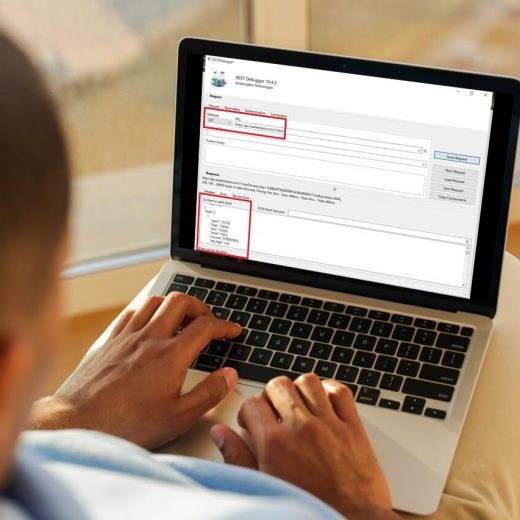
Wouldn’t it be nice to know where your customers access your website from and customize user experiences based on IP?! ipstack offers a powerful, real-time IP to geolocation API capable of looking up accurate location data and assessing security threats originating from risky IP addresses. Results are delivered within milliseconds in JSON or XML format. Using the ipstack API you will be able to locate website visitors at first glance and adjust your user experience and application accordingly. In this article, we will see how fast and easy it is to use windows app development toolsto create a Firemonkey multi-device application using the LowCode Wizard in addition to a REST client library to take advantage of ipStack API and retrieve a JSON format response for IP to geolocation in real-time. ipstack API has years of partnership with large ISPs ensure accurate and consistent data any day of the year and covers over 2 million unique locations in more than 200.000 cities around the world. Our RAD Studio and Delphi applications will be able to call the API and request information based on the name of parameters you provide. How do I set up the IpStack API? Make sure you refer to IpStack API website (https://IpStack.com/) and and SignUp for the free Plan providing only your email and some basic information (no credit card required). Once you are in the website will redirect you to a Quickstart guide dashboard and your API Access Key will be provided. The Access Key unique, personal and is required to authenticate with the API. Keep it safe! How do I call IpStack API endpoints? Now all we need to do is to call the API base URL (http://api.ipStack.com/) via a HTTP POST method with no JSON request body needed and some few requested parameters added to the URL address depending on the ednpoint we choose to call. One can do that using REST Client libraries available on several programming languages. ipStack offers two API endpoints to choose from: Standard Lookup: Look up the data behind an IP address. Bulk Lookup: Look up the data behind multiple IP addresses at once. Requester Lookup: Look up the data behind the IP address your API request is coming from. Our demo will focus on the Standard Lookup endpoint but all the others follow similar logic but with different parameters passed. For a complete and detailed list of endpoints and its parameters make sure you refer to IpStack Quickstart guide (https://ipStack.com/quickstart) // Standard IP Lookup – look up the data behind an IP addresshttp://api.ipstack.com/134.201.250.155? access_key = YOUR_ACCESS_KEY// optional parameters:& fields = ip,location,security& hostname = 1& security = 1& language = en& callback = MY_CALLBACK& output = json// more parameters available please refer to the API Documentation (https://ipStack.com/documentation) What does the IpStack API endpoint return? After the call the main results will be as shown below. {“ip”:”35.208.128.246″,”type”:”ipv4″,”continent_code”:”NA”,”continent_name”:”North America”,”country_code”:”US”,”country_name”:”United States”,”region_code”:”IA”,”region_name”:”Iowa”,”city”:”Council Bluffs”,”zip”:”51501″,”latitude”:41.23295974731445,”longitude”:-95.87735748291016,”location”:{“geoname_id”:4852832,”capital”:”Washington D.C.”,”languages”:[{“code”:”en”,”name”:”English”,”native”:”English”}],”country_flag”:”https://assets.ipstack.com/flags/us.svg”,”country_flag_emoji”:” “,”country_flag_emoji_unicode”:”U+1F1FA U+1F1F8″,”calling_code”:”1″,”is_eu”:false}} How do I connect my applications to IpStack API? Once you have followed basic steps to set up the IpStack API we need to make sure we are able to connect and communicate with it before we start writing some code. RAD Studio Delphi and C++Builder make it very easy to connect to APIs as you can you REST Debugger to automatically create the REST components and […]
We’re back with another TCoffee and Code Session. This weekly virtual meeting series was recently launched on Embarcadero Technologies YouTube Channel in response to the current global pandemic. The aim of the series is to gather some of the most prolific developers to discuss various topics related to the industry in an informal, non-scripted, coffee conversation way. In this video, Stephen Ball will be joined by Daniele Teti to share the success story behind the most popular Delphi Github project, the DelphiMVCFramework. The Success of DelphiMVCFramework In this video, Stephen Ball will have a one-on-one interview with Daniele Teti, the CEO and R&D Director of BitTimeProfessionals. Apart from being the CEO, Daniele is also best known for his successful Delphi open-source project on GitHub, the DelphiMVCFramework which is considered to be one of the most popular Delphi projects since 2017. Delphi MVC framework provides an easy-to-use scalable flexible RESTful, JSON-RPC, and ActiveRecord Frameworks for Delphi Developers. In this video, Teti will share the project’s humble origin and success. He will share why he has a chosen open source and how running an open-source project benefited him. We will also learn how this became one of the useful windows tools for developers. More About Managing Open-Source Projects With over 30 active contributors, and communities in multiple languages, Daniele Teti will share his insights on why and when Open source is useful. He will also share tips on how to monetize open source as well as the lessons he learned along the way. To learn more about this successful story behind the most popular Delphi open-source project, feel free to join this 1-hour-long webinar (virtual interview).
A few months ago, TCoffee and Code managed to highlight everything about the Test-Driven Development. The webinar featured Stephen Ball and Jens Fudge as they discussed the importance of Test-driven development in programming, especially in Delphi. We also get to know more about Unit testing and all its notable advantages in windows program development. Interestingly, in this new TCoffee and Code session, we will look deeper into this topic and learn more about different levels of testing, source metrics, and code coverage. What are the different levels of testing? Joining the panel for this webinar are some of the prolific developers and Embarcadero MVPs such as Ian Barker, Bob Swart, Dalija Prasnikar, and Alister Christie. The two-hour-long webinar will mostly focus on the four different levels of testing. Generally, there are four identified levels of testing including the Unit Test, Integration Test, System Test, and Acceptance Test. Each level of testing has its own purpose. Unit Testing, for instance, is the starting level that checks if software components are fulfilling their functionalities or not. Integration Testing, on the other hand, checks the data flow and integration between classes and other code components while system testing is performed on a complete system and checks the overall interaction of components. Lastly, Acceptance testing is done to check if the system meets the specifications and requirements. What are source code metrics and what does code coverage mean? All the aforementioned testing procedures were done using Delphi-focused testing tools such as DUnit, DUnitX, TestInsight, and more. Aside from the levels of testing and the test-driven development, this discussion will also highlight the use of Source metrics and code coverage in Delphi. The panel will discuss the use of various code quality tools like Audits & Metrics in Delphi, Method Toxicity Metrics, Peganza’s Pascal Expert and Pascal Analyzer, TM FixInsight, and more. Feel free to join this TCoffee and Code webinar session to learn more about the different levels of testing, source metrics, test-driven development, and code coverage.
TCoffee and Code Session is a weekly virtual meeting where developers will discuss everything about the programming industry. This informal coffee conversation will gather some of the leading developers in the industry to address different topics and share their own thoughts and insights about them. In this video, Ian Barker was joined by his fellow Embarcadero MVPs Jim Mckeeth, and Alister Christie of Learn Delphi TV to talk about the importance of Code Profiling, Static Code Analysis, SQL Performance, and Memory Leak detection. What is the advantage of static program Analysis and code profiling? One of the first topics being highlighted in this live discussion is the importance of static program analysis and how this process can help programmers in optimizing compilers to produce efficient code. This is where programmers analyze the behavior of a computer program or software without actually running them. With the help of some popular windows tools for developers like Delphi Audits, Peganza’s Pascal Analyzer, Pascal Expert, and TMS FixInsight, the developers will not just optimize the program but also helps them detect errors ahead of time. They will also share some helpful code optimization tips. Here, we will also get to know more about certain Code Profilers that are used by developers to help identify performance problems without having to touch their code. Why is memory leak detection so important? We will also learn the importance of detecting memory leaks and how they can affect an entire server if it is left unfixed. The memory leak is a type of resource leak that occurs when a computer program incorrectly manages memory allocations in a way that memory, which is no longer needed, is not released. Here, we’ll get to know some of the popularly used tools to detect Memory Leaks including FastMM and Deleaker. The discussion will also briefly highlight managing SQL Performance and the use of SQL Server Profiler. To learn more, feel free to join this TCoffee and Code session below
The modern digital age is very, very dependent on the performance and integrity of good software. Robust software enables us to put our feet back and let all kinds of elaborate digital applications do most of our tasks. For example, without good software, we would still be standing in long lines instead of overseeing critical financial transactions from the comfort of our homes. However, creating such dependable and robust software is no easy task. It demands detailed requirement analysis, proper technical planning, and ensuring optimized implementations. Additionally, such software is built on smaller components and has layers of complexity. Therefore such software and its components have to stand the test of time and be safely upgradeable if users are to safely trust them. One of the most important fundamental parts of desktop software applications that often become obsolete and affect the whole application is the data access component. It leads to various user problems and can be tricky to solve. Its high chances of occurrence make application builders like windows application development give you easy options to modernize your components. This article takes a closer look at data access components, their importance for an application, and why you should seriously consider modernizing them urgently. What are data access components and how do they work? Most applications are significantly data-intensive and need to either consistently store data or fetch and access stored data. Additionally, applications are also modifying the data stored as well, depending on the use cases. An application looks up to its data access components and expects it to provide the appropriate methods for such purposes. Microsoft Data Access Components are built on an architecture composed of different layers. Each layer is tasked with handling inputs and relaying relevant responses to the appropriate parts of the data access components. The different layers are described below: Programming Interface Layer: This layer comprises methods that help developers control the data access components and their functionalities. The methods directly connect to the next layer and have their implementations encapsulated. Database Access Layer: This layer comprises drivers and methods that control the retrieval to and from the primary database. It also has various data source connectors involved for consistent data flow. Database Layer: This is the final database layer where the whole of data is stored. While there may be different databases depending on the vendor, they all follow the Open Database Connectivity protocols. All of the layers are available to the developer as the MDAC API and they can use the API methods directly in their applications. The most popular form of data access component is Microsoft’s Data Access Components (MDAC). MDAC was released back in 1996, and since then, has undergone many upgrades that improved security and performance flaws. The most recent Microsoft data access components are available for its SQL Server product. Oracle also offers data access components for applications like Delphi to connect to Oracle-based data storage applications. How can data access components be useful? As the name suggests, data access components have the critical responsibility of connecting your application to its data sources. While some applications only need to connect to one source at the back-end, some simultaneously take in data from multiple sources. Data access components are expected to quickly handle large volumes of data and connect […]
The beginning of the 21st century ushered in the start of the digital revolution. These were the years when the consumer technology industry saw a boom. While computers had existed for a few decades prior, this was the time when we were introduced to the concept of personal computers. These machines brought the power of processors and hardware to us for our everyday use, and one of their essential components was their operating system. Microsoft’s Windows was among the earliest operating systems that made it possible for the general public to use computers to carry out various tasks using a graphical point-and-click user interface, avoiding the perceived complexities of remembering text-based commands. It has consistently been the most popular operating system globally. You can judge its popularity from the fact that almost all new laptops and desktops come preloaded with it, and any new desktop application hoping for broad public appeal has to cater to Windows users. Apple’s Mac devices are popular too, of course, and Linux is a creditable third place, but market penetration of the Windows operating system still continues to dwarf them. Being the most preferred operating system on the planet, it is hardly surprising that having experience making applications for Windows as a developer is an almost mandatory skill. While it’s possible to create your Windows applications solely using the raw Microsoft SDK, rapid application development platforms like Delphi can potentially reduce the time and effort taken by a significant margin. Furthermore, such an alternative doesn’t have to mean compromising the quality of the application. This article goes over the Windows SDK, what it provides, and discusses other popular methods for developing robust Windows applications with Windows App Development Tools. What makes a successful Windows application? No matter what development platform you choose, it is crucial that you understand what your Windows application needs to perform and deliver the best. Due to Windows’ popularity, there are many applications available which target a specific purpose or use-case, but not all of them receive the same recognition. How can you help make your application the best of its bunch? Some of the main characteristics of chart-busting Windows applications that have a large and dedicated user base are as follows: Regular Update Cycle: Whatever your application may do, it is vital to keep it updated with newer features and upgrades. As Windows keeps updating every few years, your application needs to stay consistent with each update. Clean & Responsive UI: This may be one of the most crucial elements of a successful Windows application. To make your application’s UI a user favorite it needs to visually enhance the user’s comprehension of the program’s functionality and be as intuitive as possible. Least Interference With Windows’ Workings: Windows keeps an eye on all its applications and happenings through different security protocols like its firewall and established conventions on where and how to store or retrieve data . You need to ensure that your application adheres to conventions on storage and runtime behavior so that it behaves as expected and cooperates with the operating system to facilitate secure operation and data handling. By adhering to best practices you also help ensure you application doesn’t impinge on the performance and operation of other apps and functionality. Optimized Inner Workings: Your application needs to […]
Learn more about 20 useful ways to boost your development on Windows when creating API-based apps. What is a RESTful API and why should I learn more about it? REST is a type of software architecture that was designed to ensure interoperability between different Internet computer systems. Basically the idea is that services that comply with REST architecture can more easily communicate with one another. REST does not enforce any rule regarding how it should be implemented at lower level, it just put high level design guidelines and leave you to think of your own implementation. What we do have is the definition of architectural constraints which make any web service – a true RESTful API. The goal of REST is to increase performance, scalability, simplicity, modifiability, visibility, portability, and reliability. This is achieved through following REST principles such as a client–server architecture, statelessness, cacheability, use of a layered system, support for code on demand, and using a uniform interface. The focus is to make sure that the REST architectural style emphasises the scalability of interactions between components, uniform interfaces, independent deployment of components, and the creation of a layered architecture to facilitate caching components to reduce user-perceived latency, enforce security, and encapsulate legacy systems. What is an API? According to Wikipedia, “An application programming interface is a connection between computers or between computer programs. It is a type of software interface, offering a service to other pieces of software. A document or standard that describes how to build or use such a connection or interface is called an API specification”. Imagine you arrive at the mall and you would like to order a burger. The kitchen is the part of the “system” that will prepare your order. What is missing is a link to communicate your order to the kitchen and deliver your food back as fast as possible. That’s where the person taking the order comes in, here representing by the API . The person taking the orders is the messenger – or API – that takes your request or order and tells the kitchen – the system – what to do. The person taking the order can only accept orders for items listed in the menu, and the menu in this case is the document or standard that describes what and how you can make your requests; Both you and the person making the orders know very well the menu structure and contents, meaning both server and client can communicate. Then the person takes your order, deliver it to the kitchen that prepares and send the response back to you; in this case, it is the food! Is there a real-life client-server API example? Yes, lets take a more is a real-life client-server API example. Lets say you want to build your our web, desktop or mobile application to search and present information about commercial flights. Just like the restaurant, you have a variety of options to choose from, including different airline companies, cities and airports, departure and return dates, as well as other variables. In order search and present this information, your application should interact with the airline’s servers to access their database. The airline companies would never allow you to directly access their databases and instead they provide a secure and structured gateway for you […]
Invormațiile pe cale Dvs le introduceți în prezentul formular nu se păstrează online, dar se vor transmite direct la destinație. Mai multe informații găsiți în Politica Noastră de Confidentialitate
We use cookies to ensure that we give you the best experience on our website. If you continue to use this site we will assume that you are happy with it.