From the blog

Hands-on with Delphi: FNC Maps: Cross-framework, Cross-platform, Cross-service Mapping Component Library

(Available on Amazon .COM .CA .DE .CO.UK .FR .IT .ES .CO.JP) Learn to build modern Delphi applications for multiple platforms with maps and geographic focus by example! Delphi comes with native compilers for Windows, Linux, Apple macOS, iOS, and Android. TMS Software has been offering software components and products specifically designed for Delphi developers since the first version of Delphi. From recent seminars, conferences, and events, TMS realized that practical examples how to make use of their components and products have the greatest learning effect. This idea led to the Hands-on series. In this second book, applications that make use of FNC Maps are front and center. It is a new component-based framework to access mapping and other geographic services from Google Maps, TomTom, Microsoft Bing Maps, Microsoft Azure, Mapbox, Here, and OpenLayers. Be it in the VCL, FireMonkey, or LCL, using the framework is as easy as dropping a component on your form. It delivers Rapid Application Development at its best. All topics are explained with examples that can be transferred to your specific use case easily. Get to know the FNC framework, FNC Core, and FNC Maps in a nutshell. Learn about FNC Maps in detail: You will find dozens of hands-on examples from installation to modern multi-tier applications with large databases, web services, web, and desktop clients. Annotate maps and visualize data using markers with clustering, lines, shapes, pop-up windows and routes. Build applications that can handle any geographical data and interact with other Geographic Information Services (GIS). Load GPX tracks from GPS devices, GeoJSON shapes, and Google Earth-specific KML layers. Include other mapping services to get directions with turn-by-turn instructions, to geocode addresses, and to determine your geolocation. Create reports with a customizable template based on data from maps and databases. Allow users to freely customize maps using events or interactive markers and shapes. Examples use TMS FlexCel, FNC Core, VCL UI Pack, WEB Core, Cryptography Pack, and XData. Embarcadero Delphi Sydney 10.4 or newer suggested. Trial versions and free developer accounts of service providers suffice to run the examples. SQLite database examples are ready for use without server setup. Basics for reporting, web, and XData explained in “TMS WEB Core: Web Application Development with Delphi” and previous Hands-On titles are not included again but referenced.

Read More

Discover Data Types in Delphi In This Learn Delphi Video Series

In this video, which is part of the Delphi Series for Beginners, we will learn more about the different types of data that can be stored with a Delphi Program. Learn what exactly is a Data Type and how do we choose the correct Data type? The video will give us comprehensive details and comparison among different data types that can be stored with a Delphi Program from Numeric Data Types to Character Data Types, and more. According to the video, these data types are not the only ones available in Delphi but they are the ones being used more often. Knowing that these data types are also generally used by other programming languages, it is very important to know every detail about them. Above all, these data types can also be used to store values in short term memory as variables or in databases as fields. Watch the video above to learn more data types, their variations, and their function.

Read More

Discover Data Storage in Delphi With This Learn Delphi Video

The video above will help us learn everything we need to know about Data Storage and the Data structure in Delphi Code. This will also highlight and explore the differences in short term storage in memory and long term storage on hard drives. The video will also share details on where and how to store data and resources permanently so we can save them and use them in the future. According to the video, almost all the important information used in the Delphi Program is taken from data stored in various files such as Text files and XML Files. Data can also be stored using Spreadsheets or Documents using software like Microsoft Excel and Microsoft Word respectively. Feel free to watch the video above and learn how to store data on a text file as well as saving data permanently by storing it on a database.

Read More

Discover Annotating and Commenting Your Delphi Code With This Learn Delphi Video

In this video, we will learn how to annotate and comment on your Delphi code to make it more readable for your teammates, colleagues, your teachers, and also for yourself. You will learn the importance of commenting and annotating the Delphi code and what are the benefits you can gain from it in return. According to the video, by commenting and annotating your code, you generally describe what your code means and it makes it easier for everyone to read them. In addition to that, annotating and commenting on your code allows you to create documentation for your program which makes it easier for you to locate problematic codes or areas that need change or revision in the future. This method also helps you analyze or assess the purpose of your code as quickly as possible. Feel free to watch the video and see the step by step procedure on how to annotate or comment on your code.

Read More

Explore the Concept of IPO (Input, Process, Output) in Programming With This Learn Delphi Video

After learning about how to declare variables in a Delphi Project, it is time to explore another important aspect of Delphi Programming. In this Learn Delphi Video tutorial, we will learn about the concepts of IPO or the Input, Process, Output. It is important to note that in order to make programming easy and to plan a consistent flow for Delphi projects, most software developers often apply the concepts of IPO. Discover more about this important methodology in programming and learn how to apply such concept in a Delphi Project and how it can help you easily structure and plan your code in a logical manner. This Learn Delphi Video Tutorial will demonstrate the layout of an IPO table and how to apply it on a project, by declaring variables and populating them.

Read More

Learn How to Declare Variable in A Delphi Project in This Learn Delphi Video

In this Delphi Programming tutorial video, we are going to learn more about the variables and what exactly is their role in Delphi programming. According to the video, variables are containers or placeholders in memory with specific data types such as byte, integer, string, and more. We also learn that those variables are declared using a descriptive name that follows naming rules and conventions. You will also learn about the characteristics and purpose of a variable in this Learn Delphi Video tutorial. Interestingly, this video will teach you how to properly declare and use variables in a Delphi Project. To explore more about variables in Delphi Programming, feel free to watch the video above.

Read More

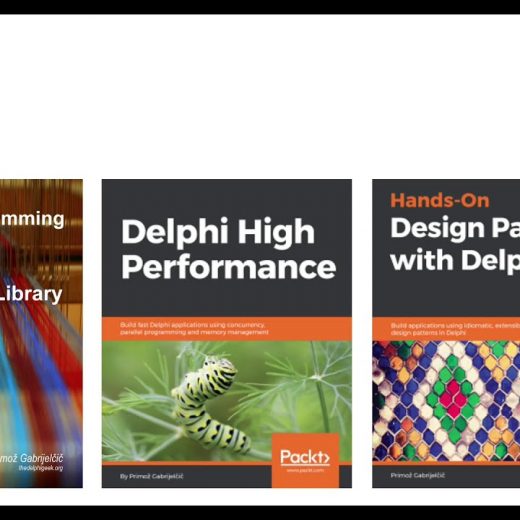
Delphi GUI Programming with FireMonkey Book

Create modern yet effective multi-platform applications by building interactive UIs following a single codebase approach to boost productivity Key Features Delve into the FireMonkey framework and explore its powerful capabilities Enhance the user experience by using various technologies included in Delphi and FMX Boost developer productivity through the cross-platform capabilities enabled by the framework

Read More

Discover How to Program The Delete Procedure in Delphi in this New Learn Delphi Video

If you are one of the aspiring programers who accepted the challenge from the recently concluded Learn Delphi Video tutorial about String Variables, you should watch this video to see if you have programmed your Delphi Project correctly. The aforementioned Learn Delphi video tutorial series aimed to teach us how to use String Functions to process and manipulate values in String Variables in a Delphi Project. We have also learned how to use a String Procedure and how to apply it on a Delphi Program. In this video, using the same Delphi Project, we will learn and explore the Delete Procedure. Explore how this procedure works and how to process them in a Delphi Project in this new Learn Delphi video that features a step-by-step and easy-to-understand demonstration.

Read More

Learn How to Process Insert Procedure In A Delphi Project In This Four-Part Learn Delphi Video Tutorial

Finally, we have reached the final part of this Learn Delphi Video Tutorial series about String Variables and how to process and manipulate them in a Delphi Program. The early tutorials have covered several String functions such as Length, Concat, InputBox, Copy, Pos, UpperCase, LowerCase, and Trim. To conclude this tutorial, we are about to learn the remaining String procedures such as the Insert Procedure. In addition to that, the video above will also help us differentiate string functions from string procedures. This Learn Delphi Video tutorial series also introduced a Delphi Project that you will learn to program from scratch. It is important, however, to start the tutorial from the very beginning. To learn more about how to process the Insert Procedure in a Delphi Program, feel free to check the video above. Enjoy!

Read More

Learn How to Use the StringReplace Function to Manipulate A String Variable in this Learn Delphi Video

In continuation of the four-part Learn Delphi Video Tutorial on how to use String Variables in a Delphi Program, here’s another video that will allow us to explore another String function. This time, we will learn how to use the StringReplace Function to manipulate a String Variable. From the previous Learn Delphi Video tutorials, we have learned several String functions like Length, Concat, UpperCase, LowerCase, Trim, Pos, Copy, and InputBox. We also learned the differences between a String function and a String Procedure like Insert. Now, this video will give us more idea of what is a StringReplace function, how to use it, process it, and manipulate it in a Delphi Project. Feel free to watch the video above and learn how exactly this function works.

Read More