Scripting

Microsoft kills Python 3.7 ¦ … and VBScript ¦ Exascaling ARM on Jupiter

Welcome to The Long View—where we peruse the news of the week and strip it to the essentials. Let’s work out what really matters. This week: VS Code drops support for Python 3.7, Windows drops VBScript, and Europe plans the fastest ARM supercomputer. 1. Python Extension for Visual Studio Code Kills 3.7 First up this week: Microsoft deprecates Python 3.7 support in Visual Studio Code’s Python extension. It’ll probably continue to work for a while, though (emphasis on the “probably”). Analysis: Obsolete scripting language is obsolete If you’re still using 3.7, why? It’s time to move on: 3.12 is the new hotness. Even 3.8 is living on borrowed time. Priya Walia: Microsoft Bids Farewell To Python 3.7 “Growing influence of the Python language”Python 3.7, despite reaching its end of life in June, remains a highly popular version among developers. … Microsoft expects the extension to continue functioning unofficially with Python 3.7 for the foreseeable future, but there are no guarantees that everything will work smoothly without the backing of official support.…Microsoft’s recent launch of Python scripting within Excel underscores the growing influence of the Python language across various domains. The move opens up new avenues for Python developers to work with data within the popular spreadsheet software. However, it’s not all smooth sailing, as recent security flaws in certain Python packages have posed challenges. Python? Isn’t that a toy language? This Anonymous Coward says otherwise: Ha, tell that to Instagram, or Spotify, or Nextdoor, or Disqus, or BitBucket, or DropBox, or Pinterest, or YouTube. Or to the data science field, or mathematicians, or the Artificial Intelligence crowd.…Our current production is running 3.10 but we’re looking forward to moving it to Python 3.11 (3.12 being a little too new) because [of] the speed increases of up to 60%. … If you’re still somewhere pre 3.11, try to jump straight to 3.11.6.…The main improvements … are interpreter and compiler improvements to create faster bytecode for execution, sometimes new features to write code more efficiently, and the occasional fix to remove ambiguity. I’ve been running Python in production for four years now migrating from 3.8 -> 3.9 -> 3.10 and soon to 3.11 and so far we have never had to make any changes to our codebase to work with a new update of the language. And sodul says Python’s reputation for breaking backward compatibility is old news: Most … code that was written for Python 3.7 will run just fine in 3.12. … We upgrade once a year and most issues we have are related to third party SDKs that are too opinionated about their own dependencies. We do have breaking changes, but mostly we find pre-existing bugs that get uncovered thanks to better type annotation, which is vital in larger Python projects. 2. Windows Kills VBScript Microsoft is also deprecating VBScript in the Windows client. It’ll probably continue to work for a while as an on-demand feature, though (emphasis on the “probably”). Analysis: Obsolete scripting language is obsolete If you’re still using VBScript, why? It’s time to move on: PowerShell is the new hotness—it’s even cross platform. Sergiu Gatlan: Microsoft to kill off VBScript in Windows “Malware campaigns”VBScript (also known as Visual Basic Script or Microsoft Visual Basic Scripting Edition) is a programming language similar to Visual Basic or Visual Basic for Applications (VBA) and […]


Read More

Detecting performance bottlenecks with Unity Frame Timing Manager

The Frame Timing Manager is a feature that provides frame-level time measurements like total frame CPU and GPU times. Compared to the general-purpose Unity Profiler and Profiler API, the Frame Timing Manager is designed for a very specific task, and therefore comes with a much lower performance overhead. The amount of information collected is carefully limited as it highlights only the most important frame stats. One main reason for leveraging the Frame Timing Manager is to investigate performance bottlenecks in deeper detail. This allows you to determine what curbs your application performance: Is it bound by the main thread or render thread on CPU, or is it GPU-bound? Based on your analysis, you can take further action to improve performance. The dynamic resolution feature supports fixing detected bottlenecks on the GPU side. You can then increase or reduce rendering resolution to dynamically control the amount of work on the GPU. During development, you can even visualize timing in an application HUD, which allows you to have a real-time, high-level mini Profiler built right in your application. This way, it’s always readily available to use. Lastly, you can use the Frame Timing Manager for release mode performance reporting. Based on collected information, you can send statistics to your servers regarding your application’s performance on different platforms for better overall decision-making.

Read More

Unity și .NET, ce urmează?

Suportul .NET Standard 2.1 în Unity 2021 LTS ne permite să începem să modernizăm runtime-ul Unity în mai multe moduri. În prezent lucrăm la două îmbunătățiri. Îmbunătățirea modelului de programare async/wait . Async/wait este o abordare fundamentală de programare pentru scrierea codului de joc care trebuie să aștepte finalizarea unei operațiuni asincrone fără a bloca bucla principală a motorului. În 2011, înainte ca async/wait să fie obișnuit în .NET, Unity a introdus operații asincrone cu coroutine bazate pe iterator, dar această abordare este incompatibilă cu async/wait și poate fi mai puțin eficientă. Între timp, .NET Standard 2.1 a îmbunătățit suportul pentru async/wait în C# și .NET odată cu introducerea unei gestionări mai eficiente a operațiunilor asincrone/wait prin ValueTask și permițând propriul sistem asemănător sarcinii prin AsyncMethodBuilder. Acum putem profita de aceste îmbunătățiri, așa că lucrăm la activarea utilizării asincrone/așteptării cu operațiunile asincrone existente în Unity (cum ar fi așteptarea următorului cadru sau așteptarea finalizării UnityWebRequest). În primul pas, îmbunătățim suportul pentru anularea sarcinilor asincrone în așteptare atunci când un MonoBehavior este distrus sau când ieșim din modul Play utilizând jetoane de anulare . De asemenea, am lucrat îndeaproape cu cei mai mari contributori ai comunității, cum ar fi autorul UniTask , pentru a ne asigura că vor putea folosi aceste noi funcționalități. Reducerea alocărilor de memorie și a copiilor prin utilizarea Span. Deoarece Unity este un motor C++ cu un strat de scripting C#, există multe schimburi de date între cei doi. Acest lucru poate fi ineficient, deoarece adesea necesită fie copierea datelor înainte și înapoi, fie alocarea de noi obiecte gestionate. Span a fost introdus în C# 7.2 pentru a îmbunătăți astfel de scenarii și este disponibil implicit în .NET Standard 2.1. În ultimii ani, este posibil să fi auzit sau citit despre multe îmbunătățiri semnificative ale performanței aduse .NET Runtime datorită Span (consultați detaliile îmbunătățirilor în .NET Core 2.1 , .NET Core 3.0 , .NET 6 , .NET 6 ) . Dorim să profităm de utilizarea sa în Unity, deoarece aceasta va ajuta la reducerea alocărilor și, în consecință, Garbage Collection se întrerupe, îmbunătățind în același timp performanța generală a multor API-uri.

Read More

Unity and .NET, what’s next?

.NET Standard 2.1 support in Unity 2021 LTS enables us to start modernizing the Unity runtime in a number of ways. We are currently working on two improvements. Improving the async/await programming model. Async/await is a fundamental programming approach to writing gameplay code that must wait for an asynchronous operation to complete without blocking the engine mainloop.  In 2011, before async/await was mainstream in .NET, Unity introduced asynchronous operations with iterator-based coroutines, but this approach is incompatible with async/await and can be less efficient. In the meantime, .NET Standard 2.1 has been improving the support of async/await in C# and .NET with the introduction of a more efficient handling of async/await operations via ValueTask, and by allowing your own task-like system via AsyncMethodBuilder.  We can now leverage these improvements, so we’re working on enabling the usage of async/await with existing asynchronous operations in Unity (such as waiting for the next frame or waiting for a UnityWebRequest completion). As a first step, we’re improving the support for canceling pending asynchronous tasks when a MonoBehavior is being destroyed or when exiting Play mode by using cancellation tokens. We have also been working closely with our biggest community contributors, such as the author of UniTask, to ensure that they will be able to leverage these new functionalities. Reducing memory allocations and copies by leveraging Span. Because Unity is a C++ engine with a C# Scripting layer, there’s a lot of data being exchanged between the two. This can be inefficient since it often requires either copying data back and forth or allocating new managed objects.  Span was introduced in C# 7.2 to improve such scenarios and is available by default in .NET Standard 2.1. In recent years, you might have heard or read about many significant performance improvements made to the .NET Runtime thanks to Span (see improvements details in .NET Core 2.1, .NET Core 3.0, .NET 6, .NET 6). We want to leverage its usage in Unity since this will help to reduce allocations and, consequently, Garbage Collection pauses while improving the overall performance of many APIs.

Read More

Customizing performance metrics in the Unity Profiler

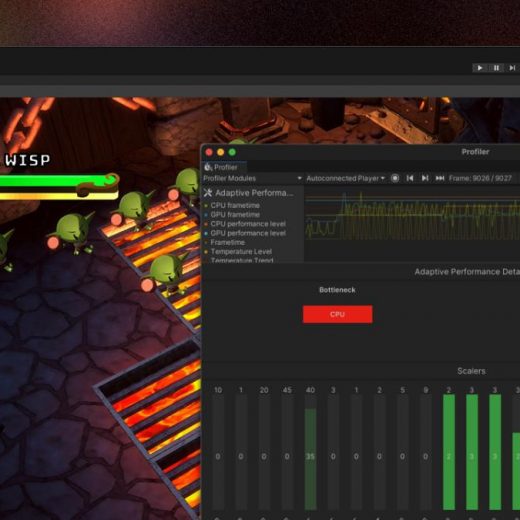
For more information, please see the Module Editor documentation. Profiler module API The Profiler module API allows you to add your own Profiler module to the Profiler window for all users of a project or package. When a Profiler module is defined in a project or package using this API, it automatically becomes available in the Profiler window for all users of that project or package. If you are an Asset Store publisher or a package developer, you can now distribute custom Profiler modules with your package. When a user installs your package, your Profiler modules will automatically become available in the Profiler window for your users. This enables you to expose your package’s performance metrics directly in the Profiler window. Several teams within Unity have already been using this API to distribute custom Profiler modules with their packages, including the Netcode for GameObjects, Adaptive Performance, and Mali System Metrics packages. How to use it To add a Profiler module using the Profiler module API, create a ProfilerModule script in your project or package, as shown below.

Read More