cookielawinfo-checkbox-analytics 11 months This cookie is set by GDPR Cookie Consent plugin. The cookie is used to store the user consent for the cookies in the category “Analytics”. cookielawinfo-checkbox-functional 11 months The cookie is set by GDPR cookie consent to record the user consent for the cookies in the category “Functional”. cookielawinfo-checkbox-necessary 11 months This cookie is set by GDPR Cookie Consent plugin. The cookies is used to store the user consent for the cookies in the category “Necessary”. cookielawinfo-checkbox-others 11 months This cookie is set by GDPR Cookie Consent plugin. The cookie is used to store the user consent for the cookies in the category “Other. cookielawinfo-checkbox-performance 11 months This cookie is set by GDPR Cookie Consent plugin. The cookie is used to store the user consent for the cookies in the category “Performance”. viewed_cookie_policy 11 months The cookie is set by the GDPR Cookie Consent plugin and is used to store whether or not user has consented to the use of cookies. It does not store any personal data.
Windows 11 recently had some major updates early this year that introduced us to a vast of new exciting features. These recent updates offered a great number of benefits to the developers and brought tons of changes to windows application development. Interestingly, one of the most amazing features of Windows 11 is the ability to run Linux GUI Applications using the new version of Windows Subsystem for Linux or WSL2. Windows 11 recently expanded the Windows Subsystem for Linux (WSL2) with full GUI and X windows support. In this video, Jim McKeeth will help us better understand WSL2. He will show us how it works, proper setup, configuration options, and learn to target it in your application development. How do I setup and configure Windows Subsystem for Linux (WSL)? Windows Subsystem for Linux was introduced in Windows 10 which replaced Windows Services for Unix in 2004. It is developed in collaboration with Canonical and others. Generally, Window Subsystem for Linux (WSL) can be defined as a lightweight virtualization technology that makes it possible to execute Linux binaries on a Windows system. The webinar aims to introduce us to WSL and will teach us everything we need to know about its new version from installation to configuration and proper application. It will demonstrate how to test and run Linux applications on your Windows desktop without the need for a second computer or the overhead of a virtual machine. In the new version, you can run an actual Linux kernel which improves overall performance. The webinar will provide a step-by-step installation guide and a brief walkthrough of some of the available Linux distributions. From here, McKeeth will demonstrate how to properly set up and configure WSL in order to smoothly run your Linux GUI application in Windows. How can I write Delphi apps to run on Windows Subsystem for Linux (WSL)? The talk will also briefly guide us on how to properly set up Linux Distribution CentOS using a Docker container as well as the use of FMXLinux component in Delphi that provides capabilities for building GUI applications for Linux. To learn more about WSL2 and how to effectively run Linux GUI applications on Windows operating system, feel free to watch the webinar below.
In a recent survey of 65 000 developers, StackOverflow finds that Windows is still the most used application development platform. This, in part, is because Windows app development meets the four requirements users must consider before choosing a platform — reach, simplicity, speed, and future proof. This is quite reiterated in Microsoft’s Windows 11 launch publicity which focuses a lot on developers. If anything, this new version of Windows shows the direction of the development platform for the next several years. With innovative features like the new Microsoft Store, new distribution methods, WinUI3 controls, the Windows app SDK, etc., Microsoft is affirming its position as a dominant operating system. With that being said, every software developer knows the importance of staying abreast of the latest industry trends. From rapid application development to low code solutions, application development trends change as fast as technology. To stay current, not only do you need to consider new platform features, but you must also pay attention to trends that can increase developer productivity. This article discusses 7 trends in Windows program development you may have overlooked. Is visual development making a come-back? Visual application development can be said to have originated as far back as the 1960s and 70s when developers sought improvements on typing numerous lines of code into a terminal window. Early on, the term Visual programming was often associated with Visual Basic, an IDE launched by Microsoft in 1991. This tool allowed users to develop applications by dragging and dropping code blocks and flowcharts. Borland then took the development world by storm with their launch of Delphi in 1995. With a similar “draw the user interface with a WYSIWYG interface but with a vastly superior experience due to Delphi’s ability to compile code natively – with a blindingly-fast compiler – with no dependencies which had plagued Visual Basic it quickly became the development IDE of choice for all sorts of developer scenarios ranging from small indie developers to large, sprawling blue-chip corporates where the reliability of Delphi apps which ‘just worked’ and kept on working made an awful lot of sense. In our fast-paced economy, developers are under increasing pressure to meet business needs. Demand to deploy new solutions faster, demand to deliver innovative and exciting features and a number of other competing requirements. Sometimes these expectations are unrealistic, but such has become the norm for developers today. Add to that the might of marketing muscles from organizations who were able to wield large advertising budgets to push and pull developer opinions things headed into all sorts of directions, not all of which were the best for the developer. While there may be development methods that claim to speed up Windows program development, none quite does it, like visual development. Hence, we’re seeing developers move towards tools that enable them to incorporate visual development. One such tool is the Delphi IDE. RAD Studio IDE, Embarcadero’s modern evolution of Borland’s phenomenally successful Delphi continues to pave the way for innovative Integrated Development Environments (IDEs), with what is surely the most advanced visual development toolset, an extensive array of unique features, shortcuts, and capabilities to improve development productivity significantly. Is rapid application development coming back in fashion? In 1991, James Martin, in his book, Applications Development Without Programmers, coined the term Rapid application […]
Cross-Platform languages are not something new. For more than two decades, cross-platform development has been with us, but each programming language and technology evolved differently, adopted different architecture, and offered even more choices to consider. Today we are going to talk about different cross-platform programming languages, why they are good and what are their disadvantages and, through this learn how to choose and use the right cross-platform programming language and frameworks. What computer languages are available for cross-platform programming? Most programming languages provide at least some form of cross-platform development. By this we mean that with one codebase – the program’s source code – you can target most major operating system and device platforms. They have their specific UI framework and architecture that can or cannot directly utilize hardware features and platform-specific functionalities. Here are the top cross-platform programming languages C++ Java Delphi C# JavaScript Dart It is not easy to compare these languages, but they all have great features and problems. For instance, Java has a huge third party library pool with a high number of users but requires its Java Runtime Machine. JavaScript is everywhere but not secure & efficient as compiled languages. Microsoft’s C# has evolved so much, but its cross-platform frameworks are not the happiest. Dart with Flutter is getting attention because of its widget powered UI solutions for developing client-optimized apps. Still, it lacks third-party libraries and has problems with iOS development and is not an excellent choice for building server-side apps. C++ is a great choice, but it requires higher knowledge and practice about the ecosystem to develop apps fast. Delphi provides the fastest time to market option with high productivity when creating cross-platform native applications but has low open-source projects. How to choose a cross-platform programming language? If you can efficiently utilise hardware components and system-specific features, that is a good sign, like accessing the camera, gyroscope, or OS-specific features. Cross-Platform is one of the ongoing arguments in the software development industry. It is also noteworthy that Native and Cross-platform development is continuously evolving. While Native app development goes with a much more complex process, it stays true to the target platform, namely Windows, macOS, Linux, iOS or Android. To point out that these languages utilise a framework for building cross-platform responsive user interfaces and provide interfaces where you can use system provided APIs through them. Applications built with these frameworks should behave like native apps; if it does not, it breaks the user experience, leading to the decline of users from your product. For instance, applications built with web-powered components lack several ways that kill the native features, and it gets even hard to work with device hardware. What is currently happening in cross-platform development? Mobile market share is enormous, and most cross-platform languages target iOS and Android with their frameworks. Moreover, web apps can also do the job of a mobile app using technology like progressive web apps (PWA), which are web apps that act like a native apps albeit with some disadvantages such poor battery life and an inability to access many of the device’s hardware features. One of the latest frameworks for building cross-platform applications is the MAUI framework by Microsoft. It is a .NET Multi-platform App UI framework for building applications with C# and XAML. It is the […]
In this video, we will learn not just one but THREE powerful solutions for web development in Delphi. The webinar will highlight three popular frameworks that represent three different ways of coming at developing for the web. These include TMS Webcore, IntraWeb, and DelphiMVCFramework. While Delphi already comes with powerful tools for web development, these popular frameworks can help you build more compelling web applications that deliver both the functionality and performance that once required native windows development. Joining this webinar are Dr. Holger Flick of TMS Software, Jackson Gomes of Atozed Software (IntraWeb), and Daniele Teti of bit Time Professionals (DelphiMVCFramework) to explain their respective products. TMS WEB Core is a cross platform solution for web development using Delphi TMS WEB Core is a web development tool that allows you to create web client applications from Delphi using RAD development methodology and a component-based framework. In this video, Dr. Holger Flick will introduce us to the framework and how to employ Delphi in web applications. He will also highlight some of the powerful and easy-to-use features of TMS Web core that allow you to build web applications surprisingly easy and fast. IntraWeb allows programmers to produce web apps using Delphi Jackson Gomes will discuss the advantages of using IntraWeb in Delphi. He described IntraWeb as the VCL equivalent for the web. It is an equally powerful framework for building web apps in Delphi with the goal to close the gap between Delphi developers and web development. The video will also demonstrate some of IntraWeb’s new features including HTTP.sys, IWreCaptcha Component, Intraweb Certicifate managers, and as well as the things we can expect from their upcoming IntraWeb 17 edition. Do you know how the DelphiMVCFramework can help your web app development? The DelphiMVC Framework is mainly designed to be a powerful and easy-to-use Open-source framework for web solutions. According to Daniele Teti, the framework is currently the most popular Delphi library on GitHub today. Interestingly, this framework supports RESTful and JSON-RPC APIs development. In this video, Daniele will briefly show how to create some kind of APIs in Delphi using DMVCFramework. While these frameworks are all designed for web development, each of them is distinct in its own way and you just have to find the right framework that provides the web development solution that you need. To learn more about these powerful web frameworks, feel free to watch the webinar below.
Businesses are growing, and new challenges are rising. On the other hand, there is pressure to reduce costs by automating the tasks. The best solution is to lean on custom applications, but it takes a lot of time and is not affordable for most businesses. But do not make up your final decision about this trend. Here we present you collections of facts and information about the best low code platforms where you can grasp a new level of information about them. Solving today’s challenges means working smarter, not harder This ever-changing digital world has new ideas and practices every day, and with increasing demand for IT, businesses are required to take their things to the next level with these innovations. But it takes lots of engineering hours and overwork. Companies are overwhelmed with different software and application requirements and getting hard to fulfil all the software necessities. This is where low-code or no-code app development comes the saving. The learning curve of low code development tools is modest. Because of this, we see all these trends around no-code development tools for creating data-oriented apps or e-commerce web apps. These more rigid solutions provide a set of blocks to create a package out of it with quite limited customization options. This has both pros and cons. Software engineers can spend most of their time creating business-critical solutions for further automation when it comes to benefits. On the other hand, by entirely relying on these pre-packaged low-code tools, you might not get the results you expect, or run into intractable issues when you need something with more customization or is incapable of scaling-up like as your needs grow. Picking the right low-code solution is as important to efficiency and future growth as is recognizing that low-code is the smart choice for you to make in the first place. What is the future of the Low-Code Market? Business insiders are talking about the future of the low-code market. According to [Gartner], by 2024, low-code application development will be responsible for more than 65% of all application development activity. For instance, most online shops and e-commerce websites are built with low-code development tools. The lower level of technical knowledge required to out together an online commerce solution using low-code techniques has revolutionized e-commerce site creation. Until the arrival of this kind of low-code solution website owners required assistance from web developers with very specific – and expensive – development skills in order to create their online shopping solutions. Now it’s arguable that a business owner possessed of only a modest technical knowledge can create a reliable and relatively secure online shopping destination. This booming industry will probably generate revenue of more than $185 billion by 2030, climbing from $10 billion in 2019 and envisioned to progress quickly. [GlobeNewswire] Of course, low-code platforms do not fill up the software developer gap but can make things better by giving flexibility for business owners to start their business online. If you really have a significant user audience, maybe you can create more customized and scalable products with the best development tools like RAD Studio. What is RAD Studio? RAD Studio is one of the best developer ecosystems. You can use Delphi and C++ with FireMonkey or VCL frameworks to create cross-platform and native applications for Android, […]
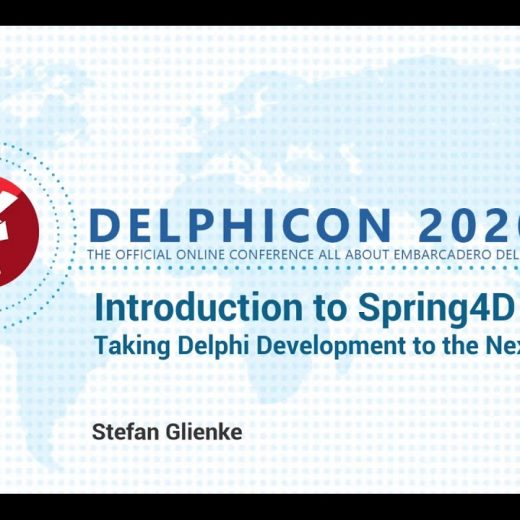
In this webinar from DelphiCon, Stefan Glienke introduces us to the Spring4D framework and how it can take your Delphi and Windows application development to the next level. This Delphi-based framework is packed with a number of useful modules which will be explained in this video along with their actual implementations in Delphi. Spring4D is described as a great open-source library for Delphi XE and higher. This library is freely accessible and can be used for both commercial and non-commercial projects. How can Spring4D leverage and enhance the power of Delphi? The Spring 4D framework extends the Delphi RTL and is known for its advanced use of Generics and enhanced RTTI. The framework is also under active development and is practicing the so-called “Dogfooding” which means the author of the software and the team behind it is actively using the framework for their own commercial software. Spring4D also follows the principle of “Pick and Choose” so it doesn’t dictate how you have to write your own application. You simply take the useful things for your code without being forced to do things in a certain way. Spring4D contains a number of different modules including the common types like Nullable and Event, Smart Pointers like Shared and Weak, Interface-base collection types, and reflection extensions. Aside from explaining the purpose of each module, Stefan will also demonstrate how each of these can be implemented in Delphi. To know more about Spring4D and how this framework can possibly take your Delphi development to the next level, feel free to watch the video below.
Did you know it’s easy to make use of some truly excellent Python libraries to super-charge your Delphi app development on Windows? Adding Python to your toolbox of Delphi code can enhance your app development, bringing in new capabilities which help you provide innovative and powerful solutions to your app’s users, which combine the best of Python with the supreme low-code and unparalleled power of native Windows development you get with Delphi. Are you looking for how to build a GUI for powerful and visually stunning data visualizations? You can build publication-quality figures with Matplotlib on Delphi. Matplotlib can be used in Python scripts, the Python and IPython shell, web application servers, and various graphical user interface toolkits (including Delphi!). This post will show you how to build a Delphi GUI app, dedicated to the Matplotlib library. Watch this video by Jim McKeeth, as a comprehensive introduction about why you can love both Delphi and Python at the same time: What is the Matplotlib Library? Matplotlib is a comprehensive Python library for creating static, animated, and interactive visualizations. Matplotlib produces publication-quality figures in a variety of hardcopy formats and interactive environments across platforms. Matplotlib makes easy things easy and hard things possible. Create publication-quality plots. Make interactive figures that can zoom, pan, update. Customize visual style and layout. Export to many file formats. Embedded in JupyterLab and Graphical User Interfaces. Use a rich array of third-party packages built on Matplotlib. How do I get the Matplotlib library? You can easily install Matplotlib with pip: Or, you can choose conda install, to avoid complexities, as Anaconda is known as the most trusted distribution for Data Science related tasks: conda install -c conda-forge matplotlib conda install –c conda–forge matplotlib How do I build a Delphi GUI for the Matplotlib library? The following is the user interface structure for our project: User Interface Structure for our Matplotlib4D Project. Here is the list of Components used in the Matplotlib4D demo app: TPythonEngine TPythonModule TPythonType TPythonVersions TPythonGUIInputOutput TForm TMemo TOpenDialog TSaveDialog TSplitter TImage TPanel TLabel TComboBox TButton Navigate to the UnitMatplotlib4D.pas, and add the following line to the FormCreate, to load our basic matplotlibApp.py: Memo1.Lines.LoadFromFile(ExtractFilePath(ParamStr(0)) + ‘matplotlibApp.py’); Memo1.Lines.LoadFromFile(ExtractFilePath(ParamStr(0)) + ‘matplotlibApp.py’); You can Seamlessly Load the Matplotlib App Python File Inside the UnitMatplotlib4D.pas File. And make sure that the matplotlibApp.py is in the same directory as our Matplotlib4D.exe or inside your Delphi project folder. How to visualize data using Matplotlib on the Delphi app? Highly recommended practice: 1. This GUI was created by modifying Python4Delphi Demo34, which makes us possibly change the Python version in the runtime (this will save you from the seemingly complicated dll issues). 2. Add “Jpeg” to the Uses-list at the top of our UnitMatplotlib4D.pas code. We have to do that, because otherwise, Delphi can not understand the JPG format. With this correction, it should work. After that, the above change should look similar to this: Import Jpeg to Your Uses-list. And we can load JPG images into our TImage. 3. Set up these paths to your Environment Variable: C:/Users/ASUS/AppData/Local/Programs/Python/Python38 C:/Users/ASUS/AppData/Local/Programs/Python/Python38/DLLs C:/Users/ASUS/AppData/Local/Programs/Python/Python38/Lib/bin C:/Users/ASUS/AppData/Local/Programs/Python/Python38/Lib/site-packages/bin C:/Users/ASUS/AppData/Local/Programs/Python/Python38/Scripts C:/Users/ASUS/AppData/Local/Programs/Python/Python38 C:/Users/ASUS/AppData/Local/Programs/Python/Python38/DLLs C:/Users/ASUS/AppData/Local/Programs/Python/Python38/Lib/bin C:/Users/ASUS/AppData/Local/Programs/Python/Python38/Lib/site–packages/bin C:/Users/ASUS/AppData/Local/Programs/Python/Python38/Scripts 4. Creating a GUI for Matplotlib means that you will use Matplotlib outside the “normal” command-line process. You need to add these lines to all your Python code: import matplotlib import matplotlib.pyplot as […]
I’m delighted to announce that today Embarcadero has released a new version of its InterBase flagship database engine, InterBase 2020 Update 3. With this release, the company continues to improve the product’s quality and usability. UX Enhancements The most visible improvements are the user interface enhancements in the InterBase Manager utility for the Windows platform. In this release the InterBase Manager offers high-DPI support, and additional information like the version number and the current port in use, in an improved overall layout. As part of the UX improvement we have changed the fonts, colors, and overall look and feel, making these forms more modern. Noticeably, InterBase Manager now uses the PerMonitor V2 Windows UI model, and that has been migrated to and compiled with the latest version of Delphi. The InterBase Manager window in InterBase 2020 Update 3 (on the right) compared to previous versions (on the left) In addition, the InterBase Server and Guardian property sheets have an improved UI (for example, the interface includes the entire path of the referenced folders rather than a trimmed version) and they are also made available when the database runs as a Windows Service. General Improvements Besides the UX enhancements, InterBase 2020 release 3 includes some additional features: Expression Index can now be used to optimize query filters using STARTING WITH and LIKE predicates matching input expressions In IBConsole, the Object window and WISQL window now execute SELECT statements in precommitted reads mode, so they don’t stick to the transaction in the database. With this change, normal GC and sweep of obsolete versions will not be held back. InterBase 2020 Update 3 is also certified for use on more recent versions of the Windows operating system, Windows 11 and Windows Server 2022. Quality Work The release also addresses customer support cases and internally found quality issues, listed in the Doc Wiki product documentation. ADO.NET Support for Change Views As part of the improvements to InterBase, the team has also added Change Views support to the ADO.NET driver. For more information on ADO.NET and Change Views, refer to the ADO.NET documentation, or read the announcement blog post at https://blogs.embarcadero.com/interbase-ado-net-driver-update-enhances-visual-studio-support/. The new ADO.NET driver is available on GitHub and NuGet, as it is not part of the regular product installation. More Information You can find more information on InterBase and the 2020 Update 3 at the following links: If you are an existing customer, the new version of the product is available on https://my.embarcadero.com, otherwise you can download the trial version at https://www.embarcadero.com/products/interbase/developer/free-download
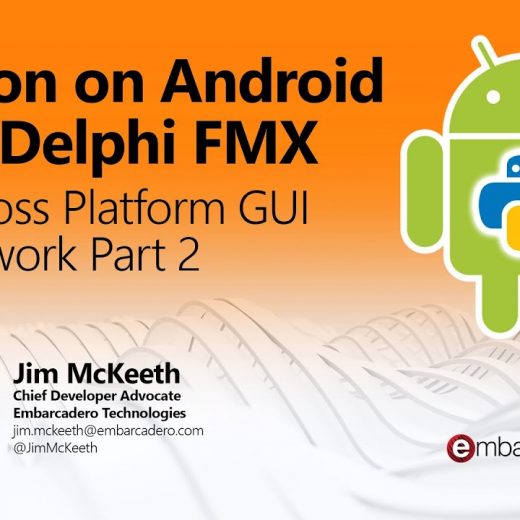
This video is a continuation of the development of applications in Python using the Delphi GUI frameworks. Delphi and Python are two powerful programming languages that are not just ideal for windows application development but also for other platforms. Previously, Jim McKeeth introduced us to Delphi VCL for Python Module which gives developers the ability to take the powerful and mature GUI frameworks of Delphi’s VCL and use them in a Python coding environment. This time, the webinar will focus on another module, the DelphiFMX4Python which supports building Python applications for Android using the FireMonkey GUI library. How to build an Android App in Python using the Delphi FMX library module This webinar almost shares the same agenda as the first video where we build a functioning application in Python using Delphi’s powerful GUI library. However, instead of Windows-native VCL, this session will focus on Delphi’s cross-platform Firemonkey framework using the Delphi FMX module. Firemonkey takes advantage of GPU libraries to provide a hardware-accelerated, rich, user interface that is fast and looks great across multiple platforms. This library is compatible with Windows, macOS, Android, iOS, and Linux. The main course of this webinar will focus primarily on Android where Jim Mckeeth will demonstrate the process from installation to Android deployment. Aside from basic samples, the video will also show how you can take your Android app further by combining the strengths of Delphi and Python. The webinar will demonstrate how surprisingly easy to customize the Android app using the pre-built android application where all the source code is already available. It will also tackle how the Python4Delphi library can serve as a bidirectional bridge that allows you to develop parts of your app in Delphi and other parts in Python, merging both languages into a single cohesive solution. To learn more about DelphiFMX for Python, feel free to watch the video below.
Invormațiile pe cale Dvs le introduceți în prezentul formular nu se păstrează online, dar se vor transmite direct la destinație. Mai multe informații găsiți în Politica Noastră de Confidentialitate
We use cookies to ensure that we give you the best experience on our website. If you continue to use this site we will assume that you are happy with it.