5 Easy Things To Learn Using C++ Builder 11 CE
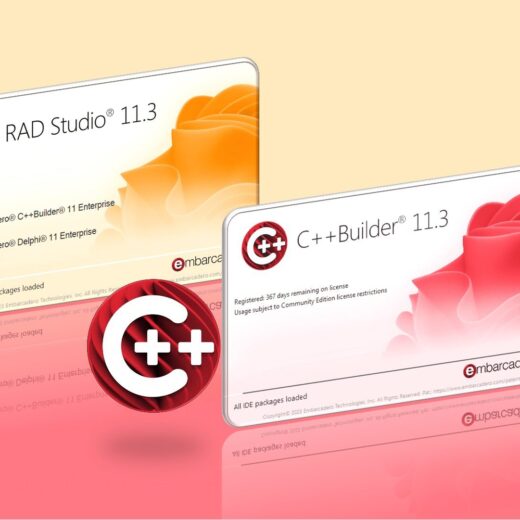
Hello C++ developers, C++ students, and C++ educators. This week was another milestone for the C++ programming language with a free version of C++ Builder, C++ Builder 11 CE Community Edition released on April 2023. If you are a start-up developer, student, hobbyist or just interested in learning to code then C++ Builder Community Edition may well be just the thing for you. Read the FAQ notes on the CE license and then simply fill out the form and download C++ Builder 11 CE. Table of Contents Where can I learn to program in C++ for free? What is new in C++ Builder CE? What are the important features of C++ that can be used with C++ Builder CE? Did you know you can create iOS programs for free with the C++ Builder Community Edition? Learn C++ Builder CE with C++ examples Get in touch and tell us what you’d like to see on the blogs What might be next for C++ Builder? Where can I learn to program in C++ for free? If you don’t know anything about C++ or the C++ Builder IDE, don’t worry, we have a lot of examples on LearnCPlusPlus.org website and they’re all completely free. Just visit this site and copy and paste any examples there into a new Console, VCL, or FMX project, depending on the post example. We keep adding more C and C++ posts with sample code. In today’s round-up of recent posts on LearnCPlusPlus.org, we have new C and C++ posts with very simple examples that can be used with, The free version of C++ Builder 11 CE Community Edition or a professional C++ Builder or free BCC32C C++ Compiler and BCC32X C++ Compiler or the free Dev-C++ What is new in C++ Builder CE? C++ Builder 11 CE which is the free Edition of C++ Builder has been recently released. Embarcadero has made available a Community Edition license for the most recent 11.3 release of Delphi and C++Builder. This is a free edition of either Delphi or C++Builder for students, hobbyists, and startups (as the license is revenue-limited). What are the important features of C++ that can be used with C++ Builder CE? C++ is a well-established programming language that is supported by a big community for many different computing hardware platforms. The language has a set of standards generally named after the approximate year the standard was adopted, such as C++98, C++11, C++14, C++17, and so on. Basically, these standards are an international agreement for C++ compiler technology. If you are using a feature from one of the standards, for example a lambda, and you have some problems, referring to the standard may be helpful in understanding the high-level technical details. In the first post, we explain what the C++ standards are, and where to find them. https://learncplusplus.org/where-to-find-the-c-standards-in-2023/ In C++, there are function macros for the fixed-width integer type that expands to an integer constant expression having the value specified by its argument. Their type is the promoted type of std::int_least8_t, std::int_least16_t, std::int_least32_t, and std::int_least64_t and unsigned versions of these types respectively. In the next post, we explain these function macros for integer constants in Modern C++. https://learncplusplus.org/what-are-function-macros-for-integer-constants/ In another post, we describe the macros for fixed-width integer types in C++ that allow you to obtain minimum and maximum possible values. In that post, we explain these macros for integer […]